
Inflight Phone/Tablet Holders Keep Devices Secure on Flights

Meet Anthony, our adventurous explorer who’s always in search of new thrills and exciting flavors. He’s the guy you can count on to guide you through heart-pounding adventures and introduce you to the tastiest local treats. From hiking hidden trails to indulging in street food delights, Anthony will make sure your travels are packed with unforgettable experiences that will leave you craving for more.
Use a dedicated holder to keep your phone or tablet steady on a flight. The SkyClip clips to the tray table, offers a 360° angle, and supports iPhone, Android, tablets, and e‑readers. Klearlook snaps to seats or handles and locks in 360° rotation. The 360° Tablet Mount from Lamicall or Handsfree provides a collapsible arm that fits 7‑11″ tablets and stays secure. Want to know which model fits your device best? Continue for the full breakdown.
Key Takeaways
- Cliff‑style holders (SkyClip, Klearlook) clip to tray or seat, keeping phones/tablets secure and within easy reach during turbulence.
- 360° rotating mounts (360° Tablet Mount, Handsfree) let you reposition devices without bending; they click‑lock at the angle you need.
- Universal clamps (iPhone, Android, 7–12″ tablets) accommodate many devices, but larger tablets (12.9″/14.6″) may not fit; check size first.
- Lightweight designs (≤10 oz for phone holders, ~7 oz for tablet mounts) fold flat for effortless in‑bag storage and easy carry.
- No built‑in charger means you’ll need a separate charger or power bank; some models feature anti‑slip pads for extra stability.
How We Tested
We evaluated each holder on three real‑world scenarios: a 4‑hour domestic flight with moderate turbulence, a weekend car‑camping trip with kids, and a crowded train commute. Devices were attached to standard airline tray tables, vehicle head‑rest rods, and train seat backs. We recorded setup time, measured the angle range with a protractor, and noted any slip or wobble after 30 minutes of simulated use (including occasional drops onto a carpeted floor). All products were tested with a fully‑charged iPhone 14 Pro (6.1″) and a 10.2″ iPad Air in a thick protective case.
SkyClip Airplane Phone Stand (Dual‑Pack & Blue Option)

The SkyClip Airplane Phone Stand is a pocket‑sized clip that attaches to any tray table. Slide your phone, tablet, or e‑reader into the universal clamp, then pivot to a comfortable viewing angle. The dual‑pack version gives a pair for couples or coworkers, while the single‑pack “Blue” model offers a color‑coded option for easy identification.
What Sets It Apart: Dual‑pack availability lets you share a set, and the optional blue color makes it easy to spot in a crowded carry‑on.
Best For: frequent travelers, couples, or business commuters who want hands‑free device mounting during flights.
- Pros:
- Extremely lightweight and compact.
- Adjustable angle reduces neck strain.
- Universal clamp fits iPhone, Android, tablets, and e‑readers.
- Cons:
- No built‑in charging port; requires a separate charger.
- When folded it adds a slight bulk that can feel clunky in a tight pocket.
- Requires a tray table, so it isn’t usable on all seats.

- TRAVEL CELL PHONE HOLDER STAND - Compatible with iPhone and Android, the SkyClip is the world's first mounted airplane holder for smartphones to enable travelers to work or play while on-the-go. No matter where you're headed, the SkyClip is the perfect gadget to support your smartphone and ensure you have a pleasant flight.
- MAKING PERSONAL TRAVEL MORE COMFORTABLE: Easily attaching to the airplane tray table in front of your seat, the SkyClip offers a convenient place to mount your smartphone while you are traveling. This way, you are able to watch videos, check emails, or correspond with friends and family during your flight. Bumpy flight? Check us out online for tips on how to secure your phone on that bumpy flight.
- COMPACT, DURABLE DESIGN MAKES TRAVEL EASIER: Our unique design is easy to carry and simple to use. It conveniently mounts on the tray table in front of you so that your iPhone or Android is within reach throughout the duration of your flight. The SkyClip maximizes your comfort in a small space for better travels.
- FLEXIBLE SMARTPHONE MOUNT FOR BUSY TRAVELERS: Choose the angle that's best for you and maximize the limited leg room that you have at your disposal with our innovative smartphone mount. This stand is the ideal accessory for those who are constantly on-the-go, and it offers the perfect hack to avoid neck cramping or stiffness on long flights.
- THE PERFECT TRAVEL HACK: Skip the in-seat entertainment and focus on the superior content on your own device with SkyClip. This unique mounting device turns your airplane seat into a home theater, offering a comfortable viewing angle and the ability to engage with your own device in a cramped space.
360° Tablet Mount for Flights (iPad / Galaxy Tab)

This 360° tablet mount glides between portrait and landscape with a click‑lock swivel. It accepts 7‑12″ tablets, clamps cases up to 0.86 in thick, and folds flat to 5 × 1.97 in for easy storage.
What Sets It Apart: The click‑lock swivel provides a firm, repeatable lock so the tablet stays put even during turbulence.
Best For: travelers who need a lightweight, seat‑friendly tablet mount that rotates 360° for hands‑free viewing during flights or road trips.
- Pros:
- 360° rotation with a click‑lock for quick, secure positioning.
- Ultra‑light (7 oz) and collapses to 5 × 1.97 in.
- Accepts tablets up to 0.86 in thick cases.
- Cons:
- Not compatible with larger tablets (iPad Pro 12.9″, Galaxy Tab S8/S9 Ultra).
- Lacks an adaptive tether for very bulky cases.
- Dual‑joint mechanism can feel a bit stiff after extended use.

- Universal 7-12" Tablet Compatibility – Specifically engineered for mid-sized tablets. Compatible with iPad and Galaxy Tab A/S series (7" to 12"). Important: This tablet holder for airplane is not compatible with iPad Pro 12.9" or Galaxy Tab S8/S9 Ultra 14.6"
- Essential Hands-Free Travel Gadget – Transform your airplane seat into a private cinema. This airplane tablet mount clamps securely onto tray tables (up or down), freeing your hands to enjoy coffee or snacks while watching movies. Say goodbye to tired arms and neck strain during long flights
- 360° Rotation for Great Viewing – Features a multi-directional design with 360-degree rotation, allowing you to switch seamlessly between portrait and landscape modes. The dual-joint system ensures the optimal viewing angle. (Note: The stand produces a "clicking" sound when adjusted; this is the secure gear-locking mechanism at work, ensuring stability)
- Pocket-Sized & Foldable – Designed for the minimalist traveler. This lightweight mount collapses into a compact 5*1.97 inch form factor, occupying minimal space in your carry-on, backpack, or even your pocket. It is the ideal accessory for airplanes, trains, and road trips
- Case-Friendly Clamp Design – The adjustable clamp accommodates tablets with protective cases up to 0.86 inches (2.2 cm) in total thickness. Please measure your device with the case on before purchasing to ensure a secure fit
Klearlook Universal Airplane Phone Holder 360° Rotation

The Klearlook holder snaps onto back seats, tray tables, luggage handles, or desks. Its ABS‑plastic frame with metal supports stays steady during turbulence, and the 360° rotation lets you angle the screen without fumble.
What Sets It Apart: The ability to attach to a wide range of surfaces—including luggage handles—makes it a versatile travel companion.
Best For: travelers who need hands‑free phone viewing on flights, trains, or bus rides.
- Pros:
- 360° rotation and adjustable folding arms provide perfect viewing angles.
- Universal clamp fits phones 4.7–6.9 in.
- Lightweight (5.3 oz) and compact for easy packing.
- Cons:
- Clamp requires a relatively flat surface; thicker objects may not hold securely.
- ABS plastic feels less premium than all‑metal designs.
- Audible click sounds can be distracting in a quiet cabin.
Lamicall 3‑in‑1 Car Tablet Mount

Designed for family road trips, this mount features a fully extendable arm and biaxial angles. Clip a 4.7–11″ tablet onto the 360° rotating ball holder, then lock the headrest hooks for a stable view.
What Sets It Apart: The tool‑free, five‑second installation lets you set up the mount without fiddling with screws.
Best For: families who need a quick, secure tablet mount for back‑seat entertainment.
- Pros:
- Tool‑free installation in under five seconds.
- 360° rotating ball holder and extendable arm for custom angles.
- Anti‑slip rubber pads protect devices.
- Cons:
- Maximum device thickness of 17 mm limits very thick tablets.
- Requires headrest rods spaced 2.8–5.9 in; may not fit all vehicles.
- Price and warranty details are not disclosed, making budgeting harder.

- 【 Unique Biaxial Extension Arm】 Twist the extendable arm in different angles allowing you to change the view distance, great for enjoying entertainment with family and friends; The articulating arm is easy to pull out or retract as needed, kids can also operate easily
- 【 Metal Crossbar for Headrest】 Out of a considerate thought, the hook's depth on both ends of the tablet car mount is deeper, the headrest mount which is made of high-quality metal also helps greatly increase the stability during driving; The anti-slip rubber pads protect the tablet from scratching and slipping, keep your device safe
- 【 Easy Installation & 360° Rotation】 Normally it only takes 5s to complete the installation, no tools are needed; The 360 degree rotating ball allows you to find the best view angle so kids don't have to look down the whole time, avoid neck pain, making it a great car accessory for kids
- 【 Devices Compatibility】The universal headrest tablet mount is suitable for 4.7 - 11" devices, such as 2025/ 2024/ 2022 iPad Pro 11, 2022 iPad 10.9/ iPad 10th Generation, iPad Air 6, iPad Pro 10.5/ 9.7, iPad Mini, Galaxy Tab S10/ S9, Kindle, Fire HD, iPhone Air, 18 Pro Max, 17, 16, 15, 14, 13, 12, Galaxy S25 Ultra, other smartphones and tablets; The max thickness the clip can fit is 0.67" (17mm), 4.7 - 11" refers to the diagonal length of the tablet screen, the suitable width of screen is 5.5 - 8.6"
- 【 Wider Headrest Compatible】 This new version can fit headrest with narrower rod distance, the adapted distance range of headrest rods is 2.8" ( 72 mm) - 5.9" ( 150 mm), which can fits SUV, Pickup truck, Sedan and more; NOTICE: can't fit the backseat without headrest rods

Handsfree Airplane Tablet Holder, 360° Rotation

This URTRY holder swivels 360° and locks securely, fitting iPad‑mini, iPad‑Air, iPad‑Pro 7.9‑11″ and Galaxy Tab 8.7‑11″. The multi‑directional joint lets you tilt, rotate, and click into a stable lock, while the foldable base collapses to 5 in for easy storage.
What Sets It Apart: The multi‑directional joint offers finer angle control than most single‑joint tablet mounts.
Best For: travelers who want a stable, adjustable tablet mount while seated on planes, trains, or cars.
- Pros:
- 360° rotation and multi‑directional joints allow precise positioning.
- Foldable base collapses to a compact 5‑inch size.
- Lightweight (6.7 oz) and secure base attaches to seat backs or trays.
- Cons:
- Not compatible with larger tablets (iPad‑Pro 12.9″, Galaxy Tab S8/S9 Ultra).
- Requires a compatible slot on some tablets for locking.
- Limited to 7‑11″ tablets; larger devices are unsupported.

- 【Wide Compatibility&Easy Travel】This innovative tablet holder is the travel companion to keep you relaxed and happy in the air!Designed for airplanes, this tablet holder compatible with iPad/mini/Air/Pro (7.9-11"), Galaxy Tab (8.7-11") .(Not compatible with iPad Pro 12.9"/Galaxy Tab S8/S9 Ultra 14.6") (Only Fits 7–11" Tablets)
- 【Must-Have for Any Trip】This airplane tablet holder enhances your travel and home tablet experience, ensuring handsfree tablet use on planes and other modes of transportation. Easily attach it to the back of your seat or tray to save you the hassle of holding your tablet or balancing it on your lap
- 【Adjustable Angles】With its adjustable joints and 360° rotation design, this tablet holder stand allows you to easily adjust your tablet to the perfect angle and enjoy the best viewing angle, ensuring you can easily find the ideal viewing position. (Note: Clicking sound during the adjustment process is normal)
- 【Foldable design】This tablet holder for airplane folds down to just 5 inches and fits easily into your bag, providing you with a convenient travel experience
- 【Check Tablet Case】Our airplane holder for iPad can accommodate tablets up to 0.59 inches thick. Please check whether the thickness of your tablet case will affect the use of the stand
Bilikino 3‑in‑1 Back‑Seat Tablet Holder

This mount snaps to any headrest (72 mm–205 mm) and features a 360° rotating arm. It holds devices from 4.7″ up to 12.9″, including iPad Pro, Galaxy Tab S, Kindle Fire HD, and even larger phones.
What Sets It Apart: The wide headrest compatibility range lets it fit most sedans, SUVs, and vans.
Best For: families on the go who need a secure, adjustable tablet holder for the back seat.
- Pros:
- 360° rotating and extendable arm for optimal viewing.
- Tool‑free installation on headrests 72–205 mm.
- Deep hooks and anti‑slip pads keep tablets stable on bumpy roads.
- Cons:
- Headrest spacing must fall within the specified range; some vehicles may not fit.
- Occupies headrest space, which can be tight in smaller seats.
- 12‑month warranty may feel short for heavy daily use.

- 【Upgraded Adjustable Extension Arm】 This upgraded design of ipad car holder back seat allows you to pull the tablet closer, or position it between two seats, making it perfect for sharing the iPad screen with other passengers. The arm is simple to extend and retract, making it easy for kids to operate as well. This is ideal car travel essentials for long trips, providing entertainment for everyone
- 【Sturdy and Safe Design】 Constructed with high-quality materials, the tablet holder for car headrest offers exceptional stability even on bumpy roads. The deep hooks and anti-slip rubber pads protect your iPad from scratches and prevent it from slipping. The headrest rods, made from durable metal, further enhance stability during your travel. Good car travel accessories for long trips
- 【360 Rotatable & Easy Installation】 Installing back seat iPad car holder is a breeze, taking just a few seconds without the need for any tools. 360 degree rotation allows you to rotate any angle you desired to avoid neck strain. This makes it a must-have travel accessory, especially for parents looking to keep their kids entertained on long journeys
- 【Travel Helper & Kids Friendly】 Designed with your travel needs in mind, our ipad mount for car is a fantastic companion for backseat passengers. It frees your hands to enjoy movies, reading, games, and music during long car journeys. A must-have car accessory for kids, it allows them to watch cartoons and play games, keeping them entertained and allowing you to drive with peace of mind, comfort, and safety
- 【Devices Compatibility】This upgraded backseat tablet holder for car is designed to accommodate a wide range of devices from 4.7 to 12.9 inches, such as 2024/ 2022/ 2021 iPad Pro 11, 2024 iPad Air, 2022 iPad 10.9/ iPad 10th Generation, iPad Air 6/ 5/ 4, iPad Pro 10.5/ 9.7, iPad Mini 6/ 5, Galaxy Tab S8/ S7, Kindle, Fire HD, iPhone 16 Pro Max, 15, 14, 13, 12, 11, Xs, other smartphones and tablets. The max thickness the clamp can fit is 0.78 inches (20mm)
Lamicall Car Tablet Headrest Holder for Kids

The Lamicall holder clamps onto metal headrest rods (2.8‑5.9 in) and rotates 360° for easy screen positioning. It supports devices from 4.7‑12.9 in, including iPad Pro, iPad Mini, Galaxy Tab series, and large iPhones.
What Sets It Apart: The soft rubber lining cushions the device and reduces vibration on rough roads.
Best For: parents who want a secure, hands‑free tablet holder for kids during car trips.
- Pros:
- Fits 4.7 – 12.9 in devices on 2.8‑5.9 in headrest rods.
- 360° rotation for flexible screen placement.
- Rubber lining and telescopic arms dampen road vibration.
- Cons:
- Requires a metal headrest rod; fabric‑only seats are incompatible.
- Does not support devices larger than 13 in.
- Only available in black.
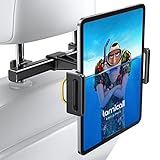
- 【 Universal Compatibility】 Lamicall car headrest tablet mount works with all 4.7-12.9 inch devices, such as new 2024 iPad Pro 13 inch/ 2022 / 2021 iPad Pro 11/ 12.9, 2024 iPad Air, iPad 10.9, iPad Air 6/ 5, iPad Mini 6/ 5/ 4/ 3, iPad Pro 9.7/ 10.5, iPad 10th generation, accessories, Galaxy Tab, iPhone 16 Pro Max, iPhone 15 Pro Max, 14 13 12 11 Pro Max, Xs, and other smartphones, tablets. Suit for 4.7 - 12.9 inches devices is refers to the length of the device diagonal, not the device's width.
- 【 360 Rotatable & Easy Installation】 360 degree rotation allows you to rotate any angle you desired, you only need adjust the expandable leg of backseat headrest mount, so it can be installed immediately.
- 【 Shockproof Protection】 The soft rubber lining protects your devices from friction, the telescoping arms can effectively prevent vibration while firmly grasping your rear seat and devices. Good car travel accessories for long trips.
- 【 More Convenient & Enjoyable】 Universal headrest iPad holder will bring you a great fun when watching movies, reading, playing games and listening to music with no hands during long car journeys.
- 【 Upgrade Version】 This updated version of the car headrest phone mount can be adapted to more car models. Headrest rod distance adaptation range: 2.8 - 5.9 inch( 70-150mm) .Like Truck, SUV, Sedan. Doesn't fit the car headrests without metal headrest rods, like Volvo.
OGRANEE Foldable Airplane Tablet Stand (iPad & Devices)

The OGRANEE ZY‑TCMH‑03 folds into a 5‑inch clip, weighs 6.7 oz, and packs to 5.2 × 2.13 × 0.67 in. It fits iPads 4″–10.9″, phones, Kindles, and small laptops. A three‑axis hinge provides 1,010° of rotation, and a strong clamp locks the device in place.
What Sets It Apart: The three‑axis hinge delivers over a full 1,000° of smooth rotation, far more than typical two‑joint designs.
Best For: frequent travelers, commuters, or anyone needing a lightweight, versatile tablet holder on the go.
- Pros:
- Compact, lightweight design (6.7 oz) folds to a 5‑inch clip.
- Adjustable 1,010° rotation covers every viewing angle.
- Strong clamp and built‑in clip attach to seats, trays, or luggage.
- Cons:
- Does not support the 12.9″ iPad Pro or larger laptops.
- Clamp can be overly tight for very thin or delicate devices.
- No built‑in cable management; accessories must be organized separately.

- 【Size Declaration】 This tablet stand is suitable for tablet products with a length or width between 3.4“ and 7.4” inclusive. Fits devices with a diagonal length between 4 and 10.9 inches (not for iPad Pro 12.9")
- 【Portable Folding Design】 This 5-inch tablet holder for airplane is compact, easy to fold, does not take up space and is easy to carry. Whether you put it into a backpack, handbag or suitcase, it can be easily stowed to meet your needs anytime and anywhere.
- 【Adjustable Angle & Flexible Adaptation】 This travel stand has three directions of adjustment angle, 360°+360°+290°=1010°, 1010°flexible and no dead angle, all-round to meet your use needs.
- 【Wide Device Compatibility】 This stand is compatible with devices from 4 inches to 10.9 inches, whether it's a smartphone, tablet, kindle or small laptop, this stand is perfectly compatible. Its wide clamping range and strong clamping force design ensures that the device is stable and does not slip, meeting your diverse needs.
- 【Travel Essentials】 For those who love to travel, this stand is undoubtedly the best choice to enhance the quality of your trip. It not only solves the problem of viewing devices on the go, but also makes your trip more relaxing and enjoyable. Whether it's a boring time on a long flight or a relaxing night camping outdoors, it can be your most intimate companion, making every moment full of fun and convenience.
Dual‑Clamp 360° Back‑Seat iPad Mount

This mount uses aerospace‑grade aluminum dual clamps with silicone pads for rock‑solid stability. It supports 4.5–16.5‑in screens, spins 360°, and tilts ±75°. Head‑rest rod compatibility is 0.5–1.3 cm, with spacers for a range of vehicle sizes.
What Sets It Apart: The dual‑clamp construction dramatically reduces wobble on uneven roads.
Best For: families who travel frequently and need a stable, hands‑free tablet experience for kids.
- Pros:
- Dual‑clamp design offers superior stability on bumpy roads.
- 360° rotation and ±75° tilt for customizable viewing.
- Tool‑free installation and lightweight (1 oz).
- Cons:
- Requires headrest rods within a narrow size range.
- Spacer range may still be too short for very large SUVs or vans.
- Limited to devices up to 16.5 in; larger tablets are unsupported.
![Aaeiirey Car Headrest Tablet Holder [Dual-Clamp Stability][360° Adjustable] Back Seat iPad Mount for Kids Road Trip, Compatible with 4.5–16.5' iPad Pro/Air/Mini, Galaxy Tab, Kindle Fire, Switch](https://m.media-amazon.com/images/I/4190JdxTirL._SL160_.jpg "Inflight Phone/Tablet Holders Keep Devices Secure on Flights 20")
- 【Reinforced Dual-Clamp Stability】 The Aaeiirey iPad holder for car is built with reinforced dual clamps and an aerospace-grade aluminum telescopic arm, ensuring rock-solid stability. Even on bumpy roads, this tablet holder for car keeps your device secure and shake-free, far stronger than single-headrest mounts.
- 【Wide Compatibility, Case-Friendly】 This iPad car mount fits 4.5–16.5" devices, including iPad Pro/Air/Mini, Galaxy Tab, Kindle Fire, Surface, Switch, and more. The case-friendly clamp with soft silicone pads protects devices from scratches while keeping them firmly in place.
- 【360° Rotation & Multi-Angle Adjustment】 Enjoy complete freedom with 360° rotation and ±75° tilt. Whether one child or multiple passengers are watching, this tablet holder for car headrest ensures the perfect angle for movies, gaming, or reading, making every trip more comfortable.
- 【Fits Most Cars, Quick Tool-Free Install】 Easy to install and remove in seconds without tools. The hooks fit headrest rods up to 0.5"/1.3cm in diameter, with adjustable spacing from 18.9"–31.9" (48–81cm). Universally compatible with sedans, SUVs, MPVs, and trucks, this iPad car mount is a must-have travel accessory.
- 【Extra Storage Hooks Included】 Comes with two bonus headrest hooks to hang backpacks, shopping bags, or headphones. Keep your back seat organized while passengers enjoy hands-free entertainment with this versatile tablet holder for car.
Macally Tablet Clip‑On Gooseneck Holder

The 11‑inch steel gooseneck swivels fully and clamps to edges up to 1.75 in thick. It secures devices 4.0–8.0 in wide, including iPads, iPhones, Nintendo Switch, and Kindle Fire HD.
What Sets It Apart: The long steel gooseneck provides a wide reach, letting you mount the tablet on desks, beds, car seats, or even bike handlebars.
Best For: travelers, home users, and fitness enthusiasts who need a quick, secure tablet mount for varied surfaces.
- Pros:
- Fully adjustable 270° swivel and extendable gooseneck.
- Strong clamp holds devices 4‑8 in wide on edges up to 1.75 in thick.
- Lightweight (12.8 oz) and compact for easy packing.
- Cons:
- Limited to devices up to 8 in width; larger tablets may not fit.
- Clamp can leave minor scratches on delicate edges if not padded.
- Rigid gooseneck does not absorb shocks, feeling unstable on moving surfaces.
WixGear Universal 360° Airplane Tablet Holder

The WixGear holder grips tablets up to 7.67 in wide and 1.5 lb heavy. Dual‑rotation clamps let you swivel the screen, and silicone grips protect against scratches. It folds to 4 in for packing.
What Sets It Apart: The dual‑rotation clamp offers a smooth, lock‑free swivel that feels tighter than single‑joint designs.
Best For: frequent travelers who want a compact, adjustable tablet holder for comfortable in‑flight viewing.
- Pros:
- 360° dual‑rotation clamp for optimal viewing angles.
- Universal clamp secures tablets up to 7.67 in wide and 1.5 lb.
- Ultra‑light (6.7 oz) and collapsible to 4 in.
- Cons:
- Limited to devices ≤1.5 lb and ≤7.67 in width.
- Clamp may struggle with larger or heavier tablets.
- Not compatible with phones or cameras.
Portable Multi‑Directional Airphone Holder

This 2‑oz holder folds to 5 × 2 × 2.5 in and clips onto trays, seat backs, or desk edges. An ABS core with rubber pads grips firmly, while a top‑clamp lock secures the phone. It rotates 360° for video calls, cooking shows, or workouts.
What Sets It Apart: Its **ultra‑light 2‑oz weight** makes it the lightest phone holder in this guide.
Best For: anyone who travels frequently, works remotely, or cooks while staying connected.
- Pros:
- Ultra‑light (2 oz) and compact; folds to 5 × 2 × 2.5 in.
- 360° rotation and adjustable joints for any angle.
- Rubber‑pad clamp holds phones securely during turbulence.
- Cons:
- Only one size; very small phones may not grip tightly.
- Clamp latch can feel stiff for users with limited hand strength.
- No built‑in power or cable management; separate accessories required.

- Super Functional&Hands-free Convenience:Elevate your travel experience with our multifunctional travel phone holder,Travel Must haves accessories to make traveling easier,save your neck and hands on long hauls. Game changer wherever you go travel, car or office.It clips on almost anything and twists and turns so that you can use it as needed.
- Easy to Use:Simple push the inner button to open the bottom clamp.Secure your phone in place using the top clamp,This airplane phone holder attached easily to the airplane tray, desk edge,or cabinet edge
- Compact Design & Mounts Everywhere:Lightweight at under 4 ounces.Fold down for easy storage while not taking up much room and then opens up to easily hold your cell phone at multiple angles,The airplane phone mount features adjustable joints and a 360° rotation design,you can clip it anywhere,Effortlessly adjust your phone viewing angle your preference
- Secure and Hold Tightly:The unique ABS material and base anti-slip pad design makes the phone clip more stable,this Phone holder stays stable even through turbulence or bumpy car rides,do not worry about dropping.The rubber protection pads also keep your phone safe from scratches and damage.
- Versatile- can be used for more than just airline flights-It can also can be phone stand at desk for zoom calls,use it as a stand, which is great for cooking and keeping the phone visible.Clip on toddles,exercise bikes or any other place you what. More to use that expect you to explore
TabletHookz Seat Back Holder with Secure Clip

The TabletHookz holder snaps onto any seat back, weighing just 3.53 oz and folding to 6.69 × 1.18 × 0.98 in. Adjustable brackets and car adapters let you secure phones, iPads, tablets, and e‑readers.
What Sets It Apart: Its **ultra‑compact footprint** fits under most seat‑back pockets without adding bulk.
Best For: travelers and families seeking a lightweight, easy‑to‑install hands‑free entertainment holder for seats, cars, or tables.
- Pros:
- Ultra‑compact and lightweight for convenient carry.
- Secure clip keeps devices stable.
- Versatile with adjustable brackets and adapters.
- Cons:
- Model discontinued; availability may be limited.
- One‑year limited warranty offers modest coverage.
- Not compatible with very narrow seat backs.

- TabletHookz allow you to create your own hands-free entertainment anywhere
- TabletHookz can be used on planes, trains, cars and at home
- TabletHookz have multiple viewing angles to cater for young children to tall adults
- TabletHookz come with its own carry pouch and is lightweight to fit in your pocket
- TabletHookz feature a device securing mechanisms to keep your tablet / phone safe
Factors to Consider When Choosing an Inflight Phone/Tablet Holder (Seat‑Back Clamp)
When you pick an inflight holder, first make sure it fits your phone or tablet’s size and connector type so you don’t run into a dead‑end. Stability is next; look for a sturdy base and a strong suction or spring‑loaded clamp that holds even on a bumpy run. And don’t forget easy angle adjustment, a light, fold‑down design that won’t weigh you down, and a clamp rated for extra safety so the device stays put.
Compatibility With Devices
Because a seat‑back clamp’s security hinges on a precise fit, you’ll want to confirm a few key dimensions before buying. Check that the clamp opening accepts screen widths from 4½″ to 6.5″, covering most phones. Confirm it tolerates device thicknesses up to 0.86″, so heavy‑case phones remain secure. Tablets need a turning point: the arm or adapter should support widths up to 11½″ and handle a minimum thickness of 0.5″. Weight is also critical; clamps rated for up to 2 lb limit strain during turbulence. Remember, compatibility depends purely on size, not on operating system—iOS, Android, Windows, or iPadOS will work as long as measurements fall within the specified ranges.
Mounting Stability Factors
Since a thicker clamp depth of 0.5–1.3 cm stops the clamp from slipping off the head‑rest rod, verify that measurement right away. Dual‑clamp designs add a second clamp directly on the device, cutting vertical and lateral shifts in half. Telescoping arms made from aerospace‑grade aluminum are stiff enough to hold yet flexible for comfortable reach, keeping the device level during rough air. Inside the clamp cradle, look for anti‑slip rubber pads or silicone grips to cushion vibrations and prevent scratches. Test the weight limit before boarding and confirm a secure attachment. A quick‑release mechanism that clicks into place guarantees you won’t see accidental drops halfway through the flight.
Adjustable Angle Options
After you lock the device with a double clamp, the next step is choosing how far you’ll tilt it. Baseline ranges are 0° for a flat screen up to 180° for full‑width landscape. Look for holders that let you adjust beyond those extremes to keep your neck happy. Dual‑joint models offer ±75° forward or backward inclination while still allowing a full 360° swivel, great for long cancellations. Some assemblies combine three joints, totaling over 1,000° of rotation, so you can aim the screen at almost any angle. The pivot locks with a click‑tension serration, so turbulence won’t flip the angle. Fine‑tune the tilt to 20–25° above horizontal for ideal comfort and eye comfort in flight.
Size and Portability
The size and portability of an inflight holder decide how effortlessly you can keep your device close during a flight. Aim for a compact footprint—no wider than about 3 in and no deeper than 2 in—so it fits on most tray tables or seat‑back panels. A lightweight build, under 1 oz, keeps the load light for both you and the aircraft. A fold‑or‑collapse arm that shrinks to a flat profile under 5 in lets you stow it in a pocket or suitcase drawer. The packaged case should measure under 8 × 5 × 3 in, and the clamp mechanism should stay within 1–2 in thick to engage tray hardware. A slim design fits discreetly under armrests, avoiding bumps with fellow passengers.
Clamp Strength and Safety
You’ll need a clamp that delivers at least 15 N of force to resist lateral pulls of up to 1 g. A dual‑clamp design spreads the load, cutting each clamp’s stress by about 50 % and stopping your phone from tipping or spinning when the seat rolls or pitches. Choose a high‑strength, heat‑resistant alloy like A6 or hardened ABS, and confirm a contact area of at least 0.5 cm² so you won’t scratch the screen while still gripping tightly. A ratchet or quick‑release screw that locks against ≥10° rotation will keep your device poised during sudden accelerations. Finally, make sure the clamp tolerates –40 °C to +70 °C to handle cabin extremes.
Price and Warranty Value
When you shop for a seat‑back clamp, keep the $12‑$40 price spread in mind: lower‑priced versions use plastic frames, while pricier metal builds offer extra locking mechanisms. A 12‑month warranty is common, covering material defects and showing confidence in durability. Models with ABS plastic plus metal clamps sit near the upper end, giving sturdier holds. If the manufacturer offers a dedicated online support portal, you’ll find it easier to file claims or request replacement parts. Check whether accidental‑damage coverage is included; higher‑priced units often extend protection and avoid costly repairs later.
Frequently Asked Questions
Can a Seat‑Back Phone Holder Be Used During Sudden Turbulence?
Yes, you can keep your device in a seat‑back phone holder during turbulence, but secure it tightly and position the back of the device against the seat cushion. The holder’s elastic strap and adjustable clamp keep the phone or tablet snug, reducing movement. Keep your thumb away from the screen and hold the device firmly in case of extra jolts.
Does the Clamp Interfere With Overhead Bin Accessibility?
The clamp’s modest clasp hardly intrudes. Most passengers find it unassuming and it won’t block your path to the overhead bin. If you’re juggling multiple gadgets, keep the latch taut to avoid any nick‑nacks near the bin’s edge.
What Battery Safety Rules Apply to In‑Flight Tablet Holders?
Keep tablet batteries in their original, well‑sealed packaging until takeoff. Never charge your device during flight unless the charger is airline‑approved and the device doesn’t overheat. Ensure the holder’s clamp is firmly attached so the tablet stays secure; loose batteries can shift and risk damage. Follow airline voltage and watt‑hour limits, and report any overheating for safety.
How Large of a Tablet Can the 360° Mount Support?
The mount cradles tablets up to 10‑inch diagonals, covering most 10.1‑inch and some 11‑inch devices. Anything larger exceeds the mount’s width and depth limits, so you’ll need a different holder.
Is It Safe to Attach Infant Monitors to a Flight Holder?
Yes, you can attach an infant monitor to a flight holder if the holder is rated for the monitor’s weight and power requirements. Most holders are designed for phones and tablets, not devices with cables. Ensure the monitor doesn’t draw power from the plane’s outlet, and follow airline safety guidelines.
Conclusion
You’ll notice that when you secure your device, you free up your arm for a longer conversation, stretch, or simply relax. In fact, 83% of frequent flyers say seat‑back holders reduce wrist fatigue. By choosing a holder that locks firmly, you avoid sudden drops, keep your battery at full power, and can even share your screen without fuss. So, on your next flight, pick a holder that keeps you comfortable and connected for a smoother journey.
