
Universal USB Hubs Your Travel Laptop Will Love

Introducing Maria, our meticulous planner and talented visual storyteller. She has a knack for discovering those hidden gems, chic boutique spots, and charming little cafes that add a touch of elegance to every journey. With her keen eye for photography and her passion for travel, Maria will transport you to the most enchanting corners of the world, inspiring you to explore new places, one picture-perfect destination at a time.
Think about the extra ports you’ll need on the go—HDMI, USB‑A, SD cards, and power. The Acer 7‑in‑1 gives you 4K HDMI and 100 W pass‑through while the Anker 5‑in‑1 adds a 5 Gbps USB‑C and two USB‑A slots. If dual monitors matter, the HP Universal and LIONWEI docks keep 4K at 60 Hz and handle 100 W PD. Check each hub’s power rating and connector layout to fit your laptop’s needs. Want to know the best match for you today?
Key Takeaways
- Choose a lightweight, multi‑port hub like Acer 7‑in‑1 or Anker 5‑in‑1 for portability (≈1‑2 oz).
- Ensure the hub offers 100 W USB‑C PD pass‑through so you can charge a battery‑rich laptop; an external charger may be needed for full output.
- If SD/micro‑SD reading is essential, pick the Acer 7‑in‑1; for general card support, the SPDolby or Hiearcool hubs are suitable.
- For dual‑monitor setups, the HP Universal USB‑C dock delivers 4K at 60 Hz, whereas most other hubs are limited to 30 Hz at 4K.
- Opt for hubs that are driver‑free and cross‑platform (Windows, macOS, Linux, ChromeOS) to keep travel setup hassle‑free.
Acer 7-in-1 USB‑C Hub – 4K HDMI, 100W PD

If you need a single, compact adapter that lets you power a laptop, stream a 4K movie, and fill your ports, this Acer 7‑in‑1 USB‑C hub is the one for you. Aluminum construction keeps heat out while keeping the hub light at 2.11 oz and small at 5.12×1.38×0.39 in. Inside, you’ll find a 4K HDMI (30 Hz), two USB‑A 3.1 ports, a data‑only USB‑C, a 100W PD port, and micro‑SD plus SD slots. Use a 65W+ charger on the PD port for full performance. It works on MacBook, Windows, Linux, ChromeOS, and Samsung Galaxy tablets with DeX enabled and stay connected everywhere, simply.
Best For: mobile professionals and students who want a lightweight, all‑in‑one hub for 4K video output, fast charging, and multiple data connections.
Pros:
- Durable aluminum chassis with excellent heat dissipation.
- 100 W PD port supports rapid laptop charging (use a 65 W+ charger for optimal performance).
- Includes 4K HDMI, dual USB‑A 3.1, and SD/micro‑SD slots for versatile connectivity.
Cons:
- HDMI output limited to 30 Hz (no 4K @ 60 Hz or higher refresh rates).
- USB‑C port is data‑only; cannot pass video or audio signals.
- Requires a separate power supply – the hub does not power itself.

- [7-in-1 Multi-port USB C Hub] Acer USBC adapter macbook is made of Aluminum material, expands a USB-C port to 7 ports (1*HDMI 4K@30HZ, 2*USB 3.1, 1*USB-C, 1*Type-C PD charging, 1*MicroSD card slot, 1*SD card slot). The USB hub expands your work from home, office, or on the go. 📌Note: Please connect the power supply with the PD port to provide sufficient power for the USB C hub dongle .
- [4K USB-C to HDMI Adapter] This USB C to hdmi adapter can mirror or extend your screen with an HDMI port. You can use USBC hub to directly stream 4K@30Hz or full HD 1080P video to HDTV, monitors, and projector, which also bring an immersive 3D resolution experience. 📌Note: USB-C devices should support USB Type-C DP Alt Mode(Video transmission function), and 📌NOT for 4K@60Hz and 2K@144Hz.
- [100W Power Delivery] The USB C multiport adapter features Type C fast charge PD port to provide up to 100W of high-speed charging for laptops. Get your USB C devices charged, No Worry about the power while using the other functions. Ideal for MacBook Pro/Air and other USB-C devices. 📌Ensure your laptop's USB-C port supports PD protocol and use a 65W+ charger for best performance.
- [Efficient 5Gbps Data Transfer] Two high-speed USB-A 3.1 ports and one USB-C port enable fast data transfer up to 5Gbps. The USBC dongle can expand your work efficiency either from home or the office. 📌Note: ONLY Support Data Transfer, NOT Support video/audio.
- [Wide Compatibility] The USB C dongle adapter crafted with a high-quality aluminum housing for enhanced durability and heat dissipation. USB hub for laptop is for MacBook Pro, MacBook Air, Acer, XPS, Laptops and Works on Windows, ChromeOS, Linux, Mac OS X 10.5 or higher. 📌Please turn on the Samsung DeX Mode on the Samsung Galaxy Tablet before you use it.
Acer 4‑Port USB 3.0 Hub with Type‑C Power

The Acer UH501 turns a single USB‑C power port into four fast USB‑3.0 lanes, so you can plug in multiple external drives, keyboards, or network adapters at once. Because the hub draws power only from the USB‑C port, you don’t need an extra charger—everything stays tethered to your laptop’s single connection. Its GL3510 controller keeps heat low and lets all four ports operate simultaneously, delivering 5 Gbps data streams without bottlenecking. Compact at 4.13 × 1.18 × 0.35 in and weighing just 1.6 oz, the 2‑ft cable lets you move it from hotel desks to cafés without bulk. It runs on Windows, ChromeOS, Linux, and macOS daily.
Best For: People who need to connect multiple peripherals to a slim laptop or device that offers only a single USB‑C power port, such as MacBook or Windows users in travel or office settings.
Pros:
- Expands one USB‑C power cable into four fast USB‑3.0 ports, providing plenty of connectivity without an extra charger.
- Compact, lightweight design (4.13 × 1.18 × 0.35 in, 1.6 oz) and a 2‑ft cable make it highly portable.
- Plug‑and‑play with no drivers required, works seamlessly on Windows, ChromeOS, Linux, and macOS.
Cons:
- Power is drawn solely from the USB‑C port; the hub cannot charge high‑current devices that require additional power.
- All four ports share the same 5 Gbps bandwidth, which can become a bottleneck if you use multiple high‑speed devices simultaneously.
- The 2‑ft cable limits distance and can be a bit short for setups that require a longer reach.

- 【4 Ports USB 3.0 Hub】Acer USB Hub extends your device with 4 additional USB 3.0 ports, ideal for connecting USB peripherals such as flash drive, mouse, keyboard, printer
- 【5Gbps Data Transfer】The USB splitter is designed with 4 USB 3.0 data ports, you can transfer movies, photos, and files in seconds at speed up to 5Gbps. When connecting hard drives to transfer files, you need to power the hub through the 5V USB C port to ensure stable and fast data transmission
- 【Excellent Technical Design】Build-in advanced GL3510 chip with good thermal design, keeping your devices and data safe. Plug and play, no driver needed, supporting 4 ports to work simultaneously to improve your work efficiency
- 【Portable Design】Acer multiport USB adapter is slim and lightweight with a 2ft cable, making it easy to put into bag or briefcase with your laptop while traveling and business trips. LED light can clearly tell you whether it works or not
- 【Wide Compatibility】Crafted with a high-quality housing for enhanced durability and heat dissipation, this USB-A expansion is compatible with Acer, XPS, PS4, Xbox, Laptops, and works on macOS, Windows, ChromeOS, Linux
Anker 5-in-1 USB‑C Hub with 4K HDMI

When you need a crisp 4K monitor on the go, the Anker 5‑in‑1 USB‑C hub delivers a 4K HDMI port that supports up to 4K at 30 Hz. Its slim, blue body weighs just 1.44 oz and measures 4.78 × 1.59 × 0.45 inches, making it a light‑touch extra in any bag. The hub gives you a 5 Gbps USB‑C data connection plus two USB‑A ports, plus a 100 W PD‑IN that can deliver up to 85 W to your laptop while you run the monitor. It plays nicely with Windows, macOS, and Linux‑compatible devices, so your MacBook Pro, Dell XPS, or Lenovo ThinkPad will stay powered and connected. In advance.
Best For: travelers who need a lightweight USB‑C hub that supports 4K video, fast file transfer, and laptop power delivery on the go.
Pros:
- 4K HDMI output up to 30 Hz for crisp external displays
- 5 Gbps USB‑C and two 5 Gbps USB‑A ports for high‑speed data transfer
- 100 W PD‑IN with up to 85 W pass‑through charging keeps laptops powered
Cons:
- HDMI maxes out at 30 Hz, not full 60 Hz 4K refresh
- No Ethernet or card readers in the hub lineup
- 85 W charging may not fully support the highest‑end 100 W laptop power needs

- 5-in-1 Connectivity: Equipped with a 4K HDMI port, a 5 Gbps USB-C data port, two 5 Gbps USB-A ports, and a 100W PD-IN port.
- Powerful Pass-Through Charging: Supports up to 85W pass-through charging so you can power up your laptop while you use the hub. Note: Pass-through charging requires a charger (not included). Note: To achieve full power for iPad, we recommend using a 45W wall charger.
- Transfer Files in Seconds: Move files to and from your laptop at speeds of up to 5 Gbps via the USB-C and USB-A data ports.
- HD Display: Connect to the HDMI port to stream or mirror content to an external monitor in resolutions of up to 4K@30Hz. Note: The USB-C ports do not support video output.
- What You Get: Anker 332 USB-C Hub (5-in-1), welcome guide, our worry-free 18-month warranty, and friendly customer service.

HP Universal USB-C Multiport Hub

Powering your workstation on the go, the HP Universal USB‑C Multi‑port Hub delivers a 7‑port mix that supports dual 4K displays, Ethernet, and a pass‑through charging port.
You’ll connect two 4K monitors with the HDMI 2.0 and DisplayPort 1.2 ports, then toss your laptop into the 1 USB‑C pass‑through and keep it powered while data moves.
You’ll get a sleek, lightweight 4‑oz hub that measures 5.91 × 2.17 × 0.85 inches, fitting snugly in your bag.
It works on Chrome OS, Linux, Windows 10 and newer across all USB‑C laptops, so you don’t have to hunt for brand‑specific docks.
With two USB‑A ports, you can plug after‑sales accessories or a flash drive.
Everything’s packed in a chic black finish.
Best For: a mobile professional or student who needs a versatile, lightweight dock that supports dual 4K displays, Ethernet, and charging all in one compact hub.
Pros:
- Ultra‑portable 4‑oz, 5.91 × 2.17 × 0.85‑inch design
- Dual 4K video via HDMI 2.0 and DisplayPort 1.2
- Cross‑platform compatibility with Chrome OS, Linux, Windows 10 + and any USB‑C laptop
Cons:
- Only one USB‑C passthrough, limiting additional USB‑C peripherals
- No SD card reader or built‑in audio jack
- Single‑port USB‑C makes it less flexible for high‑bandwidth external devices.

- Universal USB-C. Every OS. One simple, single USB-C cable plugs into your PC, regardless of the brand or OS so you can use your hub seamlessly. This hub now supports Windows, macOS and ChromeOS.
- All kinds of ports: 7 multifunction ports provide a complete solution for just about any data, video, or network connection. 1 HDMI 2.0, 1 DisplayPort 1.2, 2 USB-A ports, 1 USB-C port, 1 USB-C passthrough port, and 1 ethernet port
- Powers dual 4K displays: This small but mighty hub supports HDMI 2.0 and DisplayPort 1.2 connections for a higher quality resolution at 4K
- Connect & power your PC: Keep your PC charged via the USB-C passthrough while powering up or connecting data through the 7 total ports.
- Designed to travel: Slim and sleek design makes it easy to take on the go. Just pack alongside your PC and know that you can connect it all.
LIONWEI 13-in-1 USB-C Docking Station Dual Monitor

Want a single, ultra‑portable hub that can fan out two 4K displays while still delivering up to 100 W to your laptop? You’ll connect it to any MacBook, Dell, HP, Lenovo, or Surface—just plug the slim 13×0.5×5‑inch device into your USB‑C port. It hands you two 4K HDMI ports and a DisplayPort, all running at 60 Hz, so you can mirror or extend across both screens on Windows, or extend a single 4K display on macOS. The two USB‑C daisy‑chains deliver 100 W PD and 10 Gbps data, keeping your laptop charged while you stream or game at full speed. 18‑month warranty included.
Best For: Professionals and power users looking for a slim, 13‑inch docking station that delivers dual 4K displays and 100 W of power delivery for laptops or Chromebooks on the go.
Pros:
- Ultra‑compact footprint (13 × 0.5 × 5 inches) and lightweight (4.9 oz) for pocket‑ready portability.
- Two 4K HDMI ports plus a DisplayPort, all running at 60 Hz, giving ample dual‑monitor support on Windows and a single 4K extension on macOS.
- 100 W PD through dual USB‑C slots with only ~13 W draw, leaving ~87 W to charge the laptop while maintaining high‑speed 10 Gbps data.
Cons:
- 4K@60 Hz is the maximum – no higher refresh rates or 8K output.
- macOS supports only a single 4K monitor extension; no multi‑monitor support on Mac.
- Limited USB‑3.1 Gen 2 count (one port) and no built‑in AV interfaces beyond the audio/mic combo.

- 【13 in 1 Laptop Docking Station】Plug and play. With this usb c hub multiple adapter, you get 2*4K HDMI, DisplayPort, 2*USB C ports(Both support 100W Power Delivery+10Gbps Data Transfer), USB 3.1(10Gbps), 3*USB 3.0, 2*USB 2.0, 3.5mm Audio, Gigabit Ethernet port.
- 【Triple Display Docking Station】This usb c docking station only Windows System support MST and SST(Mirror & Extend Mode), HDMI port support up to 4K@60Hz (DP1.4 Source); DP port support up to 4K@60Hz. ❣️Note: For Extend mode, MAC OS can Only Extend One Monitor (4K@60Hz).
- 【Fast Data Transfer & PD Charging Port】USB-C 3.1 No longer distinguish between data transmission and fast charging port, fulfill the 10Gb/s high speed rates data transfer at the same time. And this computer docking station with power delivery support 100W PD Charging (This docking station will occupy 13W power to work, so only 87W power for laptop charging.).
- 【Gigabit Ethernet & Audio/Mic】 Docking station ethernet port download movies quickly and reduce game lag. This laptop docking station with 3.5mm Audio/Mic 2-in-1 jack.
- 【18 Month Warranty】LIONWEI support 18 month product warranty, If you encounter any problems in use, please feel free to message us.
UGREEN 4-Port USB 3.0 Slim Hub

Looking to double your laptop’s connectivity, the UGREEN 4‑Port USB 3.0 Slim Hub gives you four extra USB‑A ports from just one—perfect for busy professionals who need mice, keyboards, flash drives, and printers at arm’s reach. Plug it into any USB‑A socket, and you instantly get four high‑speed slots that keep up to 5 Gbps, meaning a 10‑GB transfer takes only about 16 seconds. It’s driver‑free, so Windows, macOS, Linux and even Chrome OS pick it up immediately. The hub’s minimalist 0.4‑inch thickness and 33‑gram weight make it pocket‑friendly for travel. UGREEN, a trusted brand, offers this black connector on a 0.79×7.48×4.33‑inch chassis.
Best For: busy professionals and travelers who need quick, driver‑free expansion of a single USB‑A port to four high‑speed slots for peripherals and storage.
Pros:
- Adds four high‑speed USB‑A ports from just one existing port.
- Ultra‑slim (0.4 inches thick) and lightweight (33 g) for effortless portability.
- Plug‑and‑play with no driver installation needed on Windows, macOS, Linux, or Chrome OS.
Cons:
- Limited to USB‑3.0; no USB‑C or faster interface options.
- Shares power from the host port, which may affect performance with power‑hungry devices.
- Lacks built‑in power supply, so it cannot charge devices while providing data connectivity.

- 4 USB Ports Expansion: This USB Hub turns 1 USB A port into 4 USB A ports with your devices for mouses, keyboards, U disks, flash drives, and more USB Peripherals. Greatly improve your work efficiency
- Transfer Files in Seconds: The USB 3.0 Hub supports a max file transfer speed of 5Gbps. That's fast enough to transfer a 10 GB file in just 16.4 seconds
- Plug and Play: No additional drivers or software are required. The USB multiport adapter is plug-and-play for Windows, macOS, Linux, Chrome OS, and More
- Wide Compatibility: In addition to laptops and desktop computers, this USB 3.0 splitter also supports other devices with USB A such as Xbox Series, PS5, car systems, etc., which can meet the various needs of your daily life
- Compact Mini Size: This USB A hub is designed to be very compact and portable, which is only 0.4 inches thick and 33g heavy. It is very suitable for your travel and business trips
MOGOOD USB 3.0 Slim Laptop Hub (No Charge)

If you’re a mobile professional who needs a handful of extra data ports without the bulk of a charging hub, the MOGOOD 3.0 Slim Laptop Hub gives you exactly that—four USB ports (one high‑speed 3.0 and three 2.0) in a single, feather‑light package that slides right into any USB‑C laptop or tablet.
Plug straight in—no drivers—thanks to its OTG chip, mouse and keyboard. The 480 Mbps 3.0 port transfers files 10× faster; three 2.0 slots support printers and storage devices. Weighing 0.7 oz, it’s ideal for ultrabooks and travel. Certified for MacBook Pro 2019‑2021, Chromebook Pixelbook, and Samsung laptops, hub includes warranty.
Best For: mobile professionals and travelers who prioritize a lightweight, data‑only USB‑C hub for quick file transfers and peripheral connectivity without charging overhead.
Pros:
- Ultra‑thin, lightweight design (0.7 oz) that fits perfectly in ultrabooks and travel bags.
- Plug‑and‑play with no driver installation; the built‑in OTG chip supports hosting mice, keyboards, and other peripherals.
- Combines one high‑speed USB 3.0 port with three USB 2.0 ports for versatile connectivity to printers, flash drives, and external storage.
Cons:
- No power delivery or battery charging support, limiting use for device charging.
- Only one USB 3.0 port; all other slots are slower USB 2.0, which may bottleneck performance when multiple high‑speed devices are attached.
- Lacks advanced features such as powered hubs or multi‑port switching, making it less suitable for high‑performance workstation setups.
![USB Hub for Laptop,MOGOOD USB Hub 3.0 USB Splitter Ultra-Slim Data Hub [Charging Not Supported] Multi USB Port Expander Type A Adapter Station for Laptop,Windows PC,Mac,Printer,Flash Drive,Mobile HDD](https://m.media-amazon.com/images/I/41CtO+fogdL._SL160_.jpg "Universal USB Hubs Your Travel Laptop Will Love 18")
- 【Plug and Play】No software, drivers or complicated installation process requirement.
- 【USB Expansion】This USB Hub tansfer a single USB port into 4 USB data ports. you can get 1 USB 3.0 and 3 USB2.0 ports with your new USB C laptop
- 【Wide Compatibility】This USB adapter has a wide range of compatibility, including USB cables, flash drives, mice, keyboards. Also works with hubs for MacBook Pro 2021/2020/2019, Google Chromebook Pixelbook, Samsung series and laptops and more USB Type-C devices (charging not supported).
- 【4 in 1 USB Hub】USB Hub Multiport Adapter contains 1*USB 3.0 and 3*USB 2.0,supports super faster data transfer up to 5Gbps which is 10X faster than USB 2.0 (480 Mbps), which allows you to transfer datas in just seconds; USB extension hub was built in OTG function chip, it can easily connect the mouse, keyboard, USB disk, and other USB devices to your USB-C phones and tablets
- 【Easy to Carry】The USB extension cable multiple port has been Special designed to be as slim and light as possible, ideal for your working and traveling with ultrabook. easy to store and use.
USB 3.0 4-Port Hub Adapter

The USB 3.0 4‑Port Hub Adapter plugs straight into any single USB slot, instantly expanding it into four independent ports that manage power and data efficiently—perfect for streamlining your workstation or gaming console with key peripherals like keyboards, mice, and USB flash drives while keeping your desk clutter‑free. You’ll appreciate its plug‑and‑play design—no drivers, no fuss. It stays cool even with multiple devices, but each port is limited to 900 mA, so larger drives may need external power. Expect up to 5 Gbps on USB 3.0 ports, and it works with Windows, macOS, Linux, Chrome OS, printers, game consoles, and OTG phones for efficiency.
Best For: laptop users, home office enthusiasts, and casual gamers who need quick expansion of USB 3.0 ports for keyboards, mice, flash drives, and other peripherals without any driver installation.
Pros:
- Plug‑and‑play design—no drivers or software needed.
- Compact, lightweight form factor (1.42 in × 0.43 in × 3.66 in, 1.59 oz).
- Reliable USB 3.0 data transfer up to 5 Gbps and stable operation under multiple devices.
Cons:
- Each port limited to 900 mA, so it cannot power large external hard drives or fast‑charging devices.
- No built‑in external power supply; extra adapters needed for devices requiring more than 900 mA.
- Not suitable for high‑current peripherals or heavy USB power usage.

- 【Multi Usb Port】This USB hub can easily expand one USB port of the computer to four ports, support four ports to work at the same time, without any pressure, and keep the temperature in the middle range. Plug and play, no driver required, easy to use
- Note: This hub is not suitable for charging devices as its maximum output current is only 900mA, resulting in very slow charging speeds. Therefore, it is recommended to use it solely for data transfer and peripheral connections to ensure optimal performance.
- 【Wide Compatibility&Appliaction】This usb hub for laptop is compatible with Windows 10/8/8.1/7 / Vista / XP and Mac OS X, Linux, and Chrome OS. 4-port USB expander applies to various devices: laptop, pc tower, XBOX, PS4, flash drive, printer, mouse, card reader, HDD, cellphone OTG adapter, keyboard, camera, console, USB fan and USB cables
- 【High-Speed Data Hub】Supports Transfer Speeds up to 5Gbps (USB 3.0), 480Mbps (USB 2.0), and 12Mbps (USB 1.1). Note: This hub support output max current up to 900mA.So some HDDs that need a current of more than 900mA need an external power adapter
- 【Hassle-free Service】ANYPLUS Our Team Has Professional Technical Team And Great Customer Service.24-Hour Online Customer Service. If there is any problem with the product, Please Feel Free To Contact Us And We Will Do Our Best To Solve Your Problem
USB-C Hub 8-in-2 Card Slot Audio Adapter

Need to keep your creative gear connected while on the go? This 8‑in‑2 USB‑C hub fits iPads, laptops, Android tablets, and even Xbox/PS4 consoles. It bundles one USB‑3.0 port for fast transfers, four USB‑2.0 ports for peripherals, a second USB‑C data slot, a TF/SD reader, and a 3.5 mm headphone jack— all in a 6.38 × 2.2 × 0.47 in aluminum shell that stays cool. Weighing just 2.08 oz, it’s travel‑ready and requires no drivers. The manufacturer backs it with a one‑year warranty and responsive support. Use it with any Type‑C device—Mac, Windows, Linux, Chrome OS, iOS, or Android—and run external drives or printers effortlessly; start today.
Best For: Creatives, students, and tech professionals who need a compact, driver‑free hub to connect multiple peripherals while traveling.
Pros:
- Ultra‑compact, lightweight design fits in any bag.
- Plug‑and‑play with no driver installation required.
- Aluminum enclosure keeps components cool even under heavy use.
Cons:
- USB‑2.0 ports offer limited bandwidth for high‑speed devices.
- No power delivery; cannot charge devices.
- One‑year warranty may be short for frequent travelers.

- 2025 Upgrade USB Hub, Expand Multiple Ports: Denlane 8-in-2 usb hub/usb c hub perfectly solves the problem of insufficient computer ports and effectively organizes messy cables. Includes interfaces: usb 3.0*1(5Gbps), usb 2.0*4(480Mbps), usb-c date trasfer*1, tf&sd card reader*1, 3.5mm audio adapter*1
- Dual Connector Meet Various Laptop/PC: The usb-c hub & usb port hub compatible with all computers, laptops such as Mac/MacBook Pro/MacBook Air/iPad or phones/tablets with Type C ports, Windows 10, Android, Chrome OS, Linux, iOS etc.
- Multi USB-A & USB-C Ports Extender : To enhance using stability, Denlane usbc hub usb splitter upgrade USB 3.0 port, and retaining USB 2.0 port, which can be connected to the daily use of the USB flash drive, mouse, keyboard, etc. And the USB 3.0 up to 5Gbps transfer speed to support read hard disk, printer and other high-performance needs of the device. There is also a USB-C data transfer port, which can easily meet your peripherals with various interface
- Widely USB Expansion: Denlane usb 3.0 laptop hub extender compatible with multi devices--laptop, computer tower, xbox, for ps4, flash drive, keyboard, mouse, sd card Reader, hard disk, cellphone OTG adapter, printer, camera, headphone, usb fan or any other usb peripheral devices
- Plug and Play, Travel Size: This usb splitter no need for any apps, drivers or ethernet, easy to use. Slim and portable design with aluminum body for better heat dissipation. Denlane usb c hub with usb is a prefect accessories for you
4‑Port USB Hub & Lightning Cords for Phones

Imagine a sleek 6.1‑inch hub that turns your laptop into a multi‑port powerhouse, letting you charge four phones while syncing data on the fly. The Best Buy Essentials kit packs Lightning, USB‑C, and USB‑A cords, plus a sturdy 4‑port USB hub and power adapters. It delivers consistent power and reliable data transfer, so you can backup files or play music on the go without a hitch. Built to withstand plugging, the hub offers several cable lengths and colors, cutting clutter and staying true to your work space or travel vibe. Weights 7.5 oz, measuring 6.1 × 3.07 × 0.98 in, it’s ready when you hit August 29 2025.
Best For: anyone who needs to charge multiple phones while syncing data in a tidy, travel‑friendly setup.
Pros:
- Versatile cable set (Lightning, USB‑C, USB‑A) means no extra adapters needed.
- Compact 6.1‑in hub delivers reliable power delivery and data transfer on all four ports.
- Durable construction and several cable lengths/colors keep clutter under control and reach extended.
Cons:
- No per‑port power‑output meters, so you can’t monitor charging status individually.
- Limited to four ports—any additional devices require a separate hub or delay.
- Lacks built‑in software for automatic data sync; files must be managed manually.

- Designed for Phone & Mobile Device Charging – Ideal for charging smartphones, tablets, and everyday mobile devices at home, in the office, or on the go
- Multiple Cable Types & USB Accessories – Includes Lightning, USB-C, and USB charging cables, plus USB hubs and power accessories to support a wide range of devices and setups
- Reliable Charging & Data Transfer – Built to deliver consistent power and stable data connections for syncing, charging, and connecting compatible devices
- Multiple Lengths & Color Options – Choose from various cable lengths and color options to reduce clutter, improve reach, and match your workspace or travel needs
- Everyday Durability – Designed for daily use with dependable materials that help resist wear from regular plugging, unplugging, and bending
Hiearcool 7-in-1 USB‑C Hub 4K HDMI 100W PD

If you’re a professional juggling laptop workloads, presentations, and media files, the Hiearcool 7‑in‑1 USB‑C Hub packs everything you need into one lightweight unit. It expands your laptop into a full‑featured station, so you can run 4K HDMI displays, charge the machine, and switch between tasks without missing a beat. Your 4K@30 Hz HDMI port delivers crisp visuals on projectors or TVs, ideal for sales decks or binge‑watching after hours. The 100 W Power Delivery pass‑through keeps you connected and charged, eliminating the need for a separate charger during long calls. Port selection has two USB 3.0 slots and an SD reader.
Best For: professionals who need a compact, 4K‑ready USB‑C hub for meeting‑room setups, video presentations, and on‑the‑go multitasking while keeping their laptop powered up.
Pros:
- 4K @30 Hz HDMI output for clear displays on projectors or TVs.
- 100 W USB‑C Power Delivery pass‑through keeps laptops charged during long sessions.
- Light, aluminum design (1.8 oz) that fits easily into travel bags or desk trays.
Cons:
- HDMI refresh rate limited to 30 Hz, not suitable for high‑frame‑rate gaming or video editing.
- No Ethernet or 3.5‑mm audio jack, limiting connectivity options.
- Only two USB 3.0 ports, which may not be enough for users with many peripherals.

- One Hub for Work, Meetings & Daily Use: Expand your MacBook or USB-C laptop with HDMI, USB 3.0, PD charging, and SD/TF card slots — ideal for office work, online meetings, presentations and multitasking setups.
- 4K HDMI for Clear Presentations & Home Viewing: Connect to monitors, projectors or TVs with 4K@30Hz output for smooth video, making it perfect for conferences, teaching, design review and family entertainment.
- 100W USB-C PD Pass-Through Charging: Power your laptop while using multiple devices without losing performance — stable for long meetings, work sessions and business travel.
- High-Speed Data Transfer & Card Reading: USB 3.0 ports deliver up to 5Gbps transfer speed; SD/TF card readers support quick access to photos, videos and files — great for content creators and photographers.
- Compact, Travel-Ready & MacBook-Optimized: Aluminum build enhances heat dissipation. Lightweight design fits easily into bags for work, home, school or travel — optimized for MacBook,Dell,HP,Lenovo,Microsoft,Asus and more.
Belkin Connect 4-USB-C Hub with 100W PD

Because you demand an uninterrupted workflow, the Belkin Connect 4‑USB‑C Hub supplies up to 100 W of pass‑through power while giving you four high‑speed 10 Gbps USB‑C ports—all in a single, compact device. Every USB‑C port runs at 3.2 Gen 2, delivering 10 Gbps. You’ll notice tremors vanish when you swap devices thanks to Fast Role Swap. The hub handles audio, a webcam, video capture card, and external SSDs seamlessly. Compatibility extends to MacBooks, iPads, PCs, and Chromebooks, with backward support for older USB‑C gear. Its lightweight form—1.6×3.0×0.6 in—fits in your bag, and a two‑year warranty covers you throughout your travels with uninterrupted power.
Best For: creative professionals, gamers, and mobile users who need fast data transfer, robust 100 W charging, and a compact, versatile hub for travel and work.
Pros:
- 10 Gbps data transfer on four USB‑C 3.2 Gen 2 ports
- 100 W pass‑through power with 85 W to host plus Fast Role Swap for seamless device switching
- Compact, lightweight design (1.6×3.0×0.6 in, 1.76 oz), recycled materials, and a 2‑year limited warranty
Cons:
- No HDMI or DisplayPort output for video expansion
- Requires a compatible high‑power USB‑C charger to reach full 100 W
- Slightly pricier than single‑port USB‑C hubs, limiting budget‑friendly options

- 4-IN-1 USB C HUB: Connect multiple peripherals including camera/webcam, video capture cards, and more. Our 4-port USB hub boasts 4 USB-C 3.2 Gen 2 ports for lightning-fast data transfer and upload speeds.
- ULTRA HIGH-SPEED DATA TRANSFER: Each port of this USB hub for laptop delivers up to 10G transfer speed, making it ideal for streaming, gaming, creating, and working at fast, reliable speed.
- UNIVERSAL COMPATIBILITY: This USB hub supports MacBook, iPad, PC and more with backwards compatibility. Fast Role Swap (FSR) prevents data loss and interruption when adding or removing a USB power source.
- SUPPORTS AUDIO: Connect your USB C headphones, speakers, or any audio interface. This slim and portable USB port hub also features pass-through charging, providing up to 100W power to your devices while the hub charges as well.
- BELKIN: We build products that empower people to get more life out of each day. Problem-solving design and an obsession with details are at the core of what we do, with an unwavering dedication to innovative engineering, performance, and reliability.
Portable 8-in-1 USB-C Laptop Docking Hub

Professional travelers and remote workers will appreciate how this 8‑in‑1 USB‑C docking hub turns one port into an entire workstation.
You connect a 4K HDMI screen at 30 Hz, two USB 3.0 ports, a USB‑C port, and a SD/TF reader—all from a single plug.
It powers your laptop to 85 W, and you’ll keep peripherals active.
The stand offers six height levels and anti‑slip silicone pads that keep heat out.
Weighing just 0.9 lb with a 10.5 × 2.2 × 0.9‑in travel pouch, it expands to 11.5 × 2.5 × 1.4 in when unfolded.
Suitable for MacBook, Dell, HP, Lenovo, and ASUS models, this Umaniy M57 is ready to travel from Oct 21 2024.
Best For: remote professionals, frequent travelers, and hybrid workers looking to convert a single USB‑C port into a full desktop experience with display, data, power, and a collapsible stand.
Pros:
- 4K HDMI (30 Hz) plus dual USB 3.0 and USB‑C data ports, all packed into one slim connector.
- Built‑in 85 W PD 3.0 charging keeps laptops powered while peripherals are active.
- Six‑level foldable stand with anti‑slip pads and airflow design—lightweight, 0.9 lb, fits in a travel pouch.
Cons:
- 4K output limited to 30 Hz, may not satisfy high‑refresh‑rate gaming or video editing.
- Lacks Ethernet, audio output, or SD‑card write support, requiring additional dongles.
- Premium price point compared to basic hubs, may be overkill for casual users.

- 【8 in 1 Laptop Docking Station Stand】This laptop stand with ports transforms your cluttered desk into an organized workspace. Its plug-and-play design lets you easily connect all your laptop peripherals. It features 4K HDMI output, USB-A and USB-C 3.0 ports for 5Gbps data transfer. SD/TF card transfer speeds reach up to 25MB/s. It’s the perfect gift for business professionals, content creators, Nomadic workers, and college students.
- 【4K@30Hz HDMI Display】Easily expand or mirror your monitor to improve work efficiency. Elevate your visual experience with 4K HDMI output at 3840x2160 resolution and 30Hz refresh rate—ideal for creatives working with ultra-HD images and videos. Note: Please ensure that your laptop’s USB-C port supports DisplayPort Alt Mode for HDMI functionality. Compatibility requires a USB-C port that supports USB 3.2 Gen2, USB 4, Thunderbolt 3/4/5, or higher versions.
- 【100W Power Delivery】This portable laptop dock stand provides 85W of charging power for your laptop, with 15W reserved for connected peripherals. When using an external hard drive for data transfer, ensure that the laptop is in a charging state. Note: For a stable connection, please do not use this laptop stand hub for high-power devices. Supports a maximum of one hard drive.
- 【Broad Compatibility】Our laptop stand with ports is compatible with all laptops from 10 to 17 inches, including the latest models: 13″, 14″, 15″, and 16″ MacBook Pro (2025, 2024, 2023, 2022, 2021, 2020, 2019, 2018, 2017, 2016), MacBook Air (2018–2025), Mac models with M5/M4/M3/M2/M1 chips, Dell XPS, HP, ASUS, Google Pixelbook, Lenovo ThinkPad, Acer, Chromebook, and Microsoft Surface, among others. It’s your ideal companion for home, office, and outdoor use.
- 【Portable, Foldable & Heat-Dissipation】Perfect for professionals on the go, this USB-C hub stand is lightweight (0.9 lbs) and folds to a compact 10.5 x 2.2 x 0.9 inches. A portable storage bag is included, making it easy to take with you on business trips or during travel. The laptop docking station stand features 9-level height adjustment. The stable triangular support structure and non-slip silicone pads ensure your laptop stays secure while promoting airflow to prevent overheating.
Dell Pro 4-in-1 USB‑C Travel Hub DA225 Black

The Dell Pro 4‑in‑1 USB‑C Travel Hub DA225 Black is made for travelers who need reliable power and connectivity on the go. You’ll love its slim chassis and 10.63‑inch cable—it slips effortlessly into your laptop sleeve or backpack. It bundles two USB‑C PD ports, a standard USB‑A, and a 4K‑60Hz HDMI jack, letting you charge, produce, and share all at once. Embedded power‑balancing tech continually tunes output to match each device’s needs, so you avoid over‑consumption and keep battery life intact. Notifications keep you updated on port status and power usage while you’re on the move during flights today.
Best For: frequent travelers, students, or business professionals who need a compact, cable‑ready hub that delivers power, data, and high‑resolution video without bulk.
Pros:
- Sleek, portable chassis with a 10.63‑in cable that slides easily into a laptop sleeve or backpack.
- Dual USB‑C PD ports and a standard USB‑A port provide versatile charging and data connections.
- Embedded power‑balancing technology automatically optimizes output, preventing over‑consumption and preserving battery life.
Cons:
- Only two USB‑C ports may limit simultaneous device connections for power-hungry setups.
- The HDMI output is 4K @ 60 Hz, which requires compatible displays and may not be usable on older monitors.
- No active cooling or fan; heavy, continuous use could raise device temperature.
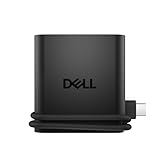
- Productivity on the go: The travel hub features a slim, portable design that effortlessly slips into your bag or laptop sleeve.
- Smart Power Management: The world's first travel hub with Smart Power Management*, equipped with embedded smart technology that rebalances power based on real-time device consumption, ensuring efficient power use and preventing overconsumption.
- Connect with confidence: Plug in all of your essential devices no matter where you work with power from two USB-C ports and a USB-A port, and connect a monitor with an HDMI port.
- Stay informed, stay connected: Easily manage your connected devices with notifications and real-time updates on power usage and port status.
Anker 14-in-1 USB‑C Docking Station

Want a compact node that lets you power your laptop and connect three high‑resolution displays at once?
Anker’s 14‑in‑1 hub makes your USB‑C port a workstation.
It streams two 4K HDMI and a 1080p VGA, letting you run three monitors.
80 W PD keeps your laptop charged multitasking.
The dock delivers 5 Gbps USB‑C data, five USB‑A 5 Gbps ports, 1 Gbps Ethernet, SD/microSD slots, and a headphone jack for multitasking.
Measuring 5.91×2.13×0.67 in and 4.7 oz, it slides into any bag.
Works on macOS 12+, Windows 10/11, ChromeOS—Linux unsupported.
Anker backs it with an 18‑month warranty and support.
Best For: professionals who need a compact, power‑connected dock to drive three high‑resolution displays from a single USB‑C port.
Pros:
- Dual 4K HDMI output (60 Hz) plus a 1080p VGA port for multi‑monitor setups.
- 80 W power delivery pass‑through keeps laptops charged while multitasking.
- Lightweight (4.7 oz.), ultra‑compact form factor with 5 Gbps USB data and Ethernet connectivity.
Cons:
- No support for Linux systems; compatible only with macOS 12+, Windows 10/11, and ChromeOS.
- macOS limits VGA output to a mirrored display only.
- Requires DP Alt Mode and Power Delivery on the USB‑C port; may not work with all USB‑C laptops.

- 14-in-1: Get 14 connectivity options ranging from two 4K HDMI ports, a 1080p VGA port, a 5 Gbps USB-C port, a 100W USB-C PD-IN port, five USB-A ports, a 1 Gbps Ethernet port, an SD / micro SD slot, and an AUX port for all your peripheral needs.
- Extended View with Triple Display: Connect and stream across three monitors simultaneously in 4K via two HDMI ports and a 1080p VGA port, ideal for multitaskers. Note: For macOS, the display on external monitors will be identical.
- Transfer Files at Super Speeds: Rely on the USB-A and USB-C ports for instant transfers of your multimedia and files at impressive 5 Gbps speeds.
- 80W Pass-Through Charging: The hub's 80W seamless charging solution ensures your devices receive constant power, letting you work and play without interruptions. (Note: Wall charger not included)
- Compatibility: Supports USB-C, USB4, and Thunderbolt connections. Compatible with MacBook (macOS 12 and newer), Windows 10 and 11, ChromeOS, and laptops equipped with DP Alt Mode and Power Delivery. Note: This device is not compatible with Linux.
Factors to Consider When Choosing Universal USB Hubs for Travel Laptops
Start by verifying the hub’s port compatibility range so it covers both USB‑C and any legacy USB ports you’ll need.
Next, check the power‑delivery rating, build durability, and size‑weight limits, because a lightweight yet solid hub with strong PD is essential for travel.
Finally, guarantee the data‑transfer speeds meet your workflow, aiming for USB 3.0/3.1 Gen 2 or higher.
Port Compatibility Range
Many travel‑ready creators need a hub that won’t let you fall short when you switch from a cloud drive to an external monitor. Make sure the hub includes at least one HDMI port that pushes 4K at 30 Hz or 1080p, matching the laptop’s dock‑capable display output. Check that it offers both USB‑A 3.1 (5 Gbps) and USB‑C 3.2 Gen 2 (10 Gbps) ports, giving you flexibility whether the laptop uses alternate‑mode video or needs high‑throughput storage. Dual microSD and SD card readers—each supporting UHS‑I up to 104 MB/s—serve photographers, editors, and field reporters who swap cards on the fly. Finally, the hub should include a Gigabit Ethernet RJ‑45 port with at least 100 Mbps throughput, so you retain a wired connection whenever Wi‑Fi falters, every trip, and stay productive.
Power Delivery Capability
Alongside those port features, if you’re carrying a laptop that demands consistent power, you’ve got to look at the hub’s power‑delivery capability. You’ll need a hub that supports up to 100 W USB‑C PD. That lets laptops stay charged while you plug in drives, monitors, or a VR headset. Pair the hub with a 65 W or higher charger; a lower‑wattage adapter throttles the laptop’s charging speed or disables boost modes. USB‑PD 3.1 negotiates 5 V/3 A, 9 V/3 A, 15 V/3 A, or 20 V/5 A outputs so your device gets the right voltage. A typical 100 W hub draws about 15 W for itself, leaving roughly 85 W for the laptop—enough for most ultrabooks and rigs. If the hub advertises Gen 2 data, it uses TP4 10 Gbps link, so SSDs remain active while your machine charges.
Build Durability Assessment
When you’re packing for long trips, the build quality of a universal USB hub becomes as important as its port count. Choose a hub with a thin aluminum chassis—roughly 0.39 in by 5.12 in by 1.38 in—because it dissipates heat while weighing about 2 oz. Die‑cast metal housings add impact resistance, keeping the hub sturdy when you bump it in a backpack. Look for an integrated LED that’s shaded by a polycarbonate cover; that keeps the indicator bright even after thousands of plug‑in cycles. The cable length, about 1.5 ft, flexes without stressing connectors, extending its lifespan. Finally, verify DIN‑rated connectors and reinforced solder joints that meet IEC 60068 thermal‑shock tests, guaranteeing consistent performance through temperature swings. Stick with vendors that certify these specs on their page for peace of mind.
Size And Weight Limits
Because a hub that fits snugly in your laptop sleeve saves space and reduces bulk, you’ll want one that’s under six inches long, one to two inches wide, and only 0.3 to 0.5 inches tall. If it weighs 4 to 6 ounces, you add no noticeable heft to your bag. Keep every side under five inches, and limit the chassis to less than a quarter square foot, roughly ten square inches. Weighing just 110 to 170 grams, the hub stays lightweight enough to travel with you without weighing down your packs. A 0.8‑to‑1.2‑inch thick design lets you tuck it beside your notebook, keeping your carry‑on comfortable. Remember, a slim profile avoids snagging on straps or in arm‑hole pockets, making travel smoother. Every trip smoother.
Data Transfer Speeds
The speed of your data transfer hinges on the hub’s USB version and its internal routing architecture. If you rely on USB 3.0 ports, expect up to 5 Gbps, which is perfect for SSDs and large video files. USB 2.0 sticks at 480 Mbps and can choke high‑resolution media, especially if you plug in multiple devices. Dual‑chip hubs let every USB 3.0 port keep full 5 Gbps, sidestepping a single‑bottleneck issue. For the fastest backups, look for USB 3.1 Gen 2 ports that double the pace to 10 Gbps, ideal for 4K footage. Beware hubs that funnel all traffic through one controller—shared bandwidth can throttle each port when you’re busy. Use USB 3.0/3.1 cables, provide power, and keep firmware updated to avoid bandwidth sharing among heavy devices, and quickly maximize throughput efficiency today.
Pricing And Value Ratio
Choosing a hub starts with weighing the price against the features that matter for your trip. You’ll find 4‑port USB‑C hubs with 100 W pass‑through priced $30–$80, while models that handle dual 4K displays leap above $150, so match power and display needs to your budget first. Higher prices usually mean a heavier, aluminum chassis with heat‑dissipation; heavier hubs weigh more but stay durable. Below $40 hubs stay lightweight and plastic. Warranty length hints at build quality: 12‑month warranties usually cost less; 24‑month no‑warranty models climb to the upper range. A mid‑tier $60–$90 hub bundles four USB‑A, one USB‑C, and one HDMI, striking a strong cost‑benefit. Evaluate price per functional port: an $80 hub with five outputs averages $16 each, beating a $40 hub with two ports today.
Brand Warranty Coverage
If you’re heading out on the road, a solid warranty can protect your hub investment. Most USB hub warranties run 18–24 months, covering manufacturing defects when you use the device normally. They’ll replace parts and cover labor, but exclude misuse, drops, or liquid damage. To qualify, keep the hub in its original, unopened box; if you open it before returns, you may hit a restocking fee, especially after 30 days. Some brands give a “no‑question” exchange, while others demand proof of purchase and shipping the unit to a service center. You can buy extended or accidental‑damage coverage, but that’s separate from the standard limited warranty. A longer warranty gives you peace of mind, especially when you’re traveling with a schedule and limited service options.
Frequently Asked Questions
Is the Hub Compatible With macOS Sierra 10.12?
Yes, it works with macOS Sierra 10.12. The hub’s drivers are built for 10.12 and earlier, so you’re good to go without extra software. Just plug it into a USB‑C port, and macOS will automatically recognize it, providing multiple ports for your peripherals. If you hit any hiccups, try a recent firmware update or a simple restart, and everything should sync smoothly. You’ll find support documentation online if needed today.
Can I Feed the Hub’s Usb‑C Power Delivery From a Phone Charger?
Yes, you can power the hub with a phone charger, as long as the charger supplies 5 V or 9 V at 2 A or higher, matching the hub’s USB‑C PD requirements. Don’t use a low‑output charger; the hub needs at least 10 W. Also, watch for the cable’s quality—use an official USB‑C cable that supports PD, and you’ll keep everything powered safely. If you forget, you’ll see power notifications and warnings.
Will the Hub Survive Luggage Compression During Travel?
Sure, it’ll survive luggage compression—you’ll hardly notice a bump. The hub’s compact, rugged design resists jostling, and its reinforced ports handle torque. Airports ask for durable gear, so lighten your worries. Just pack it in a padded laptop sleeve, or strap it to a non‑compressed area. Then you’ll have all ports at hand, free of surprises, ready for work or play with confidence for peace of mind and all devices.
Are There Any Thermal Throttling Concerns During Extended Use?
Yes, you might worry about thermal throttling when you use a hub for long periods. Most cheap options run a single CPU‑level controller that can overheat, causing your laptop to slow itself down. But reputable models spread heat across multiple chips and include tiny fans, so you’ll rarely see throttling unless you plug in dozens of high‑draw devices at once. Keep the hub balanced, and you’ll stay cool for sure.
Does the Hub Support USB4 or Thunderbolt 4 Port Standards?
Yes, the hub supports both USB‑4 and Thunderbolt 4, but you’ll notice its performance hinges on how the ports are wired. Plugging a Thunderbolt 4 device gives you full 40‑Gbps bandwidth, lightning‑fast data and power. USB‑4 devices, meanwhile, share a single lane, so speeds drop to 20 Gbps. Still, the hub’s controller keeps temperature in check, so you won’t see thermal throttling during long sessions. Experience unmatched speed activating all ports right today.
Conclusion
Picture your laptop as a lone traveler, its journey a long road through digital landscapes. That hub on your bag is the trusty compass, pointing north to every port. It’s the navigator of your digital voyage, steering you clear of dead ends. When cities shift and screens flicker, the hub never falters, just as a seasoned navigator trusts their compass. Keep it close and let it guide your tech adventure on every digital horizon today.
portable power bank, Travel Tech, USB Hubs