
Best Universal USB Hubs For Travel Laptops

Introducing Maria, our meticulous planner and talented visual storyteller. She has a knack for discovering those hidden gems, chic boutique spots, and charming little cafes that add a touch of elegance to every journey. With her keen eye for photography and her passion for travel, Maria will transport you to the most enchanting corners of the world, inspiring you to explore new places, one picture-perfect destination at a time.
Looking for a portable hub that keeps your laptop light? Pick a compact model that bundles 4‑K HDMI, 100 W PD, and multiple USB‑A/USB‑C ports. The Acer 7‑in‑1 and HP Multiport offer dual 4‑K @60 Hz when your laptop supports DP Alt‑Mode. Anker’s 5‑in‑1 keeps it light, yet still supplies an 85 W pass‑through and 30‑Hz 4‑K output. A cable design means you won’t clutter your desk, and if you keep going, you’ll find which specs match your workflow.
Key Takeaways
- Lightweight hubs under 3 oz (e.g., Acer 4‑Port USB 3.0) keep travel gear compact while still offering 5 Gbps ports for fast data transfer.
- Power‑delivery options up to 100 W (e.g., Acer 7‑in‑1, Anker 5‑in‑1) let laptops charge from the hub, eliminating the need to carry a separate charger.
- Dual‑mode video (HDMI 2.0 + DisplayPort 1.2, HP Universal) supports 4K @ 60 Hz, useful for presentations or external displays on the road.
- Inclusion of card readers (microSD/SD) and Ethernet (HP) expands connectivity for photographers, fieldwork, and Wi‑Fi‑limited environments.
- Driver‑free, cross‑platform compatibility (Windows, macOS, Linux, Chrome OS) ensures hassle‑free operation in any travel scenario.
Acer 4-Port USB 3.0 Hub with Type-C

When you’re on the move, you’ll appreciate the Acer 4‑Port USB 3.0 Hub, which plugs straight into your laptop’s Type‑C port and instantly adds four high‑speed USB‑A slots—perfect for travelers who need more ports without the bulk. It weighs in at just 1.6 oz, making it almost invisible in your bag. With a 2‑ft cable, you can connect a monitor, keyboard, or external drive from a distance. The GL3510 chipset guarantees a total 5 Gbps across all ports, and no drivers or firmware updates are required. Its LED indicator keeps you in the loop, while the durable black housing resists everyday wear.
Best For: Travelers and professionals who need a lightweight, driver‑free expansion of USB‑A ports on a USB‑C laptop or desktop.
Pros:
- Extremely portable: 1.6 oz and a 2‑ft cable for flexible placement.
- Plug‑and‑play: GL3510 chipset delivers 5 Gbps total transfer with no driver installation.
- Durable black housing and LED status indicator for everyday use.
Cons:
- The Type‑C port is power‑only; it cannot transfer data to the hub.
- Limited to USB‑3.0 speeds; no USB‑3.1/USB‑4 support.
- Single 5 V power input may restrict availability on some systems without a compatible USB‑C charger.

- 【4 Ports USB 3.0 Hub】Acer USB Hub extends your device with 4 additional USB 3.0 ports, ideal for connecting USB peripherals such as flash drive, mouse, keyboard, printer
- 【5Gbps Data Transfer】The USB splitter is designed with 4 USB 3.0 data ports, you can transfer movies, photos, and files in seconds at speed up to 5Gbps. When connecting hard drives to transfer files, you need to power the hub through the 5V USB C port to ensure stable and fast data transmission
- 【Excellent Technical Design】Build-in advanced GL3510 chip with good thermal design, keeping your devices and data safe. Plug and play, no driver needed, supporting 4 ports to work simultaneously to improve your work efficiency
- 【Portable Design】Acer multiport USB adapter is slim and lightweight with a 2ft cable, making it easy to put into bag or briefcase with your laptop while traveling and business trips. LED light can clearly tell you whether it works or not
- 【Wide Compatibility】Crafted with a high-quality housing for enhanced durability and heat dissipation, this USB-A expansion is compatible with Acer, XPS, PS4, Xbox, Laptops, and works on macOS, Windows, ChromeOS, Linux
Acer 7-in-1 USB-C Hub, 4K HDMI, PD 100W

Looking for a travel‑friendly hub that keeps your USB‑C laptop fully charged while streaming crisp 4K? The Acer ODK360 delivers. Its slim aluminum shell, 5.12 × 1.38 × 0.39 in, weighs only 2.11 oz—perfect for packing. Connect your display via the single HDMI port at 4K @ 30 Hz (or Full HD), and data flows through two USB 3.1 ports at 5 Gbps. A second USB‑C slot offers data, while another supports PD up to 100 W—use a 65 W+ charger for best results. The hub also slides microSD and SD cards and works on Windows, macOS 10.5+, Linux, Chrome OS, and even Galaxy tablets in DeX mode.
Best For: Professionals and frequent travelers who need a lightweight hub that keeps their USB‑C laptop charged while delivering crisp 4K video to a monitor or TV.
Pros:
- Ultra‑compact 2.11 oz aluminum design for effortless packing.
- 100 W Power Delivery keeps devices powered up, especially when paired with a 65 W+ charger.
- 4K@30 Hz HDMI plus two USB‑3.1 (5 Gbps) ports, plus SD/microSD slots for versatile connectivity.
Cons:
- 4K output limited to 30 Hz; not ideal for high‑refresh‑rate gaming or professional video editing.
- Requires a USB‑C port that supports both PD and Display Port Alt Mode; older laptops may be incompatible.
- Only two data‑only USB‑3.1 ports and no additional interfaces (e.g., Ethernet, audio jack).

- [7-in-1 Multi-port USB C Hub] Acer USBC adapter macbook is made of Aluminum material, expands a USB-C port to 7 ports (1*HDMI 4K@30HZ, 2*USB 3.1, 1*USB-C, 1*Type-C PD charging, 1*MicroSD card slot, 1*SD card slot). The USB hub expands your work from home, office, or on the go. 📌Note: Please connect the power supply with the PD port to provide sufficient power for the USB C hub dongle .
- [4K USB-C to HDMI Adapter] This USB C to hdmi adapter can mirror or extend your screen with an HDMI port. You can use USBC hub to directly stream 4K@30Hz or full HD 1080P video to HDTV, monitors, and projector, which also bring an immersive 3D resolution experience. 📌Note: USB-C devices should support USB Type-C DP Alt Mode(Video transmission function), and 📌NOT for 4K@60Hz and 2K@144Hz.
- [100W Power Delivery] The USB C multiport adapter features Type C fast charge PD port to provide up to 100W of high-speed charging for laptops. Get your USB C devices charged, No Worry about the power while using the other functions. Ideal for MacBook Pro/Air and other USB-C devices. 📌Ensure your laptop's USB-C port supports PD protocol and use a 65W+ charger for best performance.
- [Efficient 5Gbps Data Transfer] Two high-speed USB-A 3.1 ports and one USB-C port enable fast data transfer up to 5Gbps. The USBC dongle can expand your work efficiency either from home or the office. 📌Note: ONLY Support Data Transfer, NOT Support video/audio.
- [Wide Compatibility] The USB C dongle adapter crafted with a high-quality aluminum housing for enhanced durability and heat dissipation. USB hub for laptop is for MacBook Pro, MacBook Air, Acer, XPS, Laptops and Works on Windows, ChromeOS, Linux, Mac OS X 10.5 or higher. 📌Please turn on the Samsung DeX Mode on the Samsung Galaxy Tablet before you use it.
Anker 5-in-1 USB‑C Hub with 4K HDMI

If you’re traveling with a laptop that relies on a single USB‑C port, the Anker 5‑in‑1 Hub pulls a full 4K HDMI output at 30 Hz from its blue port; keep that crisp display without bulk. This 4.78×1.59×0.45‑inch, 41‑gram hub packs a 100‑W PD‑IN input and two 5‑Gbps USB‑A ports, plus a 5‑Gbps USB‑C data channel. It outputs 4K at 30 Hz and supports up to 85 W pass‑through power (charger not included). Compatible with macOS, Windows, and popular laptops like MacBook Pro, Dell XPS, and Lenovo ThinkPad, it offers an 18‑month warranty and a 30‑day return window. Try it for seamless travel.
Best For: Laptop users who need a compact solution for 4K HDMI output and high‑power pass‑through while traveling or working in hotspots.
Pros:
- Sleek, lightweight design (4.78×1.59×0.45 in., 41 g) ideal for portable use.
- Enables 4K@30 Hz via HDMI and supports up to 85 W pass‑through charging (100 W PD‑IN).
- Comes with an 18‑month warranty and 30‑day return window for added peace of mind.
Cons:
- 4K output limited to 30 Hz, which may affect motion‑rich content or some displays.
- No USB‑C video output, limiting flexibility with some external displays.
- Lacks additional features such as Ethernet or audio‑out ports, so you may need separate adapters.

- 5-in-1 Connectivity: Equipped with a 4K HDMI port, a 5 Gbps USB-C data port, two 5 Gbps USB-A ports, and a 100W PD-IN port.
- Powerful Pass-Through Charging: Supports up to 85W pass-through charging so you can power up your laptop while you use the hub. Note: Pass-through charging requires a charger (not included). Note: To achieve full power for iPad, we recommend using a 45W wall charger.
- Transfer Files in Seconds: Move files to and from your laptop at speeds of up to 5 Gbps via the USB-C and USB-A data ports.
- HD Display: Connect to the HDMI port to stream or mirror content to an external monitor in resolutions of up to 4K@30Hz. Note: The USB-C ports do not support video output.
- What You Get: Anker 332 USB-C Hub (5-in-1), welcome guide, our worry-free 18-month warranty, and friendly customer service.

HP Universal USB-C Multiport Hub

As a business traveler, you’ll appreciate the HP Universal USB‑C Multiport Hub’s single cable that powers, connects, and displays—all in a slim, 5.9 × 2.2 × 0.85‑inch chassis. It plugs straight into any USB‑C laptop, whether you run Windows, macOS, Chrome OS, or Linux, and instantly delivers reliable data, video, power, and networking without extra adapters. The hub packs seven ports: a 4K HDMI 2.0, a DisplayPort 1.2, two USB‑A 2.0, a USB‑C connector, a USB‑C passthrough, and an Ethernet jack, letting you multitask across displays, storage, and internet. Its 1A passthrough keeps your laptop charged while all peripherals stay connected, so you never miss a meeting.
Best For: business travelers and professionals who need a single, slim hub to power, display, and connect all peripherals without clutter.
Pros:
- Supports dual 4K (3840 × 2160 @ 60 Hz) output via HDMI 2.0 or DisplayPort 1.2.
- Includes a 1‑A USB‑C passthrough that keeps your laptop charged while devices stay connected.
- Compact 5.9 × 2.2 × 0.85‑inch chassis perfect for on‑the‑go use.
Cons:
- Limited to 1‑A power delivery; may not fully charge larger laptops.
- Only two USB‑A 2.0 ports and no USB‑3.0 or higher speed options.
- No built‑in power adapter; requires laptop to supply power.

- Universal USB-C. Every OS. One simple, single USB-C cable plugs into your PC, regardless of the brand or OS so you can use your hub seamlessly. This hub now supports Windows, macOS and ChromeOS.
- All kinds of ports: 7 multifunction ports provide a complete solution for just about any data, video, or network connection. 1 HDMI 2.0, 1 DisplayPort 1.2, 2 USB-A ports, 1 USB-C port, 1 USB-C passthrough port, and 1 ethernet port
- Powers dual 4K displays: This small but mighty hub supports HDMI 2.0 and DisplayPort 1.2 connections for a higher quality resolution at 4K
- Connect & power your PC: Keep your PC charged via the USB-C passthrough while powering up or connecting data through the 7 total ports.
- Designed to travel: Slim and sleek design makes it easy to take on the go. Just pack alongside your PC and know that you can connect it all.
Anker 5-in-1 USB-C Hub, HDMI 4K, USB Ports

When you’re jet‑setting, the Anker 5‑in‑1 USB‑C hub lets you extend your laptop’s screen to a 4K monitor without lugging a bulky dock. The slim black unit weighs only 1.44 oz and measures just 4.78 × 1.59 × 0.45 in, so it slides into your bag without bulk. A single USB‑C data port and two USB‑A ports deliver 5 Gbps each, letting you connect a keyboard, mouse, or external drive. The HDMI port supports 4K @30 Hz, enough for sharp presentations and streaming. A separate USB‑C PD‑IN port accepts up to 100 W, offering fast charging for compatible laptops, though it doesn’t support data transfer. Ideal for travel.
Best For: Travelers who want a lightweight solution to connect a laptop to a 4K monitor, add peripherals, and charge their device on the go.
Pros:
- Ultra‑compact design (4.78 × 1.59 × 0.45 in, 1.44 oz) that easily fits in a laptop bag.
- 4K@30 Hz HDMI output for crisp presentations and streaming.
- Three 5 Gbps data ports (one USB‑C, two USB‑A) plus a 100 W PD‑IN port for fast charging.
Cons:
- USB‑C and USB‑A ports do not support video, limiting display options.
- HDMI output capped at 30 Hz, so 4K60 Hz is not available.
- Not compatible with Linux systems.

- 5-in-1 Connectivity: Equipped with a 4K HDMI port, a 5 Gbps USB-C data port, two 5 Gbps USB-A ports, and a USB C 100W PD-IN port. Note: The USB C 100W PD-IN port supports only charging and does not support data transfer devices such as headphones or speakers.
- Powerful Pass-Through Charging: Supports up to 85W pass-through charging so you can power up your laptop while you use the hub. Note: Pass-through charging requires a charger (not included). Note: To achieve full power for iPad, we recommend using a 45W wall charger.
- Transfer Files in Seconds: Move files to and from your laptop at speeds of up to 5 Gbps via the USB-C and USB-A data ports. Note: The USB C 5Gbps Data port does not support video output.
- HD Display: Connect to the HDMI port to stream or mirror content to an external monitor in resolutions of up to 4K@30Hz. Note: The USB-C ports do not support video output.
- What You Get: Anker 332 USB-C Hub (5-in-1), welcome guide, our worry-free 18-month warranty, and friendly customer service.
USB 3.0 4-Port Hub for Desktop & Laptop

Why choose this hub? Because it expands your laptop or desktop with four fast USB 3.0 ports in a mere 1.42 × 0.43 × 3.66 in case, weighing only 1.59 oz. The plug‑and‑play design obviates drivers, and it stays cool while delivering up to 5 Gbps per lane. Its 900 mA per port supports peripherals like flash drives, mice, and card readers, though high‑current gear needs external power. Compatible with Windows, macOS, Linux, and Chrome OS, it also powers Xbox, PS4, and phones via OTG. Round‑the‑clock online support and a full manufacturer warranty back every purchase. You’re daily tools, data transfer, and connectivity needs stay seamless and efficient today.
Best For: laptop or desktop users who need to expand their USB connectivity quickly for peripherals such as flash drives, mice, and card readers.
Pros:
- Compact, lightweight design (1.42 × 0.43 × 3.66 in, 1.59 oz) for easy portability.
- Plug‑and‑play; no driver installation required across Windows, macOS, Linux, and Chrome OS.
- Maintains low operating temperature while delivering up to 5 Gbps per port.
Cons:
- Limited to 900 mA per port, so high‑power devices need external power.
- Not designed for charging; output current is insufficient for fast charging phones or tablets.
- No built‑in power adapter or USB‑charge mode, so users must connect to an existing powered USB source.

- 【Multi Usb Port】This USB hub can easily expand one USB port of the computer to four ports, support four ports to work at the same time, without any pressure, and keep the temperature in the middle range. Plug and play, no driver required, easy to use
- Note: This hub is not suitable for charging devices as its maximum output current is only 900mA, resulting in very slow charging speeds. Therefore, it is recommended to use it solely for data transfer and peripheral connections to ensure optimal performance.
- 【Wide Compatibility&Appliaction】This usb hub for laptop is compatible with Windows 10/8/8.1/7 / Vista / XP and Mac OS X, Linux, and Chrome OS. 4-port USB expander applies to various devices: laptop, pc tower, XBOX, PS4, flash drive, printer, mouse, card reader, HDD, cellphone OTG adapter, keyboard, camera, console, USB fan and USB cables
- 【High-Speed Data Hub】Supports Transfer Speeds up to 5Gbps (USB 3.0), 480Mbps (USB 2.0), and 12Mbps (USB 1.1). Note: This hub support output max current up to 900mA.So some HDDs that need a current of more than 900mA need an external power adapter
- 【Hassle-free Service】ANYPLUS Our Team Has Professional Technical Team And Great Customer Service.24-Hour Online Customer Service. If there is any problem with the product, Please Feel Free To Contact Us And We Will Do Our Best To Solve Your Problem
UGREEN USB 3.0 4-Port Hub

If you’re constantly on the move, the ultra‑slim, 33‑gram design of the UGREEN USB 3.0 4‑Port Hub lets you expand a single laptop USB port into four full‑speed lanes while barely weighing in at 0.4 in thickness.
You can plug in a mouse, keyboard, flash drive, or a gaming console, and the hub stays true to its USB 3.0 promise, delivering 5 Gbps speeds.
A quick transfer test shows that a 10 GB file lands in about 16.4 seconds.
No drivers, plug‑and‑play across Windows, macOS, Linux, and Chrome OS.
Its compact 0.79 × 7.48 × 4.33‑inch footprint, 33‑gram weight, and 30‑day return policy make it versatile, reliable, and durable.
Best For: the portable workstation, gaming enthusiast, or on‑the‑go professional who needs multiple USB‑A ports from a single laptop or console.
Pros:
- Ultra‑slim, 0.4‑inch thickness and 33‑gram weight make it highly portable.
- USB 3.0 5 Gbps data rates deliver fast transfers (e.g., 10 GB in ~16.4 s).
- Plug‑and‑play, driver‑free compatibility across Windows, macOS, Linux, and Chrome OS.
Cons:
- Limited to USB‑A interface; no USB‑C or power‑delivery ports.
- No active power management—requires host USB power to operate.
- Pure data transfer only; no external power supply for high‑draw peripherals.

- 4 USB Ports Expansion: This USB Hub turns 1 USB A port into 4 USB A ports with your devices for mouses, keyboards, U disks, flash drives, and more USB Peripherals. Greatly improve your work efficiency
- Transfer Files in Seconds: The USB 3.0 Hub supports a max file transfer speed of 5Gbps. That's fast enough to transfer a 10 GB file in just 16.4 seconds
- Plug and Play: No additional drivers or software are required. The USB multiport adapter is plug-and-play for Windows, macOS, Linux, Chrome OS, and More
- Wide Compatibility: In addition to laptops and desktop computers, this USB 3.0 splitter also supports other devices with USB A such as Xbox Series, PS5, car systems, etc., which can meet the various needs of your daily life
- Compact Mini Size: This USB A hub is designed to be very compact and portable, which is only 0.4 inches thick and 33g heavy. It is very suitable for your travel and business trips
Anker Dual Monitor USB‑C Dock (8‑in‑1 Hub)

The Anker Dual Monitor USB‑C Dock brings two 4K displays and an 85‑W power‑delivery pass‑through into a single, 3.2‑ounce hub, letting you keep your travel laptop charged while extending your workspace to full‑size monitors. Two HDMI ports deliver up to 4K at 60 Hz, or dual 4K at 30 Hz, while a 1‑Gbps Ethernet jack and dual SD card reader provide fast connectivity. The dock requires a laptop with DP Alt Mode and USB‑C Power Delivery; pair it with a 100 W charger and USB‑C‑to‑USB‑C cable. Measuring 4.65 × 2.01 × 0.69 in and weighing 3.2 oz., it’s a very lightweight, travel‑ready companion backed by an 18‑month warranty.
Best For: Professionals, students, and travelers who need a lightweight, dual‑4K monitor solution that also charges a USB‑C laptop without bulk.
Pros:
- Sleek, ultra‑portable design (just 3.2 oz) with dual HDMI 4K output and 85‑W pass‑through power delivery.
- Multiple connectivity options: 1‑Gbps Ethernet, dual SD/microSD card reader, 2 USB‑A ports, and Thunderbolt‑compatible.
- Comes with an 18‑month warranty and plug‑and‑play compatibility on Windows/macOS, no extra drivers needed.
Cons:
- Requires a 100 W charger and USB‑C‑to‑USB‑C cable; some laptops only support lower PD levels.
- macOS mirrors displays, limiting extended desktop usage on Apple devices.
- No Linux support and no DisplayPort output, so users needing those options are left with HDMI only.

- The Anker Advantage: Join the 50 million+ powered by our leading technology.
- Massive Expansion: Equipped with a USB C PD-IN charging port, 2 USB-A data ports, 2 HDMI ports, an Ethernet port, and a microSD/SD card reader, giving you an incredible range of functions—all from a single USB-C port.
- Dual HDMI Display: Stream or mirror content to a single device in stunning 4K@60Hz, or hook up two displays to both HDMI ports in 4K@30Hz. Note: For macOS, the display on both external monitors will be identical.
- Power Delivery Compatible: Compatible with USB-C Power Delivery to provide high-speed pass-through charging up to 85W. Please note: 100W PD wall charger and USB-C to C cable required.
- Compatibility: Supports USB-C, USB4, and Thunderbolt connections. Compatible with Windows 10 and 11, ChromeOS, and laptops equipped with DP Alt Mode and Power Delivery. Note: This device is not compatible with Linux.
Hiearcool 7-in-1 USB-C Hub 100W PD 4K HDMI

You want a compact hub that keeps your laptop fully charged while you stream 4K video and plug in multiple peripherals? With its 100‑W USB‑C PD pass‑through, Hiearcool’s 7‑in‑1 hub charges your MacBook, Dell, or Lenovo without interruption. The 4K HDMI port hits 30 Hz, giving crisp visuals for presentations, design reviews, or binge‑watching. Add two USB 3.0 ports for fast data transfer—up to 5 Gbps—plus an SD/TF card reader to load photos instantly. Its 4.17 × 1.4 × 0.34‑inch frame, just 1.8 oz, shrugs size; the aluminum chassis keeps heat at bay and lasts long. Grab one from Shenzhen Hongtian Electronics, enjoy warranty, and stay connected daily.
Best For: Best For: professionals who need a compact, power‑efficient hub for 4K video output and multiple peripherals while traveling or working on the go.
Pros:
- 100 W USB‑C PD pass‑through keeps laptops charged during use.
- 4K HDMI output at 30 Hz delivers crisp visuals for presentations and entertainment.
- Lightweight aluminum design (4.17 × 1.4 × 0.34 in, 1.8 oz) is highly portable and heat‑resistant.
Cons:
- 30 Hz refresh rate may not suffice for high‑frame‑rate gaming or professional video editing.
- Lacks an Ethernet port for wired networking.
- Requires a USB‑C port that supports power delivery; not all laptops are compatible.

- One Hub for Work, Meetings & Daily Use: Expand your MacBook or USB-C laptop with HDMI, USB 3.0, PD charging, and SD/TF card slots — ideal for office work, online meetings, presentations and multitasking setups.
- 4K HDMI for Clear Presentations & Home Viewing: Connect to monitors, projectors or TVs with 4K@30Hz output for smooth video, making it perfect for conferences, teaching, design review and family entertainment.
- 100W USB-C PD Pass-Through Charging: Power your laptop while using multiple devices without losing performance — stable for long meetings, work sessions and business travel.
- High-Speed Data Transfer & Card Reading: USB 3.0 ports deliver up to 5Gbps transfer speed; SD/TF card readers support quick access to photos, videos and files — great for content creators and photographers.
- Compact, Travel-Ready & MacBook-Optimized: Aluminum build enhances heat dissipation. Lightweight design fits easily into bags for work, home, school or travel — optimized for MacBook,Dell,HP,Lenovo,Microsoft,Asus and more.
Dell Pro 4-in-1 USB‑C Travel Hub

When you’re on the move, the Dell Pro 4‑in‑1 USB‑C Travel Hub’s slim chassis and smart power‑management tech let you plug into laptops, phones, tablets, and a 4K display without draining your battery or lugging a tower of cords. Its compact build fits snugly in any backpack or sleeve, while a 10.63‑inch cable gives you flexibility without bulk. You’ll enjoy two USB‑C PD ports for fast charging, a USB‑A port for legacy devices, and a 4K @ 60Hz HDMI to mirror your screen on the go. Embedded smart tech balances power in real time, preventing overuse and keeping your gear efficient.
Best For: frequent travelers who need a lightweight, power‑efficient hub to connect laptops, phones, tablets, and a 4K display on the go
Pros:
- Ultra‑compact chassis fits easily in any backpack or laptop sleeve
- Smart power‑management balances consumption in real time, extending battery life and preventing overuse
- Includes two USB‑C PD ports, one legacy USB‑A, and a 4K @ 60 Hz HDMI for versatile connectivity
Cons:
- Limited to a single HDMI port and no Ethernet or SD‑card slot, restricting some use cases
- 10.63‑inch cable, while flexible, can add a bit of bulk for ultra‑compact setups
- High‑power peripherals may still drain batteries relatively quickly despite the hub’s smart tech.
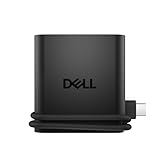
- Productivity on the go: The travel hub features a slim, portable design that effortlessly slips into your bag or laptop sleeve.
- Smart Power Management: The world's first travel hub with Smart Power Management*, equipped with embedded smart technology that rebalances power based on real-time device consumption, ensuring efficient power use and preventing overconsumption.
- Connect with confidence: Plug in all of your essential devices no matter where you work with power from two USB-C ports and a USB-A port, and connect a monitor with an HDMI port.
- Stay informed, stay connected: Easily manage your connected devices with notifications and real-time updates on power usage and port status.
Lenovo USB-C to 4 USB-A Hub

Need a simple way to expand your laptop’s ports while you’re on the move? Lenovo’s USB‑C to 4‑port USB‑A Hub offers plug‑and‑play, driver‑free expansion perfect for business travelers, students, or home‑office users. Just plug the compact single‑USB‑C cable into your laptop and access four USB‑3.1 Gen 1 ports delivering up to 5 Gbps. Connect keyboards, mice, printers, webcams, DVD burners, or external drives—no extra software required. Its slim 3.82 × 1.46 × 0.47‑inch body weighs just 1.48 oz, fitting easily in bags or pockets. Lenovo backs it with standard warranty support, making it a reliable choice for on‑the‑go connectivity and in any travel scenario, keeping productivity high.
Best For: business travelers and students who need a quick, portable way to add USB‑A ports to their laptops.
Pros:
- Plug‑and‑play, driver‑free operation.
- Ultra‑light and compact (3.82 × 1.46 × 0.47 in, 1.48 oz).
- 4 USB‑3.1 Gen 1 ports delivering up to 5 Gbps.
Cons:
- Only USB‑C to USB‑A conversion; no power delivery capability.
- Limited to 5 Gbps (Gen 1) speeds.
- No additional ports (e.g., HDMI, Ethernet) for broader connectivity.

- Get instant productivity with the Lenovo USB-C to 4 port USB-A hub – works right out of the box with plug-and-play technology
- One USB Type-C port is all you need to use an unlimited range of USB Type-A devices via 4 USB 3.1 Gen 1 ports on the hub
- Enjoy 5Gbps high-speed data, printing, peripherals, storage, webcams, and more in one versatile expansion hub
- The incredible design of the Lenovo USB-C to 4 port USB-A hub is sleek and lightweight, making it a perfect travel companion
- Hardware requirements: Systems that have USB-C port; Supported OS: Windows 10, Chromebook
USB-C 8-in-2 Hub with Card Slot & Audio

Travelers who juggle external drives, card readers, and audio gear will find the 8‑in‑2 hub’s compact, driver‑free design indispensable. They connect a USB‑3.0 port, four USB‑2.0 outlets, a USB‑C data port, a TF–SD reader, and a 3.5‑mm jack—all in a single, slim aluminum chassis that dissipates heat well. You’ll plug it into any USB‑C device—MacBook, iPad, Windows laptop, or Android tablet—and everything works instantly; no drivers, no install, no fuss. The hub’s footprint is only 6.38 by 2.20 inches, tipping at 0.47 and weighing just 2.08 ounces, so it slips easily into a backpack or briefcase. All ports require no extra cables, keeping your gear streamlined for trips.
Best For: travelers, students, and remote professionals who need a lightweight, driver‑free hub that consolidates USB‑3.0, USB‑2.0, USB‑C, a TF/SD reader, and a 3.5 mm audio jack into a single compact unit.
Pros:
- Ultrathin aluminum design keeps weight down to just 2 oz and fits easily in a bag
- One hub supplies all four USB‑2.0 ports, one USB‑3.0 port, USB‑C, card reader, and audio jack—no extra cables needed
- Plug‑and‑play with no drivers required on macOS, Windows, Linux, Chrome OS, iOS, and Android
Cons:
- Only a single USB‑3.0 port limits use with multiple high‑speed peripherals
- Lacks HDMI, Ethernet, and dedicated SD card slot, using only a TF/SD reader instead
- 5 Gbps USB‑3.0 speed may be insufficient for very demanding bandwidth tasks

- 2025 Upgrade USB Hub, Expand Multiple Ports: Denlane 8-in-2 usb hub/usb c hub perfectly solves the problem of insufficient computer ports and effectively organizes messy cables. Includes interfaces: usb 3.0*1(5Gbps), usb 2.0*4(480Mbps), usb-c date trasfer*1, tf&sd card reader*1, 3.5mm audio adapter*1
- Dual Connector Meet Various Laptop/PC: The usb-c hub & usb port hub compatible with all computers, laptops such as Mac/MacBook Pro/MacBook Air/iPad or phones/tablets with Type C ports, Windows 10, Android, Chrome OS, Linux, iOS etc.
- Multi USB-A & USB-C Ports Extender : To enhance using stability, Denlane usbc hub usb splitter upgrade USB 3.0 port, and retaining USB 2.0 port, which can be connected to the daily use of the USB flash drive, mouse, keyboard, etc. And the USB 3.0 up to 5Gbps transfer speed to support read hard disk, printer and other high-performance needs of the device. There is also a USB-C data transfer port, which can easily meet your peripherals with various interface
- Widely USB Expansion: Denlane usb 3.0 laptop hub extender compatible with multi devices--laptop, computer tower, xbox, for ps4, flash drive, keyboard, mouse, sd card Reader, hard disk, cellphone OTG adapter, printer, camera, headphone, usb fan or any other usb peripheral devices
- Plug and Play, Travel Size: This usb splitter no need for any apps, drivers or ethernet, easy to use. Slim and portable design with aluminum body for better heat dissipation. Denlane usb c hub with usb is a prefect accessories for you
Acer USB‑C Hub 4K HDMI 9‑in‑1 PD 100W

Imagine this: the Acer USB‑C Hub delivers a 4K HDMI output and 100 W PD charging—all from a 2‑inch‑tall aluminum unit. Plug it into USB‑C laptop—MacBook Pro, XPS, or PS5—and get dual‑screen support. The HDMI runs 4K at 30 Hz; a VGA port lets you connect two displays in mirror or extend mode. Gigabit Ethernet provides wired networking. USB 3.0 supports 5 Gbps and ten USB 2.0 ports. An SD/TF reader accesses up to 1 TB cards. The 100 W USB‑C socket fast‑charges devices; its USB‑C input provides charging easily, and 2.88‑oz aluminum housing feels macOS, Linux, Chrome OS. Let this hub be your travel companion.
Best For: professionals and travelers who need to connect multiple displays and charge laptops on the go.
Pros:
- 4K HDMI output (30 Hz) with dual‑display (HDMI + VGA) support
- 100 W USB‑C PD charging and Gigabit Ethernet for reliable connectivity
- Ultra‑compact, lightweight aluminum build that’s easy to carry
Cons:
- HDMI limited to 30 Hz, not 60 Hz 4K
- USB‑C port only supports charging, no data transfer
- No Thunderbolt support beyond basic USB‑3.0 speeds

- 【9-in-1 USB C Hub】Expand one USB-C port into 9 essential ports—1*HDMI (4K@30Hz), 1*VGA (1080P), 1*RJ45 Ethernet (1000Mbps), 3*USB-A 3.0 data port (5Gbps), 100W PD charging, MicroSD & SD slots. One USB-C adapter for charging, data, and external displays—all at once.
- 【Multiple video outputs】This USB-C to HDMI adapter supports up to 4K@30Hz via HDMI for TVs, monitors, and projectors. It also enables HDMI + VGA dual display at up to 1080P@60Hz. Switch between Mirror Mode (A-AA) and Extend Mode (A-BB) for better productivity. 📌USB-C devices must support USB Type-C DP Alt Mode.
- 【1Gbps Hyper Speed Ethernet】The USB C hub ethernet compatible with 10/100/1000Mbps bandwidth, ensuring stable and smooth transfers for your work, gaming, meeting, classing, and seamless upload and download of HD videos. 📌To achieve 1000Mbps, please use CAT6 or higher ethernet cables.
- 【High-Speed Data Transfer】The USB 3.0 extender delivers speeds of up to 5 Gbps, allowing quick expansion for connecting hard drives, keyboards, mice, printers. Built-in SD and TF card slots, capable of reading memory cards with a maximum capacity of 1TB. 📌Note: ONLY Support Data Transfer.
- 【100W Pass-Through Fast Charging】This USB C hub multiport adapter supports up to 100W input and provides a stable 90W Max output to your laptop. Stay powered up during intensive tasks like 3D rendering or long meetings—say goodbye to low-battery anxiety once and for all. 📌Note: For optimal 90W charging, a 100W power adapter and cable are recommended (not included).
USB-C Docking Station, Dual 4K 60Hz, 9-in-1 Hub

This USB‑C docking station doubles as a laptop stand, so it’s your go solution for powering dual 4K displays and 9‑port hub while you’re on the move. It supports 10‑ to 17‑inch laptops and plugs into a USB‑C port that offers PD 3.0, DP Alt Mode, and data transfer, giving you 100 W charging and two 4K @ 60 Hz HDMI outputs. The hub includes 2 × USB 3.0, 1 × USB‑C 3.0, SD and TF readers, and a host‑side USB‑C interface. Adjustable height, silicone pad, and triangular base keep your laptop stable. Lightweight, 0.7 lb, it folds into compact travel bag for use.
Best For: Professionals and power users who need a portable dual‑display setup with a high‑speed hub for laptops from 10‑inches to 17‑inches.
Pros:
- Dual 4K @ 60 Hz HDMI output for crisp, high‑resolution displays
- 100 W USB‑C PD charging keeps the laptop powered while multitasking
- Versatile 9‑port hub includes USB 3.0, USB C, SD, and TF slots
Cons:
- Limited to two 4K displays; macOS supports only mirror mode, not extended desktop
- Requires a laptop with USB‑C port that supports PD, DP Alt Mode, and data transfer
- No legacy VGA, DVI, or DisplayPort outputs, potentially limiting compatibility with older monitors.

- USB C Docking Station Stand: Our Upgraded lightweight and foldable laptop stand safely supports laptops from 10-17 inches and features 9 integrated ports for all your connectivity needs. USB C docking station for USB C macOS and Windows laptops is equipped with 2 * 4K@60Hz HDMI, 2*USB 3.0(up to 5Gbps), 1*USB C PD 3.0 port, and 1*USB-C 3.0(up to 5Gbps), 1*SD, 1*TF, a host port to connect the laptop. The USB C dock stands perfectly combine the function of a USB C dock and a laptop stand, making it the best choice for your USB C laptop with more features and possibilities. Ensure that your laptop’s USB-C port supports PD Power Delivery, DP Alt Mode and Data Transfer. )
- Dual displays make DP1.4 supported laptops easier to use: Boost productivity with our usb c dual hdmi supporting MST mode under Windows Laptop for extending two monitors simultaneously. Note for Mac Users: This docking station only supports mirror mode (SST) on macOS systems, not extended desktop mode (MST). (Note: Docking stations require a Thunderbolt or full-featured USB-C port. If the USB C port you are using only has data function or charging function, then the video function will not be available)
- Universal Compatibility: Our plug-and-play docking station with 2 HDMI ports is compatible with a wide range of USB 3.2 Gen2 or Thunderbolt 3/4 or above laptops. Compatible with MacBook (macOS 9.1 and newer), Windows 10, Linux 2.4 and newer, ChromeOS. Full Dual Display Expansion Mode (MST) requires Windows support for DP1.4. macOS LIMITATION: Mirror Mode Only (SST) / This is a macOS system restriction, not product defect.
- Ergonomic Design Laptop Stand: The Upgraded laptop docking station stand features 9-level to adjust the height, allowing you to choose the perfect angle for your posture and body type. It helps you to release the tension of your neck pain, back pain, and eye fatigue making you work comfortably and keep healthy. The triangle support design makes the laptop stand more stable. The non-slip silicone pad on the stand can fix your laptop in place and protect your device from scratches and slipping. The forward-tilt angle and open design provide increased ventilation and more airflow to cool your laptop while operating other than lying flat on the table.
- Portable and Lightweight Docking Station: Crafted from premium aluminum alloy, this docking station stand effortlessly supports laptops up to 40 lbs without any bounce or wobble.This USB C hub multiport adapter is compact and lightweight, it can be folded to the size of 10.5*2.2*0.9 inches and is only 0.7 lbs lightweight. And this MacBook Pro docking station stands also comes with a portable storage bag it is so perfect to carry when you have a business trip or traveling.
USB C 8-in-1 4K Dock with 100W PD

If you’re a business traveler who needs a single, pocket‑friendly solution that powers your laptop and delivers 4K video, this 8‑in‑1 USB‑C dock is the answer. You fold into 10.5 × 2.2 × 0.9 in, weigh 0.7 lb, and fit laptops 10‑17 in up to 40 lb. One HDMI shoots 3840 × 2160 at 30 Hz, two USB‑3.0 (5 Gbps) ports, and SD/TF slots let you connect monitors, drives, and cards. The USB‑C PD pushes 85 W to recharge your laptop. A 9‑level stand sets a comfortable typing angle, and the lightweight aluminum frame stays firm without wobble. Pack it into the bag and stay productive on the road everywhere you travel, anytime.
Best For: business travelers and laptop users who need 4K HDMI output, fast data transfer, and power delivery in a compact, fold‑able dock.
Pros:
- 4K UHD HDMI output (3840 × 2160 at 30 Hz) for high‑resolution displays.
- 85 W USB‑C Power Delivery powers most laptops while docked.
- Lightweight, aluminum‑alloy, foldable design that fits easily in a travel bag.
Cons:
- 4K output limited to 30 Hz, not ideal for high‑refresh‑rate gaming or editing.
- Only one HDMI port and a single proprietary USB‑C data port restrict expandability.
- SD/TF card slots deliver modest speeds (≈25 MB s⁻¹), slower than dedicated reader cards.

- USB C Docking Station Stand: The Mukiya USB C dock stands perfectly combine the function of a USB C Hub and a Laptop Stand, make your cluttered desk into an organized minimalworkspace. USB C docking station for USB C macOS and Windows laptops is equipped with 4K HDMI, 2*USB 3.0(up to 5Gbps), 1*USB C PD 3.0 port, and 1*USB-C Data, 1*SD, 1*TF. Making it a very good choice for your USB C laptop with more features and possibilities. Suitable for mobile work/students, office workers (programmers/designers/copywriters), creative/technical professionals.
- 4K HDMI Laptop Stand with USB C Hub: You can use this universal laptop docking station stand to mirror or expand your MacBook or Windows laptop to a larger high-resolution display. The resolution can reach up to 4K UHD (3840x2160@30Hz) via the HDMI port. ideal for creatives working with ultra-HD images and videos. (Please check your computer model to confirm whether the Type-C port used for connecting the dock supports “video output” or “DisplayPort Alt Mode.” You can also check the Type-C parameters on your computer manufacturer’s official website; it should be USB3.2 Gen2, USB4, TBT3/TBT4/YBT5 or above for normal operation.)
- Super Speed Data Transfer & 90W Power Delivery: The portable laptop dock stand with 2*USB- A ports supports data transfer speed up to 5 Gbps, allowing you to transfer files quickly. Also connect a keyboard, mouse, U Flash drive or hard drive to your MacBook Pro, MacBook Air, macbook neo, Dell, and HP laptops without any lag; 1*USB-C data supports data transfer rates up to GEN1. TF card slots for superior data-storing versatility at a fast transfer speed up to 25MB/s. SD card transfer up to 25MB/s. Allows you tranfer files in seconds from your usb flash driver, usb/usb c hard disks; A PD charging port support max 100W power delivery, max 90W charge your laptop.
- Ergonomic Design Laptop Stand: The Upgraded laptop docking station stand with USB Ports features 9-level to adjust the height, allowing you to choose the perfect angle for your posture and body type. The stable triangular structure and non-slip silicone pads ensure your laptop stays secure while promoting airflow to prevent overheating. End desk clutter with your all-in-one desk charging station. It aims to solve pain points related to neck strain, device overheating, and desktop storage. The sturdy construction ensures stability, even when writing on an iPad Pro.
- Portable and Lightweight Docking Station: Crafted from premium aluminum alloy, this portable laptop stand for desk effortlessly supports laptops up to 40 lbs without any bounce or wobble.This USB C hub multiport adapter is compact and lightweight, it can be folded to the size of 10.5*2.2*0.9 inches and is only 0.7 lbs lightweight. It’s your ideal companion for home, office, and outdoor use. And this MacBook Pro dock station stands also comes with a portable storage bag that achieve "fold up and go" when you have a business trip or traveling. its portability and compact, foldable design, making it ideal for travel.
Factors to Consider When Choosing Universal USB Hubs for Travel Laptops**
Pick a hub that offers a variety of ports—USB‑C, USB‑A, HDMI, and card slots—so you can plug in everything you need without hunting for adapters.
Look for power delivery support so you can charge your laptop and accessories from a single plug, and choose a cable length that fits your travel setup.
Keep the design lightweight and compact; the cable should be short enough to avoid tripping over, yet thick enough to stay durable.
Port Variety
Because you’ll need to connect many devices while on the go, a versatile hub should include at least two USB‑A ports, one or two USB‑C data ports, and a high‑resolution video port like HDMI or DisplayPort. For reliable networking, check if the hub has an RJ‑45 Ethernet port; it lets you connect directly to wired networks where Wi‑Fi is spotty. A built‑in SD/TF card reader means you can pull photos directly into your laptop without an adapter. If you need high‑quality audio for calls or media, choose a hub with a dedicated 3.5 mm headphone jack. Opt for a hub that mixes USB‑3.0 and USB‑2.0 ports—say 4 of each—to balance speed for external drives and low power for small accessories. They cover most needs.
Power Delivery Support
Since your laptop needs consistent power while traveling, choose a hub that delivers 5‑V to 20‑V at up to 5 A—up to 100 W—so you can keep your device charged on the go.
Make sure the hub’s PD‑IN port takes a charger up to 65–100 W so you won’t run out mid‑flight. The hub must negotiate voltage with your laptop’s USB‑C port. If your laptop lacks PD support, the hub defaults to 5‑V USB‑A charging through peripherals. Look for pass‑through modules that balance loads, keeping the laptop at 20 V even when accessories draw power. Dual‑direction PD lets the hub supply and draw power simultaneously.
Choosing a hub with these PD features guarantees that every device—camera, dock, or charger—receives reliable power, keeping your workflow uninterrupted everywhere, and nights.
Cable Length
Although USB‑C hubs come in a spectrum of cable lengths, selecting the right one boils down to balancing reach, weight, and signal integrity. Typical ranges span half a meter to 1.5 m, so you’ll choose based on how far you’ll need the hub. A 0.6‑m cable feels like the sweet spot: it keeps 5 Gbps Full‑Speed USB 3.0, delivers power, and weighs only about 1 oz. Cutting an extra 0.5 m reduces weight by roughly half an ounce, great for tight carry‑cases, but you lose the flexibility to reach a desk dock or KVM. Lengths over 1.2 m can introduce signal loss, especially for high‑speed data or video, so look for active or well‑shielded cables. Finally, match length to the ergonomics of your workspace. Choose wisely, and stay connected anywhere.
Compact Design
When you’re on the move, the hub’s size matters more than you might think—an overall footprint below 6 in × 2 in lets it slip into a backpack or briefcase without digging itself into the bag’s bulk. Keep the device tucked under 1 cm in height so it sits flat on your laptop, leaving room for the keyboard and monitor screen. A cable between 0.5 m and 1 m offers enough reach for desk setups while keeping the unit tight for travel. Some hubs stack port bricks or fold sideways, cutting suitcase volume without sacrificing ports. Compact, low‑profile designs keep your gear streamlined and ready for any adventure. This approach guarantees the hub remains invisible on a plane or train, letting you focus on work rather than reconfiguring your gear today.
Weight Consideration
If you’re constantly on the move, you’ll quickly realize that a hub’s weight can make or break your travel experience—most travel‑oriented models lie between 1.5 oz (42 g) and 4 oz (113 g). A 4‑port USB 3.0 hub typically sits around 1.5–2 oz (42–57 g), thanks to a slim plastic shell. In contrast, USB‑C docks with HDMI or dual‑display support tip the scales at 4–8 oz (113–226 g) because of heavier metal bodies and power‑delivery circuitry. A 60‑cm cable adds only about 0.1 oz (3 g). If you travel daily, pick under 2 oz for lightness, but if you need more ports and sturdiness, a slightly heavier model may be worth it. Choosing a lighter hub eases packing, but a few extra ounces can add sturdier ports, improving reliability when you’re on the go daily.
Data Transfer Speed
Choosing the right USB hub is essential for keeping your workflow fast on the go. You’ll notice that USB 3.0 ports give up to 5 Gbps, whereas USB 2.0 tops out at 480 Mbps, so picking a hub that supports 3.0 or higher slashes transfer times. An active hub—powered crosspoints—keeps each port near its peak, unlike passive models that depend on the host’s bus speed. If the hub offers four 3.0 ports, its theoretical aggregate hits 20 Gbps; real‑world totals hover around 15 Gbps. For high‑resolution media, a Gen 2 10 Gbps port can double speed over Gen 1. In practice, an SSD may hit ~500 MB/s on a 3.2 Gen 2 hub, while a HDD peaks near 200 MB/s. Cable quality also matters; thicker, well‑shielded lines keep data packets intact at high speeds. Use only certified cables for best results.
Compatibility Range
Since every travel laptop handles USB‑C differently, you’ll want to double‑check that the hub supports both Power Delivery and DP Alternate Mode before you plug it in. Check the device’s driver ecosystem: most hubs ship firmware, but Linux users should verify open‑source support for the chipset. Make sure the hub matches the operating systems you’ll use—Windows, macOS, Chrome OS, or Linux—so that peripherals register without extra setup. Verify at least USB 3.0 (5 Gbps) bandwidth so external hard drives, keyboards and mice stay snappy. Confirm that your laptop’s BIOS allows DP Alt Mode at the advertised resolution and refresh rate; 4K output, for example, demands 60 Hz support. Finally, verify the hub supplies enough current via USB‑C (5 V) to run the laptop while delivering up to 100 W pass‑through charging.
Frequently Asked Questions
Does the Hub Include a Surge Protector for Travel Power Spikes?
Yes, many travel hubs come with built‑in surge protection, so you can plug your laptop and accessories without worrying about voltage spikes. If you’re buying a budget model, double‑check the specs; the best ones include a small fuse or buck‑boost regulator to safeguard your gear. Always read the manual before you travel, and consider a dedicated power bank for extra peace of mind to protect against sudden surges, stay safe.
Can the Hub Be Carried in a Backpack Without Breaking?
Yes, you can carry the hub in your backpack without it breaking. The design features a sturdy aluminum shell that protects the circuitry and connectors. Its flexible cables and detachable power cable let you slide it in a sleeve or lock compartment. Just make sure you zip it close to your body, keep the hub off sharp edges, and watch out for temperature extremes while traveling. During the journey, every trip.
Will the Hub Allow Simultaneous Charging of Two Phones?
Yes, most models let you charge two phones at once. They distribute power across ports, giving each device enough juice to stay active. However, keep in mind the hub’s power adapter rating; if it’s only 5V/2A total, one port may slow down the other. Check the product spec before you pack it. The charging ports usually support fast charge on compatible phones for both iPhone and Android models everyday today.
Does the Hub Have a Built-In Data Encryption Feature?
Like a steam‑powered compass, your laptops now float across continents. The hub in question doesn’t natively encrypt data. Instead, it relies on your device’s OS to secure transfers, so your files stay safe while traveling. If you need active encryption, you’ll have to install a VPN or use an encrypted drive. That way, your data stays guarded, even when you dock it into a public port, at busy airports today.
Is There a Quick‑Switch Button to Connect Different Devices?
Most travel hubs don’t boast a quick‑switch button; you’ll need to unplug one device and plug in another. Some models, however, include a dedicated toggle switch that instantly changes the active port, letting you toggle between your phone, tablet, and camera without fiddling. If you need that convenience, look specifically for hubs labeled “quick‑switch.” Otherwise, you’ll perform a manual disconnect each time, for smoother workflow, you’ll have a tidy bag.
Conclusion
You’ll soon realize that the only real innovation in travel USB hubs is their ability to magically turn your laptop into a portable power plant while simultaneously draining its battery like a pet. So, as you oscillate between plugging in your phone, charger, and camera, remember that the true purpose of these hubs is to test your optimism, patience, and willingness to trade data for a mystical cable —and don’t miss the Wi‑Fi paradox.
Travel laptop, USB-C hub, Video output