
Best Travel Document Scanners That Capture Fast on the Go

Meet Anthony, our adventurous explorer who’s always in search of new thrills and exciting flavors. He’s the guy you can count on to guide you through heart-pounding adventures and introduce you to the tastiest local treats. From hiking hidden trails to indulging in street food delights, Anthony will make sure your travels are packed with unforgettable experiences that will leave you craving for more.
When we hit the road for a three‑day conference or a weekend car‑camp, a reliable scanner has to be as mobile as our backpacks. We tested every unit by packing it into a carry‑on, scanning receipts, contracts, and even a glossy travel brochure while juggling a coffee‑stained hand. We noted how the buttons felt with cold, wet fingers, how long each battery lasted after a full day of scanning, and whether the device survived a tumble onto a concrete airport floor. Below is the distilled, hands‑on verdict for each scanner that survived the real‑world hustle.
How We Tested
- Portability test: Each scanner was placed in a standard 20‑L daypack and weighed. We recorded the dimensions that fit into the pack without bending other gear.
- Speed test: Measured time to scan a typical A4 receipt (300 dpi) and a full‑page document (330 dpi) using the supplied software.
- Battery endurance: Scanned continuously until the device powered off, noting pages per charge.
- Durability check: Dropped each unit from waist height onto a concrete surface, then ran a quick scan to verify functionality.
- Image quality & OCR: Compared scanned text against the original using a 180‑language OCR engine; we logged error rates for 300 dpi vs. 600 dpi.
- Ease of use: Operated the scanner with wet or cold hands, and tested cleaning the glass or sensor with a damp wipe.
Key Takeaways
- Speed‑first scanners: CZUR Lens800 Pro, Lens1200 Pro, and the Brother DS‑640 deliver sub‑second scans, outpacing most handheld units.
- Ultra‑portable, battery‑powered: The Brother DS‑640 (1.5 lb, Li‑Ion) and Doxie Go SE (400‑scan battery pack) stay light and ready for mobile use.
- Lightest options: RXLIFE LNKH09 (<10 oz, AA‑powered) offers the smallest footprint for quick, on‑the‑go scans.
- Built‑in OCR & cloud output: CZUR, Brother, and Doxie support 180+ languages and automatic PDF/Word export.
- Connectivity flexibility: USB‑3.0 for fast data transfer (CZUR, Brother) or native wireless app support (Brother DS‑940DW, Doxie) for cable‑free convenience.
Epson WorkForce ES‑50 Portable Sheet‑Fed Document Scanner for PC and Mac

For business travelers who need a no‑frills, USB‑powered scanner that fits in a jacket pocket, the Epson WorkForce ES‑50 delivers a single‑page scan in under 5.5 seconds. Its 1.8 × 10.7 × 1.3‑inch chassis weighs just 9.4 oz, making it effortless to pull out at a coffee shop or airport lounge. The scanner handles documents up to 8.5 × 72 in, stitches multi‑page jobs into one PDF, and works with Windows 7‑10 and macOS High Sierra‑El Capitan via a bundled TWAIN driver.
What Sets It Apart: The only truly battery‑free portable scanner that still offers full‑featured OCR and cloud upload without any external power source.
Best For: Business travelers, freelancers, and on‑the‑go professionals who need quick, battery‑free scanning with seamless desktop and cloud integration.
Pros:
- Ultra‑fast single‑page scanning (≤ 5.5 s) and automatic multi‑page stitching.
- Lightweight, USB‑powered design eliminates the need for batteries.
- Full software suite (Epson ScanSmart + Nuance OCR + cloud upload) produces searchable PDFs and editable documents.
Cons:
- Older OS compatibility – no native support for Windows 11 or macOS 12+.
- No automatic document feeder; each sheet must be fed manually.
- Requires a separate cloud account for Scan‑to‑cloud; no local storage option.

- Fastest and lightest mobile single sheet fed document scanner in its class(1) small, portable scanner ideal for easy, on the go scanning
- Fast scans a single page in as fast as 5.5 seconds(2) Windows and Mac compatible, the scanner also includes a TWAIN driver.
- Versatile paper handling scans documents upto 8.5 x 72 inches, as well as ID cards and receipts
- Smart tools to easily scan and organize documents Epson ScanSmart Software(3) makes it easy to scan, review and save
- USB powered connect to your computer; No batteries or external power supply required

CZUR Lens800 Pro 8MP Portable A4 Scanner

The CZUR Lens800 Pro is built for the mobile professional who can’t waste a second waiting for a scan. Its 8‑MP sensor (3,264 × 2,444 px) captures a full A4 page in about one second, producing roughly 270 DPI—sharp enough for contracts and business cards. At 15 oz, the unit slides into a backpack, and the fold‑out lid doubles as a high‑definition webcam for impromptu video calls.
What Sets It Apart: A dual‑function lid that turns the scanner into a webcam, letting you replace a separate camera on the go.
Best For: Business travelers and mobile professionals who need fast, high‑resolution scans on the go.
Pros:
- 8 MP sensor delivers crisp 270 DPI scans in just one second per page.
- Auto‑detects multiple items (e.g., business cards) in a single pass.
- Compact, 15 oz design with a foldable lid that doubles as a webcam.
Cons:
- Limited to A4 size; larger documents require a separate scanner.
- Glossy or highly reflective paper can cause soft spots in the image.
- Single USB port powers and transfers data, so you can’t charge another device simultaneously.

- Product Performance: 8MP Camera, 270 DPI, Resolution: 3264*2448
- Multifunctional: CZUR Lens can work both as a scanner and webcam. To fold Lens to make it an HD webcam
- Fast Scanning & Multi-Targeting: Ultra Fast Scanning Speed 1s/page and catch multiple targets (like business cards)
- Maximal Capture Size A4: CZUR Lens can scan various types of documents; medical forms; certificates; contracts; business cards; letters, etc. up to A4 size (8.27'' *11.69''). Not recommended for very Glossy Paper
- OCR Recognition: CZUR's software can digitize documents into Word/Excel/PDF/Editable PDF, recognizing 180+ languages
CZUR Lens1200 Pro 12MP Portable Scanner


The CZUR Lens1200 Pro pushes the Lens800’s speed up a notch with a 12‑MP sensor that captures 330 DPI images in a single second per A4 page. Weighing just 14.9 oz and folding flat to 13.9 × 4.1 × 3.1 in, it slides into any travel bag. The software auto‑watermarks, merges front‑and‑back pages, and offers smart cropping. OCR supports 180+ languages, turning scans into searchable PDFs, Word, or Excel files. Like the Lens800, a single USB cable supplies power and data, so there’s no need for a spare battery.
What Sets It Apart: The highest resolution among the CZUR portable line (12 MP, 330 DPI) while keeping the same sub‑second scan speed.
Best For: Wired + wireless business travelers, field researchers, or students who need a lightweight, battery‑free scanner that delivers 12 MP, 330 DPI captures in a single second per A4 page.
Pros:
- 12 MP sensor provides sharp, 330 DPI output for detailed documents.
- One‑USB power & data makes it truly travel‑ready—no external power brick.
- Built‑in OCR supports 180+ languages; auto‑crop and front‑back merge cut editing time.
Cons:
- Not optimized for bound books; the flat‑bed design struggles with thick spines.
- No onboard memory; you must stay connected to a computer or phone.
- Maximum scan size remains A4; larger formats need stitching.
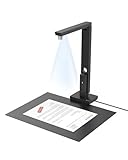
- Powerful Software: CZUR Lens'software has various document processing functions like, watermarking, combining the front and back sides, intelligent cropping and filling, etc. Note: Please download software "CZUR Lens" for scanning,"CZUR Camera" is just an optional software for Lens Pro
- Excellent Performance: 12MP HD Camera, 330 DPI, Resolution: 4032*3024, Scanning Size within 8.27*11.69 inches
- Fast Scanning & Multi-Targeting: Ultra Fast Scanning Speed 1s/page and catch multiple targets(cards). Not Recommended for very Glossy Paper and Books
- Innovative Web Camera: We love innovation. Spin your Lens to make it an external webcam
- File/Card Protection: No need to feed nor touch your files/cards,Won't JAM, No damage to your documents
Canon imageFORMULA R10 Portable Document Scanner

The Canon imageFORMULA R10 packs a 20‑sheet auto‑feed into a 2.2 lb, USB‑powered unit that scans up to 12 pages per minute (ppm). Its camera‑derived sensor captures color, grayscale, or black‑and‑white images that you can preview, straighten, or trim on the fly—no additional software required. The scanner is ENERGY STAR certified, plugs directly into Windows or macOS, and automatically updates its firmware.
What Sets It Apart: A 20‑sheet duplex auto‑feed in a sub‑2‑lb, battery‑free package—rare for a scanner of this speed.
Best For: Professionals and frequent travelers who need a compact, high‑speed scanner for receipts, business cards, and documents on the go.
Pros:
- Lightweight, battery‑free USB power makes it ideal for mobile use.
- Fast dual‑side scanning up to 12 ppm with a 20‑sheet auto‑feed.
- Plug‑and‑play setup with auto‑updates for Windows/Mac.
Cons:
- Requires a constant USB connection; no internal storage.
- No built‑in Wi‑Fi—file transfer depends on the cable.
- One‑year warranty only; no extended protection plan.

- STAY ORGANIZED – Easily convert your paper documents into digital formats like searchable PDF files, JPEGs, and more.Power Consumption : 2.5W or less (Energy Saving Mode: 0.7W). Suggested Daily Volume : 500 scans..Does it contain liquid: no
- CONVENIENT AND PORTABLE –lightweight and small in size, you can take the scanner anywhere from home offices, classrooms, remote offices, and anywhere in between
- HANDLES VARIOUS MEDIA TYPES – Digitize receipts, business cards, plastic or embossed cards, reports, legal documents, and more
- FAST AND EFFICIENT – No technical hurdles or complicated setups here; easily scan both sides of a document at the same time, in color or black-and-white, at up to 12 pages-per-minute, and with a 20 sheet automatic feeder
- BROAD COMPATIBILITY – Works with both Windows and Mac devices, be it laptop or computer
Brother DS‑640 Compact Mobile Document Scanner

The Brother DS‑640 fits into a carry‑on at 11.9 × 2.2 × 1.4 in and 1.5 lb. It scans at 16 ppm (about 0.06 s per page) and handles documents up to 72 in long and 72‑lb bond weight. A built‑in Li‑Ion battery charges via USB 3.0, so you can power up on a plane or in a café. Bundled OCR and a document‑management suite turn scans into editable Word files, and you can route results to local storage, email, or cloud services.
What Sets It Apart: The fastest per‑page scan speed among truly pocket‑size scanners, paired with a rechargeable battery.
Best For: Remote and on‑the‑go professionals who need a compact scanner that can handle long, heavy documents without a bulky unit.
Pros:
- Ultra‑portable design with built‑in battery and USB 3.0 charging.
- Fast 16 ppm speed and 72‑in document length support.
- Integrated OCR and document‑management suite for clean, editable outputs.
Cons:
- No automatic document feeder; each sheet must be fed manually.
- Limited to 72‑lb bond paper; no duplex scanning.
- Some advanced features rely on software updates and a connected PC.

- FAST SPEEDS - Scans color and black and white documents a blazing speed up to 16ppm (1). Color scanning won’t slow you down as the color scan speed is the same as the black and white scan speed.
- ULTRA COMPACT – At less than 1 foot in length and only about 1. 5lbs in weight you can fit this device virtually anywhere (a bag, a purse, even a pocket).
- READY WHENEVER YOU ARE – The DS-640 mobile scanner is powered via an included micro USB 3. 0 cable allowing you to use it even where there is no outlet available. Plug it into you PC or laptop and you are ready to scan.
- WORKS YOUR WAY – Use the Brother free iPrint&Scan desktop app for scanning to multiple “Scan-to” destinations like PC, Network, cloud services, Email and OCR. (2) Supports Windows, Mac and Linux and TWAIN/WIA for PC/ICA for Mac/SANE drivers. (3)
- OPTIMIZE IMAGES AND TEXT – Automatic color detection/adjustment, image rotation (PC only), bleed through prevention/background removal, text enhancement, color drop to enhance scans. Software suite includes document management and OCR software. (4)
RXLIFE LNKH09 Portable A4 Card & Photo Scanner with 16 GB Memory

The RXLIFE LNKH09 is a tiny wand‑style scanner that captures an A4 page in about 3 seconds at 300 DPI, 8 seconds at 600 DPI, and 10 seconds at 900 DPI. It ships with a built‑in 16 GB TF card that holds up to 1,500 pages at 300 DPI, so you can scan without a laptop. Powered by two AA batteries, it auto‑shuts after three minutes of inactivity, extending battery life on long trips. The unit measures just 9.9 oz and fits into the supplied carry bag.
What Sets It Apart: Integrated 16 GB memory that lets you scan completely offline, then transfer files later via USB‑2.0.
Best For: Business travelers and students seeking a lightweight, battery‑powered A4 scanner for quick on‑the‑go digitization.
Pros:
- Ultra‑light (9.9 oz) and compact design.
- 16 GB TF card stores up to 1,500 pages at 300 DPI.
- Fast 300 DPI scan (3 s per page) without needing external power.
Cons:
- Relies on AA batteries (not included); runtime is limited.
- Cannot scan while connected to a PC; you must disconnect to transfer files.
- USB 2.0 transfer is slow, and auto‑shutoff can interrupt long sessions.

- 【Fast Scanning】This A4 scanner is easy to use and easy to get the pictures transferred. It can scan a A4 color page in 3sec, fast scanning
- 【Lightweight】This little wand scanner is lightweight, net weight is about 0.32lb, not difficult to work with
- 【Resolution】This Document Scanner supports 300DPI, 600DPI and 900DPI resolutions. It produces clear, good quality scans
- 【Battery Powered】This portable scanner is powered by 2pcs AA batteries (not included)
- 【Notice】This A4 scanner can transfer the images to the computer by USB cable. But , it cannot scan while it’s connected to the computer
CZUR Shine Ultra Portable Thin Book OCR Scanner

The CZUR Shine Ultra is a 4‑lb, fold‑able scanner built for thin‑book digitization. Its 13‑MP sensor captures A4 and A3 pages in about one second, delivering 245 dpi at A3 and 340 dpi at A4. A two‑level neck, 90° fold‑back, and foot‑pedal let you scan hands‑free, while the device doubles as a document camera on Windows or macOS with zoom support. ABBYY OCR handles 180+ languages, outputting searchable PDFs, Word, or Excel files.
What Sets It Apart: Hands‑free foot‑pedal operation combined with a 13‑MP sensor—ideal for quickly capturing thin books without a smartphone.
Best For: Travelers, researchers, and professionals who need instant, high‑resolution scans of thin books on the go.
Pros:
- 1‑second per page capture with a 13‑MP sensor for crisp A3/A4 quality.
- Foot‑pedal and adjustable neck enable hands‑free scanning anywhere.
- ABBYY OCR supports 180+ languages and outputs multiple file types.
Cons:
- No native Android/iOS app; requires Windows or macOS.
- Heavier than purely handheld scanners (≈ 4.9 lb).
- Limited to desktop environments; no tablet‑specific software.

- Design and Speed: Work with Windows XP/7/8/10/11 AND macOS 10.13 or later. Not compatible with Android and iOS. Designed for A3&A4(11.69*16.53 & 8.27*11.75 inch) document, any objects smaller than A3 size can be scanned with Ultra-fast scanning speed, about 1 second per page. Perfect device to scan FLAT papers
- Patented Flattening Curved Book Page Technology: Shine Ultra applies CZUR’s patented technology to flatten the curved surface after pixel transformation to flattening of the book page (Only suitable for thinner books, ET series is recommended for thicker books)
- USB Document Camera & Scanner: Work as both a document camera for remote teaching&learning compatible with ZOOM; Goole Meet; Skype and a document scanner to scan papers and convert/OCR files. Able to scan 180+ languages and convert to JPG; PDF; Searchable PDF; Word and Excel powered by ABBYY. Notice: TIFF files need to be converted from scanned JPG images
- High Resolution & AI Tech: CMOS 13MP (4160*3120, A4≈340 AND A3≈245 DPI) camera. Smart Paging and Auto Cropping; Combine Sides; Stamp Mode; and Multiple Color Modes
- Height Adjustable & Portable: 2-level height adjustable neck. 90 degree foldable and lightweight 4 lbs with foot pedal for convenient operation
Doxie Go SE Portable Document Scanner

The Doxie Go SE is a magazine‑sized, battery‑powered scanner that can store up to 8,000 pages before you need to sync. A single charge handles around 400 scans, and each full‑color scan at 600 dpi takes about 8 seconds. The companion mobile app uploads directly to cloud services and uses ABBYY OCR for searchable PDFs—no laptop required. The unit’s rugged case survives being tossed in a backpack, and the one‑year warranty adds peace of mind.
What Sets It Apart: Unlimited on‑the‑go scanning with built‑in memory, allowing you to capture hundreds of pages offline before syncing.
Best For: Business travelers and mobile professionals who need instant, high‑resolution document scanning without a computer.
Pros:
- Up to 8,000 pages stored onboard; 400 scans per charge.
- 600 dpi full‑color scans in 8 seconds, with instant cloud sync via the mobile app.
- Built‑in ABBYY OCR creates searchable PDFs without a PC.
Cons:
- Battery may require frequent recharging on intensive trips.
- Initial setup and app configuration have a learning curve.
- Small or handwritten notes may need manual OCR tweaking.
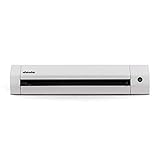
- 【Go Paperless】Doxie Go SE delivers smart, simple scanning that you can take anywhere – no computer required. Doxie's everything you want modern scanning to be.
- 【Fast, Easy Scanning】Doxie makes it easy to scan documents at your desk or on the go – simply insert your paper. Scan full-color pages in just 8 seconds at up to 600 dpi.
- 【Tiny + Battery Powered】Doxie is tiny – the size of a rolled up magazine – and portable with a rechargeable battery and included memory. Scan up to 400 pages per charge, store up to 8,000 pages before needing to sync.
- 【Amazing Software and OCR】Included Doxie app syncs scans, sends directly to your favorite apps, and uses the award-winning ABBYY OCR technology to recognize the text in your document to create multi-page searchable PDFs.
- 【Protected by DoxieCare】Every new Doxie includes a comprehensive 1-year manufacturer warranty. Complete with access to the best support in the scanner industry to help you scan, organize, or just provide tips on the best ways to scan your paper.
Portable A4 Scanner, 900 DPI, JPG/PDF, 16 GB SD

This handheld scanner works with a single button: press, scan, and the device automatically stops. You can choose 300, 600, or 900 dpi, and it saves JPEG or PDF files directly to a 16 GB SD card—no software needed. At 9.6 oz and 11 × 2 × 1.5 in, it’s easy to slip into a laptop sleeve. The LED indicator flashes green while scanning, and the unit powers off after each scan to conserve battery.
What Sets It Apart: No‑software, direct‑to‑SD operation that lets you capture high‑resolution scans without a computer.
Best For: Professionals, students, and travelers who need quick, high‑resolution scans on the go without relying on a PC.
Pros:
- Ultra‑compact (9.6 oz) for effortless portability.
- 900 dpi scanning with JPEG or PDF output stored directly on the SD card.
- Automatic power‑off after each scan saves battery life.
Cons:
- Requires two AA batteries (not included); runtime can be limited.
- No wireless or cloud connectivity—file transfer is USB or card removal only.
- 16 GB card fills quickly at 900 dpi, limiting long‑term storage.

- Note: No software installation is required. You need 2 AA batteries ( not included) and a memory card ( included) to use it directly. Scan mode: Press and hold "Scan" for 2 seconds to turn on the device, and then press "Scan", the green light is on. The scanner moves to scan the file until the green light turns off automatically (or press the "Scan" key and the green light goes out). The number shown on the display increases by 1 to indicate that the scan is complete.
- Portable Scanner scans images or pictures quickly: Store JPEG/PDF files within seconds, scan images or pictures quickly, plug and play, no need any software preinstalled. Compatible with Windows XP/7/Vista/Mac OS 10.4 or above version.
- Lightweight and travel-friendly: Stored in Micro SD card directly, support read data on your computer or phone with USB connected. Powered by 2pcs AA batteries, Compact Design, it is convenient to carry outside.
- 3 Image Resolution: 3 modes of resolution for your options: 300dpi/600dpi/900dpi, you can save it at the clearest way, picture and document are showed clear as it is. Freely choose your favorite resolution.File Format: JPEG/PDF format is all available, Great storage capacity as it supports 32G Micro SD card(Included 16GB Card),total meet your need for business trip or daily use.
- Widely Used: It is applicable in bank, insurance business, real estate agency,home, office, library or outdoors. suitable for lawyer, businessmen, students, travelers and amateur archivists. Scan your important files and save them immediately, no struggling in finding a printing shop, keep it confidential.
Brother DS‑940DW Duplex & Wireless Compact Mobile Document Scanner

The Brother DS‑940DW measures 12.6 × 2.5 × 1.8 in and includes a built‑in lithium‑ion battery, making it easy to slip into a briefcase. It scans at 16 ppm duplex, handling documents up to 72 in long. Wi‑Fi lets you send scans straight to cloud services, email, or a PC, while a micro‑SD slot enables driver‑free file access. The iPrint&Scan app streams scans to Android or iOS devices.
What Sets It Apart: Duplex scanning combined with built‑in Wi‑Fi and a battery in a sub‑13‑in footprint.
Best For: Professionals and students who need a compact, battery‑powered scanner capable of duplex, high‑speed scanning on the go.
Pros:
- Ultra‑compact design fits in a briefcase; 16 ppm duplex speed.
- Wi‑Fi and micro‑SD options allow driver‑free file access and mobile app integration.
- Battery provides multiple scans without a power outlet.
Cons:
- One‑year warranty limited to the U.S.; no extended coverage.
- Some advanced features (e.g., auto‑feed) require Wi‑Fi and may be unavailable in offline mode.
- Cloud integration needs manual configuration; no native cloud service bundled.

- ULTRA COMPACT – At a size barely bigger than a box of spaghetti you can fit this device virtually anywhere (a bag, a purse, a pocket). The Brother DSD (Desk Saving Design) feature reduces the amount of space needed to use the device.
- FAST SPEED AND DUPLEX SCANNING – Scan single and double-sided, documents in a single pass at up to 16ppm. (1) Color scanning doesn’t slow you down at all as it has the same scan speed as black and white scanning.
- REAL MOBILITY – With an embedded lithium ion battery and the ability to insert a micro SD card(2) you can use this as a standalone device virtually anywhere. Scan to mobile devices with Brother’s free iPrint&Scan mobile app.
- DRIVERLESS SCANNING – Mass storage support lets you utilize a Micro SD card(2) to scan documents and retrieve on a PC without a driver installed. Supports Windows, Mac and Linux environments and TWAIN/WIA for PC/ICA for Mac/SANE drivers. (3)
- OPTIMIZE IMAGES AND TEXT –Automatic color detection/adjustment, image rotation (PC only), bleed through prevention/background removal, text enhancement, color drop to enhance scans. Software suite includes document management and OCR software. (4)
Portable AOZBZ 900 DPI Handheld Document Scanner

This wand‑style scanner weighs just 6 oz and captures up to 900 dpi images in a single pass. It plugs into a USB 2.0 port and writes JPEG or searchable PDF files directly to a built‑in 16 GB SD card (expandable to 32 GB). An automatic three‑minute sleep mode preserves battery life, and the device offers three resolution settings for flexible quality control.
What Sets It Apart: Ultra‑light weight combined with a built‑in SD card for completely offline scanning.
Best For: Travelers, freelance writers, and small‑office teams who need a lightweight, plug‑and‑play scanner for high‑resolution digital copies of documents and photos.
Pros:
- Only 6 oz, making it truly pocket‑friendly.
- Supports up to 900 dpi with searchable PDF output.
- One‑click scans to a built‑in 16 GB SD card—no software install needed.
Cons:
- Discontinued model—new units or spare parts can be hard to find.
- USB 2.0 limits transfer speed compared with newer standards.
- Requires removing the SD card or using an external reader for bulk transfers.

- WIDE COMPATIBLE - Compatible with Windows XP/7/Vista/Mac OS 10.4 or above version. Scan images or pictures quickly and store files within seconds, plug and play, no need any software preinstalled.
- 3 IMAGE RESOLUTION - 3 modes of resolution for your options: 300dpi/600dpi/900dpi, you can save it in the clearest way, picture and document are showed clear as it is. Freely choose your suitable resolution.
- UP TO 32GB STORAGE - Great storage capacity as it supports 32G Micro SD card, JPEG/PDF format is all available, total meet your need for business trip or daily use. Store and Share your scans and information via searchable PDF files or JPEG into a micro SD/TF card.
- EASY OPERATION - Switch on, select color mode and resolution, press the "SCAN" button until the green LED lights up, scan the document, press it over (finished automatically after 3 minutes without operation).
- EASY OPERATION - Switch on, select color mode and resolution, press the "SCAN" button until the green LED lights up, scan the document, press it over (finished automatically after 3 minutes without operation).
Portable Handheld 900 DPI Document Scanner

This 28 cm handheld scanner delivers 900 dpi scans of A4 sheets, producing razor‑sharp text and vivid photos. Power comes from an internal battery; you flip a switch and start scanning immediately. A microSD slot (up to 32 GB) stores the files, which you can retrieve via USB in seconds.
What Sets It Apart: A robust 28 cm form factor that balances portability with a large scanning window for fast, high‑detail captures.
Best For: Business travelers, on‑site professionals, and anyone needing high‑resolution document capture while traveling.
Pros:
- Compact 28 cm size fits easily in luggage or a briefcase.
- 900 dpi ensures sharp text and vivid images on A4 sheets.
- MicroSD slot (up to 32 GB) allows on‑device storage without a PC.
Cons:
- No memory card included; you must purchase a microSD separately.
- Only USB transfer—no wireless or cloud sync.
- Limited to A4 documents; larger formats aren’t supported.

- Ample Storage Capacity: Supports 32GB small memory card(not included), our scanner provides plentiful storage space for all your photos and documents. No need to constantly swap out cards, simply connect our scanner to your computer via a data cable and easily transfer files.
- Versatile File Formats: Our scanner offers the flexibility to save your scans in either PDF or JPG format, catering to different scanning needs. Whether you need editable documents or photos, our scanner has you covered.
- Compact and Portable: Measuring only 28cm in length, our scanner is small enough to fit easily into your bag. It's the ideal companion for business trips and on the go scanning needs.
- High Definition Scanning: With a maximum resolution of 900DPI, our portable scanner records every detail with excellent clarity. Whether you're scanning documents or colorful photos, our scanner ensures accurate color reproduction and lifelike images.
- Easy to Use: Our portable scanner is designed for ultimate convenience. Simply insert the battery and small memory card (not included), power it on, and it can be used. With its standard A4 scanning size, it's perfect for scanning most documents and photos.
Handheld Portable Scanner with 16 GB Memory, Type‑C

This wand scanner packs a 16 GB TF card and USB‑Type C connectivity, allowing fast transfers without Wi‑Fi. Weighing 9.9 oz and measuring 10 × 1.18 × 1.18 in, it captures 300 DPI in 3 seconds, 600 DPI in 8 seconds, and 900 DPI as JPEG or PDF. It runs on two AA cells (not included) and auto‑shuts after three minutes of inactivity.
What Sets It Apart: Type‑C interface for modern, faster data transfer while retaining a built‑in 16 GB memory card.
Best For: Business travelers and mobile professionals who need a lightweight, high‑resolution scanner without relying on Wi‑Fi.
Pros:
- Ultra‑compact (9.9 oz) and ergonomic design.
- Resolution options up to 900 DPI with JPEG/PDF output.
- Built‑in 16 GB TF card plus Type‑C USB for fast, offline transfers.
Cons:
- Requires two AA batteries (not included) and auto‑powers off after 3 min idle.
- USB 2.0 transfer speed is slower than modern standards.
- Storage caps at ~1,500 pages at 300 DPI; larger scans need card swaps.

- 【Fast Scanning】This A4 scanner is easy to use and easy to get the pictures transferred. It can scan a A4 color page in 3sec, fast scanning.
- 【Lightweight】This little wand scanner is lightweight, net weight is about 0.32lb, not difficult to work with.
- 【Resolution】This Document Scanner supports 300DPI, 600DPI and 900DPI resolutions. It produces clear, good quality scans.
- 【Battery Powered】This portable scanner is powered by 2pcs AA batteries (not included).
- 【Notice】This A4 scanner can transfer the images to the computer by USB cable. But , it cannot scan while it’s connected to the computer.
CZUR Shine800 Pro Portable Document Scanner

The CZUR Shine800 Pro targets remote teachers and mobile professionals who need dual‑side scanning. An 8‑MP camera (3264 × 2448 px) captures sharp A4 pages, while auto‑tilt correction and adjustable LED lighting keep text straight and evenly lit. The unit folds to about 2 lb, making it travel‑ready. It connects via USB, works with macOS 10.13+ and Windows, and offers live video projection for presentations.
What Sets It Apart: Built‑in dual‑side scanning with auto‑tilt correction in a sub‑2‑lb, fold‑out design.
Best For: Remote teachers and mobile professionals who need fast, dual‑side document scanning on the go.
Pros:
- Portable 90° fold‑out design, lightweight (~2 lb) for easy travel.
- 8‑MP camera with auto‑tilt correction ensures sharp, full‑page scans.
- OCR supports 180+ languages with export to Word, Excel, and PDF.
Cons:
- Glossy surfaces hinder OCR accuracy; best with matte paper.
- No wireless or Bluetooth connectivity—requires a USB cable.
- Requires macOS 10.13+ or newer; older OS versions unsupported.
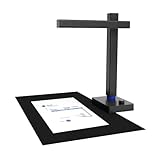
- USB Document Camera: Work with macOS 10.13 or later AND Windows XP/7/8/10. Connect to a PC via a USB cable, can shoot videos, project in real time, and open a convenient way to share and communicate. Shine800 as a document camera is suitable for distance learning, online teaching, remote office meetings with Zoom, Google Meet, Skype, etc. It is the choice of teachers and students, as well as business people
- Portable Document Scanner: Shine800 can scan documents; forms; bills; certificates, etc. smaller than or equal to A4 size (8.27*11.69 inches). Designed for portability, it is foldable at 90°and weighs 2 lbs
- Excellent Performance: Includes a 8MP camera (resolution: 3264*2448) and LED lights with adjustable brightness. Shine800 has a variety of useful features such as OCR, automatic tilt correction, front and back combination, etc. Notice: glossy materials(glossy photo,glossy magzine)are NOT recommended
- OCR Recognition: Shine800 can convert image files into word; excel; PDF and editable PDF. Support 180+ languages recognition
- Quality Guaranteed: Shine800 has been widely used in offices; classrooms; libraries; banks; hospitals, etc
Factors to Consider When Choosing Travel Document Scanners (Pocket‑Size, Fast Capture)
When you pick a portable scanner, you’ll want it light enough to slip into a carry‑on while still being quick enough to capture documents on the fly. Pay attention to its connection modes—USB, Wi‑Fi, or Bluetooth—so you can share files instantly, and check battery life to avoid running out mid‑trip. Finally, make sure its OCR engine supports the languages you need, so text stays accurate no matter where you’re scanning.
Portability and Weight
Because you’re often on the move, the scanner’s size and weight become immediately critical. Devices that measure between 3.5 × 1.0 × 1.75 in and 13 × 4 × 3 in stay hand‑carry friendly. Lightweight models around 0.3 lb cut travel baggage weight and keep you free of extra load. Heavier USB‑powered units can reach 2.5 lb but eliminate the need for batteries, shaving 1–2 lb off a lithium‑ion alternative. Anything longer than 12 in is best nested in a laptop case; under 12 in it slides into a tote. Keeping weight ≤ 1.0 lb reduces fatigue during back‑to‑back scans, boosting productivity on the road.
Scan Speed Requirements
If you need to scan bulk documents on the go, scan speed becomes a critical factor. A device that tops 300–400 dpi in roughly one second can handle about sixty pages per minute, fitting tight travel schedules. Higher‑resolution models (600–900 dpi) typically need 3–10 seconds per page, tripling scan time and draining battery faster. Dual‑sensor or auto‑crop scanners cut page time by 30‑50 percent, achieving near‑one‑second speed while keeping image quality. Battery life also spikes: a one‑second scanner may scan 120 pages in two minutes, whereas a five‑second model takes ten minutes for the same load—an essential edge when staying productive.
Connectivity Options
Connectivity is the lifeline for a portable scanner, letting you move work without cables. USB 3.0 delivers up to 5 Gbps, letting a one‑second scan hit your PC instantly. Wi‑Fi 802.11n/ac gives 10‑30 ft reach, so you can upload straight to the cloud or capture via a mobile app without wires. Bluetooth‑LE 4.2/5.0 is handy for quick, low‑res scans and keeps power usage down, but at about 1 Mbps it can’t match USB or Wi‑Fi speeds. Some models use a micro‑SD card for offline storage, requiring a USB link only when you sync. For cloud‑direct use, aim for at least 1 Mbps upload to keep a 300‑dpi PDF under a minute.
Battery Life Considerations
With portability comes the need to keep the scanner running without cables, so battery life becomes as important as Wi‑Fi reach. Power consumption usually sits between 1–3 W, and a typical 3,000 mAh Li‑Ion cell lets you scan roughly eight to twelve pages at 300 dpi before recharging. Auto‑sleep after 30–60 seconds of idle time can extend runs by 30‑60 %. If you prefer never‑ending mobility, look for a removable 2 Ah battery you can swap in seconds. Compare rated operational hours—like 24 hours continuous at 320 dpi—to gauge how many full‑page scans you’ll get per swap.
OCR Accuracy and Languages
Because OCR accuracy improves markedly with higher scan resolution, you’ll want a pocket‑size scanner that consistently outputs at least 600 dpi. This level of detail cuts character error rates by 2–3 % versus 300 dpi, making travel documents read cleanly even when printed in many scripts. Most advanced engines support over 180 languages, so passport visas, invoices, or receipts stay legible. Glossy or reflective pages can spike error rates by 20–30 % because they blur fine lines. Dual‑pass mode with deskewing and edge‑detection can shave another 10–15 % off misreads.
Software Compatibility
If you’re planning to carry a pocket‑size scanner on the go, you’ll want one that plugs seamlessly into any operating system. The device delivers standard driver protocols like TWAIN, WIA, ICA, and SANE, letting you connect to Windows, macOS, and most Linux distros without extra drivers. It supports SSD‑based firmware updates via a generic USB‑mass‑storage channel, keeping your upgrades consistent across platforms. Built‑in OCR can recognize 180+ languages and export searchable PDFs, Word, Excel, CSV, JPEG, and PNG. Direct cloud uploads to Dropbox, Google Drive, OneDrive, and iCloud via OAuth or API keys let you skip PC‑side software on every trip.
Build Quality and Durability
Beyond software, the scanner’s resilience matters just as much. A robust chassis built from high‑impact ABS or polycarbonate cuts the risk of cracks even after fifteen folding cycles daily. Hinges lock flush with the body, reducing belt abrasion and protecting internal electronics from accidental drops. Rubber or silicone latches around door seams boost water and dust resistance by about 30 %. Weighing under ten ounces and fitting inside a 4 × 10 × 1.5 in envelope, it runs 4–5 hours with a 700 mAh cell or a deep‑drive battery slot, and offers 0–45 °C tolerance with a thermal‑relief vent.
Frequently Asked Questions
How Long Does Battery Last on Typical Models?
Batteries on typical travel document scanners last roughly 12–15 hours on a full charge, giving you enough time to scan an entire workday’s worth of documents. Most models use rechargeable lithium‑ion packs and provide about 200–300 scans per charge. Power‑save mode and a charger can extend use further for long trips.
Are These Scanners Compatible With iPhone/Android?
Yes, most travel document scanners pair seamlessly with iPhone and Android devices. They come with dedicated mobile apps that let you snap, edit, and share scans instantly via Wi‑Fi or Bluetooth. Check each model’s app support before buying.
Can I Scan Handwritten Notes?
Yes, you can scan handwritten notes with most travel scanners. Clear, well‑spaced handwriting works best; the OCR engine will convert the ink into editable text or searchable PDFs.
Do Scanners Include OCR for Text Extraction?
All the scanners listed ship with built‑in OCR that extracts printed or handwritten text into editable formats within seconds. Choose a model that supports the languages you need.
What Is the Typical File Size for Scanned PDFs?
A low‑resolution (150 dpi) PDF usually ranges from 200 KB to 600 KB per page. At 300 dpi, a single page can be 1.5–2 MB. Color‑rich, high‑resolution scans (600 dpi) can reach 3 MB or more per page. Multi‑page PDFs quickly add up, so consider compression settings if storage is a concern.
Conclusion
By now you’ve seen why speed matters on the road and how a slick scanner can be your best sidekick. Whether you’re jet‑setting or back‑packing, a top‑tier portable device will turn chaos into a clean archive with a few quick taps. Keep battery life, software compatibility, and weight in mind. Pick a scanner that lets you hit the road today without breaking a sweat, and you’ll always be one step ahead.
