
Best Scuba Dive Computers for Recreational Divers

Introducing Maria, our meticulous planner and talented visual storyteller. She has a knack for discovering those hidden gems, chic boutique spots, and charming little cafes that add a touch of elegance to every journey. With her keen eye for photography and her passion for travel, Maria will transport you to the most enchanting corners of the world, inspiring you to explore new places, one picture-perfect destination at a time.
You want a reliable, easy-to-use dive computer that handles nitrox, planning, and logging for recreational dives. The Peregrine Adventures Edition offers rugged build, a legible 2.2-inch display, long battery life, and a simple two-button interface. The Suunto Zoop Novo provides built‑in planning, RGBM deco, backlit readout, and flexible wrist or console use. Other solid picks include the Mares Smart and the compact Puck Pro EZ with Bluetooth sharing. Continue, and you’ll find the best fit.
Key Takeaways
- For recreational diving, prioritize nitrox up to 50% and a reliable RGBM or Buhlmann algorithm with no-deco planning.
- Ensure a legible display with good backlighting or phosphorescent readout for low-light visibility.
- Favor a simple, two-button or single-button navigation and a rugged, comfortable form factor for frequent use.
- Look for built-in dive planning with no-deco times and easy log transfer via Bluetooth or USB.
- Popular, user-friendly options include Suunto Zoop Novo and Mares Puck Pro EZ or Smart Wrist for balanced features.
Shearwater Research Peregrine Adventures Edition Dive Computer

The Peregrine Adventures Edition Dive Computer from Shearwater is a standout choice if you’re after rugged reliability in a modern, stainless-steel package. Its 316 stainless steel buttons and durable body stand up to demanding dives, while the 2.2-inch display keeps critical data legible.
You’ll get up to 30 hours of battery life on medium brightness, thanks to a two-button interface and a state-aware menu. It holds 32 MB of memory and ships with a USB Wireless Charging Station, easing charging on trips. Weighing about 122 g with dimensions, it’s built for rugged use and backed by a two-year warranty.
Best For: divers who want a rugged, stainless-steel dive computer with long battery life and reliable performance in challenging conditions.
Pros:
- Rugged 316 stainless steel build and durable buttons.
- Up to 30 hours of battery life on medium brightness.
- Clear 2.2-inch display with a state-aware menu and 32 MB memory.
Cons:
- Higher price point compared to entry-level models.
- Heavier and bulkier than some aluminum rivals (approximately 122 g).
- Two-button interface may have a steeper learning curve for new divers.
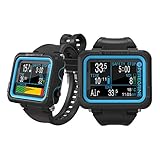
- Package dimensions: 6.69 inch L x 4.45 inch W x 4.33 inch H
- Two-button interface: simple to navigate, state-aware menu structure. 316 stainless steel buttons
- Battery life per charge is up to about 30 hours on medium brightness level
- USB wireless charging station is included
Suunto Zoop Novo Wrist Scuba Diving Computer

For recreational divers seeking an affordable, feature-packed wrist computer, the Suunto Zoop Novo stands out with versatile modes (Air, Nitrox up to 50% O2, Gauge, Freedom), a bright backlit display, and a built-in planner that shows no-deco times at various depths. You navigate with easy push buttons, and the readable, quick-read display stays usable in low light. It handles Nitrox 21%–50%, with 1.2–1.6 bar O2 partial pressure. Decompression uses RGBM with continuous decompression and color-coded indicators. Dive planning shows no-deco times.
Depth max 330 ft (100 m); alarms are visual and audible, with a DM4 transfer option for logs.
Best For: Recreational divers seeking an affordable, versatile wrist computer with nitrox capability, a built-in planner, and a bright, easily readable display.
Pros:
- Versatile modes (Air, Nitrox up to 50%, Gauge, Freedom) for a range of diving needs
- Built-in dive planner shows no-deco times at various depths
- Bright backlit display with audible and visual alarms, readable in low light
Cons:
- Small screen can be cramped for data-heavy views or with gloves
- Lacks newer UI features found on top-tier models; fewer advanced readouts
- Data transfer relies on optional software (DM4), not direct wireless syncing

- Operating modes: air, nitrox, gauge and freedom modes
- Programmable for 21% to 50% oxygen mixtures
- Imperial or metric programmable, decompression stop data, audible alarms
- Back Lite display, easy to read in low light & night conditions
- Maximum depth display: 330' (100 meters)
Suunto Zoop Novo Wrist Scuba Diving Computer

Ideal for recreational divers who want a versatile, easy-to-use computer that doubles as a wrist unit or console, the Suunto Zoop Novo offers a backlit, easy-to-read display, nitrox up to 50% O2, and a robust RGBM algorithm for continuous decompression and best ascent times. You choose air, nitrox, gauge, or freedom modes, and you program nitrox from 21% to 50%. The wrist unit features a phosphorescent LCD that stays readable in low light and a compact 2.09 by 2.09 by 0.63 inch case. With pO2 range 1.2–1.6 bar, it logs dives, stores data, and supports optional DM4 transfers. It delivers visual and audible alarms for max depth, dive time, and ascent stops, plus continuous decompression data. Included.
Best For: Recreational divers who want a versatile, easy-to-use computer that can be worn on the wrist or used as a console, with nitrox capability and built-in dive planning.
Pros:
- Versatile as wrist unit or console for flexible diving setups
- Backlit, phosphorescent display remains readable in low light
- Nitrox up to 50% O2 with RGBM algorithm for continuous decompression and optimized ascent times
Cons:
- May be basic compared to high-end models with advanced features
- Small screen can be cramped for complex dive data
- Optional DM4 data transfer can add extra cost

- Operating modes: air, nitrox, gauge and freedom modes
- Programmable for 21% to 50% oxygen mixtures
- Imperial or metric programmable, decompression stop data, audible alarms
- Back Lite display, easy to read in low light & night conditions
- Maximum depth display: 330' (100 meters)
Mares Smart Wrist Dive Computer for Recreational Diving

Want a nitrox-capable wrist computer that suits recreational divers who value clarity and versatility? The Mares Smart Wrist Dive Computer gives you dual-gas nitrox with O2 up to 99% and practical modes like bottom timer, resettable average depth, stopwatch, and a freediving alarm, all in a unit. Its mineral glass display and segmented layout guarantee sharp visibility, while an ergonomic design makes navigation of depth and dive time easy. You control settings with side buttons, adjusting max depth, dive time, and temperature, and the device safeguards data while monitoring performance. It supports logbook downloads, firmware updates, and Bluetooth connectivity.
Best For: Recreational divers who want nitrox capability, a clear display, and versatile logging and connectivity.
Pros:
- Nitrox dual-gas capability (O2 up to 99%) for flexible diving
- Clear mineral glass display with ergonomic navigation
- Supports logbook downloads, firmware updates, and Bluetooth connectivity (Bluelink Pro)
Cons:
- Older model (2016) may havedated hardware compared to newer units
- Display readability can be affected in extremely bright sunlight
- Use of proprietary software for data management may require additional setup (Dive Organizer Program, Dive Link 2 USB)

- FULLY FEATURED NITROX CAPABILITY - The Mares Smart Scuba Dive Computer supports dual gas capability, allowing divers to switch between oxygen-enriched gases (up to 99%) for optimized decompression times, making it ideal for recreational and technical diving
- CLEAR & ERGONOMIC DISPLAY - With a clear mineral glass display, the Smart dive computer features a segmented design for sharp visibility in various conditions; Its ergonomic layout ensures easy navigation of essential dive information like depth and dive time
- MULTIMODE FUNCTIONALITY - This versatile dive computer includes multiple modes, such as a bottom timer with resettable average depth and stopwatch features, plus a dedicated freediving mode with alarms, catering to both scuba and freediving enthusiasts
- USER-FRIENDLY CONTROLS & DATA MANAGEMENT - Equipped with intuitive side buttons, the Smart dive computer allows for easy adjustments of critical data, including maximum depth, dive time, and temperature, ensuring safety and performance throughout the dive
- DATA DOWNLOAD & FIRMWARE UPGRADABILITY - The Mares Smart dive computer offers logbook data downloads and firmware updates; Users can connect via the Mares Dive Organizer Program and Dive Link 2 USB interface or use the Bluelink Pro for Bluetooth connectivity, keeping their device current with the latest features
Mares Puck Pro EZ Wrist Dive Computer

If you’re a recreational diver who wants a compact, easy-to-read wrist computer, the Mares Puck Pro EZ excels with its high-contrast display that keeps depth, bottom time, temperature, and no-deco limits legible at a glance.
With Nitrox compatibility from 21% to 50%, you tailor dives for enriched air without swapping hardware. Its Buhlmann ZH-L16C algorithm with dual gradient factors delivers reliable decompression calculations. You’ll navigate with a simple single-button interface, and the replaceable power supports up to 100 dives. Bluetooth lets you log and share dives on smart devices, while its compact body stays comfortable on your wrist daily.
Best For: recreational divers who want a compact, easy-to-read wrist computer with Nitrox compatibility (21–50%) and Bluetooth logging.
Pros:
- Compact, high-contrast display for quick readability underwater.
- Nitrox compatibility from 21% to 50% with reliable Buhlmann ZH-L16C decompression calculations.
- Simple single-button navigation with a replaceable power source and Bluetooth for log sharing.
Cons:
- Uses a nonstandard battery, which may require sourcing the specific replacement.
- Slightly bulkier footprint on the wrist compared to ultra-compact models.
- Bluetooth/log features depend on app compatibility and smartphone pairing.

- ENHANCED VISIBILITY - Mares Puck Pro EZ Wrist Dive Computer features a clear, high-contrast screen, ensuring effortless readability of your dive data. The bright, easy-to-read scuba dive monitor keeps data like depth, time, temperature, and no-deco limits clearly visible at all times
- VERSATILE GAS OPTIONS - Supporting single gas Nitrox compatibility (21%-50%), this wrist diving computer allows you to tailor your dive settings for optimal safety and performance with enriched air mixtures. Great for recreational divers
- ADVANCED ALGORITHM - The Puck Pro EZ dive computer utilizes the Buhlmann ZH-L16C algorithm with dual gradient factors, providing reliable decompression calculations for safer dives. Designed for divers who demand precision, this underwater decompression tracker delivers data backed by industry-leading tech
- INTUITIVE CONTROL, EXTENDED PERFORMANCE - Featuring a single-button interface, this underwater scuba diving device makes it easy for divers to navigate settings, modes, and dive data even while underwater. Outfitted with a replaceable power source that supports up to 100 dives, this wrist computer is always ready for your next underwater exploration
- SEAMLESS CONNECTIVITY - Easily transfer your dive experience with the Bluetooth-Enabled Dive Watch. This high-tech scuba computer connects directly to your smart devices, allowing fast and easy log uploads, dive tracking, and sharing
Suunto Zoop Novo Wrist Scuba Diving Computer

The Suunto Zoop Novo Wrist Scuba Diving Computer is a versatile choice for recreational divers who want a capable, easy-to-use wrist computer with nitrox support and clear planning tools. You’ll operate via push buttons, enjoy a readable backlit display, and set nitrox from 21% to 50%. It supports Air, Nitrox, Gauge, and Freedom modes, with a max depth of 330 feet. Planning is built-in, showing no-deco times at various depths, and you can transfer logs with Suunto DM4. The RGBM algorithm guides ascent, while color-coded indicators keep you informed; it’s comfortable on the wrist, with a two-year warranty included.
Best For: Recreational divers who want an easy-to-use wrist computer with nitrox support, built-in planning, and clear color-coded indicators.
Pros:
- Easy push-button operation with a readable backlit display.
- Nitrox support from 21% to 50% and RGBM-based no-deco planning.
- Built-in dive planner with no-deco times and color-coded ascent indicators.
Cons:
- Plastic build may feel less rugged than metal models.
- Heavier on the wrist at 9.6 oz.
- Data transfer requires Suunto DM4 software for full logging on a computer.

- Operating modes: air, nitrox, gauge and freedom modes
- Programmable for 21% to 50% oxygen mixtures
- Imperial or metric programmable, decompression stop data, audible alarms
- Back Lite display, easy to read in low light & night conditions
- Maximum depth display: 330' (100 meters)
Cressi Leonardo 2.0 Dive Computer with 3 Modes

For divers seeking a simple, reliable computer with full Nitrox management in a rugged, Italian-made package, the Cressi Leonardo 2.0 Dive Computer stands out thanks to its single-button interface and three modes—Air, Nitrox, and Gauge—paired with large, edge-to-edge displays for quick readings underwater. You get complete Nitrox management through adjustable FO2 and PO2, audible alarms, and three conservatism levels. The device offers a user-selectable deep stop and gauge calibration in salt water for straightforward dives. It runs on a replaceable CR2430 battery with saver mode, plus a long-life indicator for dependable outings. Supports data transfer via apps.
Best For: divers who want a simple, rugged computer with full Nitrox management and a large, easy-to-read display, using a single-button interface.
Pros:
- Simple, single-button navigation for easy use underwater
- Full Nitrox management with adjustable FO2/PO2 and multiple conservatism levels
- Rugged Italian-made build with audible alarms and edge-to-edge display for quick readings
Cons:
- Battery replacement is restricted to authorized Cressi centers
- Bluetooth connectivity requires a separate BT interface (sold separately)
- 1 GB memory may be limiting for extensive dive logs / data storage

- Versatile Dive Modes: Discover the Cressi Leonardo 2.0, a dive computer watch designed to support Air, Nitrox, and Gauge modes for various scuba diving setups. This innovative diving computer brings Italian craftsmanship to your underwater adventures
- Simplified Control Interface: Navigate underwater menus with ease using the single-button interface of this scuba diving computer. The Cressi Leonardo 2.0 makes menu navigation straightforward, enhancing your diving experience
- Quick Critical Alerts: Stay informed with visual and audible alarms that promptly alert you to critical dive data. This scuba diving watch ensures you catch important alerts quickly, enhancing your safety during dives
- Seamless Device Integration: Pair the Cressi Leonardo 2.0 with both iOS and Android devices for comprehensive dive tracking. This dive computer watch maintains seamless connectivity, ideal for tech-savvy scuba divers
- Efficient Data Management: Utilize USB and infrared data transfer capabilities to easily manage and analyze your dive logs. This advanced dive computer is engineered for divers who demand detailed insights into their underwater experiences
Garmin Descent G2 Dive Computer with AMOLED

Designed for divers who want a rugged, watch-style computer with a bright 1.2″ AMOLED display and built-in GPS, the Garmin Descent G2 with AMOLED puts essential data at a glance both underwater and on land. You get multi-GNSS GPS, dive logs stored on the device, and Garmin Dive app uploads for sharing. It supports recreational, advanced, technical, freediving, and pool apnea dives. The 1.2-inch AMOLED is protected by a sapphire lens, with leakproof buttons and a rugged build using recycled ocean-bound plastics. It lasts up to 27 hours in dive mode and up to 10 days as a smartwatch, stores 4 GB, and tracks health with heart rate, VO2 max, Sleep score, and Dive readiness insights. Keep in mind Pulse Ox isn’t available everywhere and data is an estimate. Reliable, clear data when needed.
Best For: Divers seeking a rugged, watch-style dive computer with a bright 1.2″ AMOLED display, built-in GPS, and comprehensive logging and health features.
Pros:
- Bright 1.2″ AMOLED display protected by sapphire lens for clear underwater visibility.
- Multi-GNSS GPS, supports a wide range of dive types, and stores dive logs on-device with Garmin Dive app integration.
- Long battery life: up to 27 hours in dive mode and up to 10 days in smartwatch mode, plus health tracking (HR, VO2 max, Sleep score).
Cons:
- Pulse Ox data may not be available in all countries and is presented as an estimate, not a medical reading.
- Smart features require pairing with a smartphone to access notifications and Garmin Dive app sharing.
- Relies on recycled ocean-bound plastics for housing components, which may be a consideration for some users seeking fully traditional materials.

- Rugged, watch-style dive computer with a 1.2” AMOLED display, sapphire lens and leakproof buttons — plus a 10 ATM dive rating - phsyical size 45.5 x 45.5 x 15.2 mm fits wrist sizes : Silicone Band: 128-224 mm Extra Long Silicone Band: 128-373 mm
- Support for all types of diving, including recreational, advanced, technical, freediving and pool apnea
- 100% of the plastic used to make the watch’s housing, bezel and buttons comes from recycled ocean-bound plastics
- Multi-GNSS support allows divers to mark surface entry and exit points so you can see exactly where you started and ended the dive
- Track your activities with built-in sports apps and advanced training features such as VO2 max, so you can see how your body is adapting to training (data presented is intended to be a close estimation of metrics tracked)

SCUBAPRO Luna 2.0 AI Wrist Dive Computer

Offering wireless air integration and workload-adjusted remaining bottom time, the SCUBAPRO Luna 2.0 AI Wrist Dive Computer suits divers who want simple setup and reliable planning without clutter. You get a wide LCD, large characters, bright backlight, and a thin, low-profile housing with oil fill for reliability. Two-button controls keep the menu intuitive, and you can choose MB ZH-L16 ADT PMG or ZH-L16+GF for conservatism. Profile Dependent Stops and optional heart-rate data (sold separately) factor workload into decompression. Dive modes include Scuba, Gauge, and Apnea with 100% Nitrox support. Bluetooth LE downloads dives; two-year warranty. A solid, reliable choice.
Best For: Divers who want simple setup, reliable wireless air integration, and workload-adjusted planning in a compact AI wrist computer.
Pros:
- Simple two-button controls and intuitive menu for easy use underwater.
- Wireless air integration with workload-adjusted remaining bottom time (RBT) for smarter dive planning.
- Large, high-contrast display with bright backlight for clear readability in various conditions.
Cons:
- Higher price point compared to entry-level dive computers.
- Optional heart-rate monitor needed to factor workload into decompression (sold separately).
- Some divers may prefer more advanced algorithms or features beyond MB ZH-L16 variants.

- Easy to Read Screen: Wide, high contrast black and white LCD display screen with large characters and a bright LED backlight
- Thin, Low Profile: Slim thermoplastic housing utilizes oil fill technology for reliable performance
- Two Button Control: Intuitive menu and control makes it straightforward to operate
- Wireless Air Integration: Monitors tank pressure and provides true remaining bottom time (RBT) calculations based on the workload from breathing
- Two Algorithm Options: Predictive Multi-Gas Buhlmann ZH-L16 ADT MB PMG or ZH-L16+GF (Gradient Factor)
Mares Puck 4 Wrist Dive Computer (Black)

If you want a compact, entry-level wrist computer with a proven decompression model and Bluetooth data transfer, the Mares Puck 4 Wrist Dive Computer (Black) is a strong pick for recreational divers who value safety and easy post-dive analysis. It runs on the Bühlmann ZH-L16C algorithm with adjustable gradient factors and supports air, nitrox, and a bottom timer for multigas flexibility. Designed as a wristwatch-style, entry-level unit, it uses a one-button control and a crystal-clear segment display for easy reading. Features include a decompression dive planner, a logbook, a resettable average depth, and Bluetooth transfer to the Mares app.
Best For: Recreational divers seeking a compact, entry-level wrist computer with Bluetooth data transfer and a proven decompression model for easy post-dive analysis.
Pros:
- Compact, wristwatch-style design with intuitive one-button control.
- Uses Bühlmann ZH-L16C algorithm with adjustable gradient factors for safety and decompression precision.
- Bluetooth data transfer to the Mares app enables easy logging and post-dive analysis.
Cons:
- One-button control can be challenging to use with thick gloves.
- Relatively small display may be harder to read in bright sun or rough water.
- Fewer advanced features compared to higher-end models (limited to three gases, fewer customization options).

- CUSTOMIZABLE DIVE ALGORITHM - The Puck 4 diving computer features the Bühlmann ZH-L16C algorithm with adjustable gradient factors, allowing you to personalize your dive experience for enhanced safety and precision during decompression dives
- VERSATILE MULTIGAS CAPABILITY - Adapt to various dive scenarios with multigas support for up to three gases (air, nitrox, and bottom timer), making this Mares dive computer suitable for advanced and technical divers seeking flexibility underwater
- CLEAR AND DETAILED DISPLAY - Equipped with a crystal-clear segment display made from advanced chip-on-glass technology, the Mares Puck 4 wrist diving computer delivers easy-to-read dive information, ensuring you stay informed at any depth
- USER-FRIENDLY CONTROLS & FEATURES - With a single-button interface, intuitive navigation is a breeze. Enjoy practical features like the decompression dive planner, digital logbook, and resettable average depth for a seamless diving experience
- INTEGRATED BLUETOOTH CONNECTIVITY - Effortlessly transfer dive data from Mares Puck 4 wrist diving computer to your smart device using integrated Bluetooth, making data logging and post-dive analysis a breeze with the Mares app
Garmin Descent G1 Dive Computer, Slate Gray

With its rugged watch-style design and GPS-enabled surface tracking, the Garmin Descent G1 Dive Computer in Slate Gray is a strong pick for recreational divers who want a durable, all-in-one device you can wear from surface entries to safety stops. Its sapphire lens and silicone bands stand up to rugged use, while a monochrome display stays readable underwater.
It stores up to 200 dives on your wrist and lets you upload, share, and review routes via the Garmin Dive app. You can mark entries, exit points, and dive-site locations, and it supports recreational, advanced, technical, diving, and spear fishing.
Best For: Recreational to technical divers who want a rugged, all-in-one wearable dive computer with GPS surface tracking and long dive-mode battery life.
Pros:
- Rugged watch-style design with sapphire lens and monchrome display for readability underwater
- GPS/GNSS surface tracking, ability to mark entry/exit points and store dive-site locations
- Stores up to 200 dives and seamless upload, sharing, and review via the Garmin Dive app
Cons:
- Monochrome display may be less vibrant than color screens in bright daylight
- Pulse Ox and some metrics may not be available in all countries or considered medical-grade
- May be more expensive or feature-rich than entry-level dive watches for casual divers
SCUBAPRO G3 Wrist Dive Computer with Bluetooth

Designed for tech-minded divers who want wireless air integration and advanced gas-management algorithms, the SCUBAPRO G3 Wrist Dive Computer with Bluetooth combines a rugged stainless-steel housing with a full-color, backlit display and Galileo-style menu navigation. It supports Scuba, Gauge, and Apnea modes, with Trimix, CCR, sidemount, and PMG options in Scuba. Wireless air integration monitors tank pressure and factors air use into decompression, delivering remaining bottom time. A rechargeable battery lasts up to 30 hours; Bluetooth keeps you connected, while the stainless-steel bezel and self-luminescent digits ensure readability in low light. Water resistance to 300 m completes the package.
Best For: Tech-minded divers who want wireless air integration, advanced gas-management, and a rugged, high-visibility dive computer.
Pros:
- Wireless air integration for real-time tank pressure monitoring and remaining bottom time
- Advanced gas-management options including Trimix, CCR, sidemount, and PMG within Scuba mode
- Rugged stainless-steel housing, full-color backlit display, and readable digits in low light
Cons:
- Higher price point compared to entry-level dive computers
- Heavier design (150 g) due to stainless-steel construction
- Complex menu/navigation may have a steeper learning curve for beginners

- High-contrast full-color display with backlight make for easy readability in all conditions.
- Robust stainless steel housing for diving up to 300 meters/984 ft in Gauge Mode
- Ergonomic design features rounded case back and edges making it comfortable to wear.
- Rechargeable lithium battery provides up to 30 hours per charge depending on dive and watch settings being utilized.
- Stainless steel rotatable timing bezel with self-luminescent digits and markers can be used to set and track your dive time in Gauge mode.
SCUBAPRO G2 Wrist Dive Computer and Transmitter Bundle

The SCUBAPRO G2 Wrist Dive Computer and Transmitter Bundle is ideal for divers who want real-time air availability and multi-gas support, thanks to hoseless air integration that monitors tank pressure and factors your consumption into bottom-time calculations. It supports up to 11 transmitters when features are enabled, reaches 120 m, and runs the Predictive Multi-Gas ZHL-16 ADT MB algorithm for you, up to eight nitrox or trimix mixes. The bundle includes a TransmitterSmart Pro, a full-color 2.2-inch display, configurable screens, tilt compass, and multiple dive modes, plus USB or BLE data transfer and 485 MB memory for profiles records.
Best For: Best For divers who want real-time gas integration, multi-gas capability, and a feature-rich wrist computer for technical or recreational diving.
Pros:
- Hoseless air integration with true remaining bottom time (RBT) and up to 11 transmitters when enabled.
- Predictive Multi-Gas ZHL-16 ADT MB algorithm supports up to eight nitrox/trimix mixes and multiple dive modes.
- Vivid full-color 2.2-inch display with configurable screens, tilt compass, and USB/BLE data transfer for easy log management.
Cons:
- Higher upfront cost due to the bundled transmitter and advanced features.
- Complexity and learning curve may be challenging for beginners.
- Heavier/bulkier setup compared to standard single-dive computers.
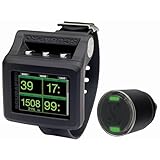
- Hoseless air integration monitors tank pressure plus provides true remaining bottom time (RBT) and allows air consumption to be factored into the decompression calculation. Provides support for up to 11 transmitters when all features are activated.
- Full-Color TFT (Thin-Film Transistor) 2.2in/5.6cm LCD display screen (320x240p) produces vibrant colors for maximum readability to quickly direct your attention to what you need to know.
- Choice of screen display configurations lets you customize your data presentation with Light, Classic, Full or Graphical screen options to suit your individual diving style.
- Predictive Multi-Gas ZHL-16 ADT MB algorithm programs up to 8 nitrox/trimix mixes to handle any recreational or technical diving scenario.
- Improved, full tilt digital compass, the best available, includes half-compass rose and bearing memory. Multiple dive modes includes Scuba, Freediving, Gauge, CCR and Sidemount for total in-water versatility.
Cressi Raffaello Scuba Diving Wrist Computer

If you want a rugged, easy-to-read computer for mixed-gas recreational dives, the Cressi Raffaello stands out with its large display, long-lasting battery, and durable, scratch-resistant housing. Built as a 2024 model, it offers a durable body, a large, easy-to-read display, a digital compass, and a long-lasting battery. You can track surface time, desaturation, and ascent speed alarms, using Cressi RGBM for precise dive planning and air-mix management. With three gas modes, a free apnea program, a gauge mode, resettable chronometers, and a compass zero-point to prevent drift. Logbooks hold up to 50 dives per program, plus Bluetooth and USB.
Best For: Ideal for mixed-gas recreational divers who want a rugged, easy-to-read wrist computer with RGBM planning, gas management, and Bluetooth/USB logging.
Pros:
- Large, easy-to-read display with durable, scratch-resistant housing
- RGBM-based dive planning with three gas modes, apnea, and gauge options
- Long-lasting battery and versatile logging (up to 50 dives per program) with Bluetooth/USB connectivity
Cons:
- Higher price point compared to basic entry-level models
- Learning curve for fully utilizing RGBM, multiple modes, and settings
- Limited color option (Black/Yellow) and potentially bulkier form for small wrists

- Built-in Compass Navigation: Navigate underwater effortlessly with the Cressi Raffaello Scuba Diving Computer's built-in digital compass. This innovative feature eliminates the need for a separate compass, enhancing your dive experience with precision and convenience
- Advanced Dive Planning: Plan your dives with confidence using the RGBM-based mixed-gas planning system. This feature allows for meticulous preparation for multiple gas mixes, making it a valuable tool for both scuba diving watch and dive computer enthusiasts
- Effortless Data Transfer: Review and store your dive history with ease using Bluetooth and USB connectivity. This dual-option feature lets you seamlessly transfer dive logs to smartphones or PCs, bringing added convenience to your scuba diving computer experience
- Versatile Diving Modes: Explore a wide range of diving activities with four operating modes, including apnea and gauge. This adaptable functionality supports both freediving and traditional scuba activities, making it ideal for any scuba diving watch adventure
- Long-lasting Battery Life: Dive confidently with a user-replaceable battery offering an expected life of 4 years. This reduces maintenance downtime, ensuring your wrist dive computer is ready for every underwater journey without frequent battery changes
Suunto D5 Dive Computer with Aqua Blue

Color-screen visibility and wireless tank pressure tracking make the Suunto D5 Aqua Blue a great pick for recreational divers who want quick, at-a-glance data. You get a 100m water resistance, wireless tank pressure, and vibration alarms that keep you aware without pulling your attention away from your dive. Its digital compass helps with navigation, while the color screen and interchangeable straps let you customize the look and fit. You can connect wireless to your phone, expanding monitoring options, and the device ships with a lithium polymer battery ready to dive. Made in Finland, it weighs about 13.4 ounces overall.
Best For: Recreational divers who want color-screen visibility, wireless tank pressure, vibration alarms, a digital compass, and wireless phone connectivity for quick, at-a-glance data.
Pros:
- 100m water resistance
- Wireless tank pressure tracking
- Vibration alarms for easy surface/underwater alerts
Cons:
- Battery life and replacement intervals aren’t specified
- Feature-rich interface may have a learning curve for new users
- Other color options beyond Aqua Blue aren’t indicated

- 100m Water Resistant
- Wireless Tank Pressure
- Vibration Alarms
- Digital Compass
- Wireless Mobile Connection
Factors to Consider When Choosing Scuba Dive Computers (Recreational Level)
When you’re choosing a recreational scuba computer, start with display clarity and Nitrox support to match your mixes and quick readability. Then check the ease of use, the modes range, and how long the battery lasts on typical trips. Make sure the setup feels intuitive and that the battery life fits your routine, so you avoid surprises.
Display Clarity
Display clarity is essential for safe, hassle-free dives, so look for high-contrast, backlit displays that stay legible in low light and underwater conditions. You’ll benefit from a larger display size and edge-to-edge numeric layouts, so you can read depth, dive time, and no-deco limits more quickly. Color or full-color screens help you distinguish data streams at a glance, though they may sip battery life. Glare resistance matters, and indicators like phosphorescent glow or LED backlights improve readability during night or poor-visibility dives. Clear fonts with large digits and uncluttered layouts reduce cognitive load and the chance you misread critical safety data. Choose a model that maintains contrast in varied lighting, and check reviews for real-world legibility in murky water and overcast days during dives.
Nitrox Support
Nitrox support lets you program oxygen mixes from 21% up to 50%, and the chosen mix directly influences no-deco limits and required decompression stops. You can configure a max pO2, commonly 1.2 to 1.6 bar, to manage oxygen toxicity risk at depth. Some computers handle multiple gas mixes and gas-switching, including up to three gases in certain systems. Using nitrox changes decompression planning because the algorithm uses your gas mix to calculate limits. When nitrox is enabled, expect warnings for mismatches and the device may log gas data for post-dive review. This data helps you verify settings after dives and improves planning consistency for future trips. If you switch gases mid-dive, the computer should support timely gas-switch prompts and guarantee safety margins remain intact. Always.
Ease Of Use
Ease of use tops the list when picking a recreational dive computer. You’ll benefit from simpler control schemes with fewer buttons and straightforward menus, which reduces underwater input effort and errors. Look for large, high-contrast displays with backlighting so depth, dive time, and no-deco limits read at a glance. A wrist-worn design with ergonomic layout and intuitive navigation keeps your movements natural and minimizes awkward hand shifts. Audible and visual alarms with clear indicators give quick safety cues, so you’re not to scan several screens. Built-in dive planning and a logbook with intuitive interfaces let you plan and review dives without hunting for external devices. Prioritize devices that blend clarity with reliability. Choose models that stay readable and responsive under pressure during every dive.
Dive Modes Range
Most recreational computers offer Air, Nitrox, and Gauge modes, with many also offering Freediving mode for apnea-focused dives. You’ll find Nitrox support typically programmable from 21% to 50% O2, and some models plan around O2 partial pressures of about 1.2–1.6 bar. A few systems support multigas configurations, up to three gases, enabling mixes beyond simple air and nitrox. Freediving-oriented modes bring dedicated alarms and apnea-focused data alongside standard bottom timer and gauge functions. Some devices combine Scuba, Gauge, and Apnea modes, while higher-end options add CCR or Sidemount modes to span recreational through technical diving needs. To choose wisely, consider whether you need multiple gas mixes, CCR or Sidemount support, and how intuitive the Freediving alarms and data presentation feel during real dives overall.
Battery Life
How long your dive computer lasts on a single charge depends on how you dive and what features you use. In dive mode, expect about 25–30 hours on medium brightness, varying by model and dive settings. Some devices advertise up to 10 days in smartwatch mode, but using those features reduces available dive-time. Rechargeable lithium-battery units give about 30 hours of dive mode per charge, while devices with replaceable coin-cell batteries depend on replacement frequency. Features like wireless air integration, multi-gas support, and heavier processing increase power draw and shorten dive-mode duration. To maximize dive-time, lower display brightness, limit non-dive features like Bluetooth data transfer, and use conservative settings. Choosing a model with efficient hardware and thoughtful power-saving modes helps you stay within limits.
Data Transfer
Data transfer options matter once you’ve logged your dives, because how you download and manage those logs can affect your workflow and battery use. You’ll find wired USB connections and wireless options like Bluetooth/BLE to download logs to a PC, Mac, or mobile device. Many dive computers offer dedicated software or mobile apps for downloading, viewing, and analyzing dives; verify compatibility with your operating system. Onboard memory stores data you can offload later, with the transfer count limited by memory capacity. Data transfer often requires pairing or cables and may support real-time syncing or cloud backup depending on the model. Export formats and cross-platform compatibility vary; check for CSV or GPX support for external analysis. Choose a model that fits your workflow and devices.
Frequently Asked Questions
How Accurate Are Dive Computer Nitrogen Models Across Brands?
They’re fairly consistent across brands, but you’ll notice small differences in nitrogen loading between models. Most modern computers use conservative, gradient factors, and tissue-air models that track nitrogen more similarly than they used to. Still, you’ll encounter slight variances in ascent ceilings or decompression warnings when you switch brands or algorithms. For safe diving, respect your computer’s limits, cross-check with tables, and follow a conservative profile if you notice jumps.
Can Dive Computers Double as Air-Integrated Transmitters?
Like a compass guiding a storm, yes—dive computers can double as air-integrated transmitters. If your model supports air integration, you’ll see tank pressure, remaining air, and sometimes two transmitters on one handset. You connect the transmitter, sync it, and you’ll monitor gas status from your console or wrist. Some models require the transmitter to be paired at setup; others auto-detect once you begin your dive. That’s a practical upgrade today.
Do All Models Support Wrist Wear and Console Mounting?
Not all models support both wrist wear and console mounting. Some dives computers come as wrist units only, while others offer interchangeable mounts or dedicated console adapters. If you want both options, look for a model advertised as wrist and console compatible, or check whether the manufacturer provides a kit. You’ll need to confirm strap sizes, clip fittings, and transmitter compatibility before you buy, to keep your setup flexible always.
What Is Typical Battery Life Under Recreational Use?
Typically, you’ll get about 1 to 2 dives per charge, with overall battery life ranging from 20 to 40 hours of use in recreational settings. If you run extra features, you’ll tail toward the lower end. In practice, check your model’s recharge time, avoid extreme temperatures, and replace batteries after long trips. Modern units last several years with regular maintenance and sensible charging habits. Keep backups and inspect seals regularly.
Are There Subscription Fees for Software Updates?
Usually, there aren’t ongoing subscription fees for software updates on recreational dive computers. The theory says free updates build trust and encourage safe use, while paid plans might deter casual divers; I investigate whether brands truly need subs to fund development or just monetize loyalty. In practice, most major models offer free firmware upgrades, with optional features behind one-time purchases. You can verify by checking the retailer’s notes for specifics.
Conclusion
With so many options, you can pick a computer that fits your dives and your budget. Consider display readability, battery life, nitrox compatibility, and ease of use, then trust your training to guide you. If you’re unsure, try on a few models in a shop or rent them on a reef day. When you find the right one, you’ll dive more confidently and track your progress—ready to hit the ground running on every trip ahead.
Dive Computers, Recreational Diving, Scuba Gear