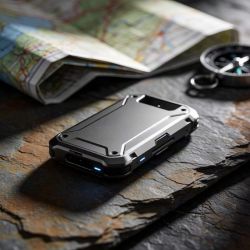
Best Rugged Portable SSDs for Travel Backups

Introducing Maria, our meticulous planner and talented visual storyteller. She has a knack for discovering those hidden gems, chic boutique spots, and charming little cafes that add a touch of elegance to every journey. With her keen eye for photography and her passion for travel, Maria will transport you to the most enchanting corners of the world, inspiring you to explore new places, one picture-perfect destination at a time.
Looking to safeguard your files on the road, pick a rugged SSD that crushes drops and resists dust. The SanDisk 2‑TB Extreme offers lightning‑fast 1,050 MB/s speeds and an IP65 seal, while the 1‑TB Extreme keeps size down without sacrificing firepower. Samsung’s T7 Shield adds an extra 9‑ft drop rating and thermal guard. Essential X9 delivers 1‑TB performance in a slimmer, lighter body, and Glyph’s Blackbox Plus brings 4‑TB storage for the data‑hungry, right for you’ll.
Key Takeaways
- Look for IP‑rated protection (IP65 or higher) to guard against dust, water, and up to 3‑meter drops for travel‑grade durability.
- Opt for USB‑3.2 Gen 2 (or Thunderbolt 3/4) ports to achieve NVMe‑level speeds (~1050 MB/s read, 1000 MB/s write).
- Choose rugged models with built‑in thermal guards or heat‑spreading designs (e.g., Samsung T7 Shield, Crucial X9) to prevent throttling on the road.
- Verify cross‑platform encryption (AES‑256) and native password support so data stays protected on any device.
- Prioritize lightweight dimensions (<2 oz) and a secure mounting feature (carabiner or slide‑in) for ease of carrying during travel.
SanDisk 2TB Extreme Portable SSD, USB-C, IP65

If you’re a professional who needs to move massive files between laptops, gaming rigs, or photo‑shoots—yet can’t afford to carry a fragile drive—the SanDisk 2TB Extreme Portable SSD is designed for you. Its USB‑C interface supports USB 3.2 Gen 2, delivering 1050 MB/s reads and 1000 MB/s writes—fast enough to copy a full DSLR library in minutes. Built on an NVMe core, it shrinks 0.38 × 2.07 × 3.97 inches but tips the scale at just 1.76 oz. Its IP65 rating guarantees water and dust protection, while a 3‑meter drop tolerance means it survives bumps on tough trails. Secure it with password, AES encryption, and SanDisk app.
Best For: professionals who need quick, durable, encrypted storage for large media files across devices.
Pros:
- Uncapped read/write speeds up to 1050 MB/s/1000 MB/s over USB 3.2 Gen 2.
- IP65 waterproof/dustproof and 3 m drop‑tolerant build.
- 256‑bit AES hardware encryption and password protection.
Cons:
- USB‑C only; no legacy USB‑A support.
- Requires USB‑3.2 Gen 2 port for full throughput (slow on older ports).
- Firmware updates only via the SanDisk Memory Zone app, which may not be available for all OS versions.

- Get NVMe solid state performance with up to 1050MB/s read and 1000MB/s write speeds in a portable, high-capacity drive(1) (Based on internal testing; performance may be lower depending on host device & other factors. 1MB=1,000,000 bytes.)
- Up to 3-meter drop protection and IP65 water and dust resistance mean this tough drive can take a beating(3) (Previously rated for 2-meter drop protection and IP55 rating. Now qualified for the higher, stated specs.)
- Use the handy carabiner loop to secure it to your belt loop or backpack for extra peace of mind.
- Help keep private content private with the included password protection featuring 256‐bit AES hardware encryption.(3)
- Easily manage files and automatically free up space with the SanDisk Memory Zone app.(5). Non-Operating Temperature -20°C to 85°C

SanDisk 1TB Extreme Portable SSD USB-C 1050MB/s IP65

This rugged SSD is the go‑to storage solution for field photographers and video editors who demand lightning‑fast transfer speeds and marathon durability. You’ll appreciate its 1 TB capacity, turbocharged read speed of roughly 1050 MB/s and 1 000 MB/s writes that dwarf most portable drives. The slim 0.38 × 2.07 × 3.97‑inch form keeps weight to a feather‑light 1.76 oz, while a built‑in carabiner lets you clip it to a belt or backpack. IP65 protection and 3 m drop resilience guarantee performance when you’re on the move. Password lock and 256‑bit AES encryption keep data secure on Windows and macOS within the matching USB‑C host for full speed potential.
Best For: Field photographers, videographers, and mobile professionals who need lightning‑fast data transfer and resilient storage on the go.
Pros:
- 1050 MB/s read and ~1000 MB/s write speeds for swift editing and backups.
- IP65 rating and 3 m drop protection ensure durability on rugged job sites.
- Password lock with 256‑bit AES hardware encryption keeps sensitive footage secure.
Cons:
- Requires a compatible USB‑C host; older USB‑A devices need an adapter.
- No Thunderbolt support, limiting future‑proof connectivity options.
- 1 TB may be pricey for users who need significantly larger capacity.
- Get NVMe solid state performance with up to 1050MB/s read and 1000MB/s write speeds in a portable, high-capacity drive(1) (Based on internal testing; performance may be lower depending on host device & other factors. 1MB=1,000,000 bytes.)
- Up to 3-meter drop protection and IP65 water and dust resistance mean this tough drive can take a beating(3) (Previously rated for 2-meter drop protection and IP55 rating. Now qualified for the higher, stated specs.)
- Use the handy carabiner loop to secure it to your belt loop or backpack for extra peace of mind.
- Help keep private content private with the included password protection featuring 256‐bit AES hardware encryption.(3)
- Easily manage files and automatically free up space with the SanDisk Memory Zone app.(5)
Crucial X9 1TB Portable SSD 1050MB/s

Designed for gamers, creators, and on‑the‑go professionals who need blazing speed and ruggedness, the Essential X9 1TB Portable SSD delivers up to 1050 MB/s read speeds and IP55 water‑and-dust‑resistance to keep your data safe wherever you roam. With finish, the 1 TB drive measures 2.56 × 1.97 × 0.39 in and weighs 1.13 oz. You’ll transfer 4K footage and game installs thanks to 1050 MB/s read speeds. Its IP55 seal and 7.5‑ft drop guard keep data safe on trips. Plug it into any USB‑C port—or use the USB‑A adapter—and it works across Windows, macOS, iPad Pro, Linux, and gaming consoles. Micron flash provides reliable storage, and the CT1000X9SSD902 ships today.
Best For: gamers, creators, and on‑the‑go professionals who need fast, rugged portable storage for large files, 4K video, and cross‑platform workflow.
Pros:
- Lightning‑fast read speeds up to 1050 MB/s for quick 4K footage transfers and game installs.
- IP55 water‑and‑dust resistance and 7.5‑ft drop protection make it safe for travel and outdoor use.
- USB‑C connectivity (plus USB‑A adapter) works across Windows, macOS, iPad Pro, Linux, and major consoles.
Cons:
- Higher premium price compared to standard external SSDs.
- Limited to a 1 TB capacity for users who need larger storage.
- No built‑in battery or active cooling, which can lead to heat buildup under heavy workloads.

- High-speed Performance: Designed for casual gamers and everyday use, this external SSD with up to 1050MB/s accelerates large file transfers, media editing, and backup processes outperforming traditional hard drives
- Built to Last: Perfect for travel and all types of weather with IP55 water and dust resistance. Plus, it's drop resistant up to 7.5 ft (2 meters). This portable drive is designed for durability and reliability wherever you go
- Broad Compatibility: External drive connects effortlessly with Windows, Mac, iPad Pro, Chromebooks, Android, Linux, PS4, PS5, and Xbox via USB-C and USB-A for easy and fast file transfers
- High-Capacity Storage: Store all your photos, videos, backups, and more with this compact 1TB SSD. It's perfect for students, everyday users, and anyone needing secure and reliable storage for their files
- Bonus Software Included: Enjoy three months of Mylio Photos plus and Acronis True Image when you purchase and register your external drive
SanDisk 500GB Extreme Portable SSD (USB-C)

When you’re working outdoors, the SanDisk 500GB Extreme Portable SSD delivers the punch you need: super blazing‑fast transfer rates up to 1,050 MB/s and an IP65 rating that keeps water, dust, and a 3‑meter drop from compromising your data. It gives you 500 GB of usable space, ideal for photos, videos, and backups. Via USB 3.2 Gen 2, read speeds hit 1,050 MB/s and writes reach nearly 1,000 MB/s. The aluminum chassis, carabiner loop, and 1.76‑oz weight fit easily in a backpack. 256‑bit AES encryption and password protection are managed through the SanDisk Memory Zone app, and it works on Windows 8/10 and macOS 10.9 +. Back it up daily.
Best For: anyone who needs rugged, high‑speed portable storage for outdoor work, such as photographers, videographers, or field data collectors.
Pros:
- Lightning‑fast transfer speeds up to 1,050 MB/s.
- Rugged build: IP65 rating, 3‑meter drop protection, and water/dust resistance.
- Built‑in AES‑256 encryption with password protection and easy management via the SanDisk Memory Zone app.
Cons:
- Requires USB‑C ports supporting USB‑3.2 Gen 2; performance drops on older or lower‑speeds ports.
- Relatively high price point for 500 GB of storage.
- macOS support requires a separate driver download and may need additional setup steps.
- Get NVMe solid state performance with up to 1050MB/s read and 1000MB/s write speeds in a portable, high-capacity drive(1) (Based on internal testing; performance may be lower depending on host device & other factors. 1MB=1,000,000 bytes.)
- Up to 3-meter drop protection and IP65 water and dust resistance mean this tough drive can take a beating(3) (Previously rated for 2-meter drop protection and IP55 rating. Now qualified for the higher, stated specs.)
- Use the handy carabiner loop to secure it to your belt loop or backpack for extra peace of mind.
- Help keep private content private with the included password protection featuring 256‐bit AES hardware encryption.(3)
- Easily manage files and automatically free up space with the SanDisk Memory Zone app.(5)
Samsung T7 Shield 2TB Rugged Portable SSD

Because you need a drive that’s as tough as your workflow, the Samsung T7 Shield 2 TB Rugged Portable SSD gives you PCIe‑NVMe speeds of up to 1,050 MB/s and a 9.8‑ft drop rating that let you shoot hard, face the rain, or drop it on a hard floor without a thought. It plugs straight into USB 3.2 Gen 2 ports—hit UASP for maximum speed. Its IP65 seal keeps water spray and dust at bay, while the elastomer shell guards against knocks. The 3‑hour 100 kPa spray test means you can bounce in the rain, and the 3‑meter drop tolerance keeps data safe if mis‑handled.
Best For: photographers, videographers, and outdoor professionals who need fast, durable storage on the go.
Pros:
- PCIe‑NVMe speeds up to 1,050 MB/s via USB 3.2 Gen 2 (UASP required).
- IP65 rating plus 9.8‑ft drop tolerance protects against rain, dust, and accidental drops.
- Compact, lightweight design (3.39 × 2.24 × 0.49 in, 3.42 oz) with a rugged elastomer shell.
Cons:
- Requires a USB 3.2 Gen 2 port; older USB‑C or USB‑3.0 cables cannot deliver full speed.
- No separate power; it must be bus‑powered by the host device.
- No internal bay mounting options, limiting use inside PC chassis.

- GO THE DISTANCE: Withstand whatever adventure with the wildly reliable T7 Shield; It’s designed for the elements with water1, dust2 and drop3 resistance—all, of course, at lightning speeds
- YOUR CONTENT CAPTURED: Take on the project, then transfer all your heavy files within seconds with the USB 3.2 Gen 2 Portable Solid-State Drive; Compatible with PC, Mac, Android devices, gaming consoles and more
- SHARE IDEAS IN A FLASH: The T7 is embedded with PCIe NVME technology that brings you fast read and write speeds up to 1,050/1,000 MB/s4, making it almost twice as fast as the T5
- MAKE ROOM FOR MEMORIES: Forge your own path with a full range of storage capacities; Keep all your prized files in one place with options from 1TB to 4TB; Pack in more personal content or store your biggest tasks on this palm-sized SSD
- BRAVE THE ELEMENTS: Get it done, rain or shine. With an IP65 rating for water1 and dust2 resistance, this SSD is ready to rough it; So even when you’ve got a dreary-day deadline, you can keep your projects in perfect condition
Samsung T7 Shield 2TB Rugged Portable SSD

If you’re a field technician, photographer, or gamer who demands blazing speed alongside rock‑solid durability, the Samsung T7 Shield 2TB shoulders the job. With a solid 2TB of space, it offers lightning‑fast 1,050 MB/s read and 1,000 MB/s write speeds when paired with a USB 3.2 Gen 2 port. UASP support and Dynamic Thermal Guard keep the drive cool even during marathon edits or transfer sessions. Ruggedness is top‑notch: IP65 water and dust resistance, plus a 9.8‑ft drop tolerance and an outer elastomer sleeve. Its lightweight 3.42‑oz, compact 3.39×2.24×0.49‑in body lets you carry big data without bulk. Samsung Magician keeps your drive reliable forever.
Best For: field technicians, photographers, and gamers who demand high‑speed storage and rugged durability for on‑the‑go use.
Pros:
- Lightning‑fast sequential read/write speeds up to 1,050 MB/s and 1,000 MB/s with USB 3.2 Gen 2.
- IP65 waterproof/dustproof rating and 9.8‑ft drop tolerance for tough field conditions.
- Ultra‑lightweight (3.42 oz) and compact (3.39×2.24×0.49 in) for maximum portability.
Cons:
- Requires a USB 3.2 Gen 2 port; older USB 3.0/3.1 devices deliver slower speeds.
- UASP mode is needed to unlock full performance, limiting compatibility with some older or non‑UASP devices.
- No built‑in wireless connectivity—only USB tethering, so no Wi‑Fi or Bluetooth support.
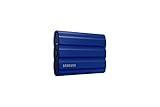
- GO THE DISTANCE: Withstand whatever adventure with the wildly reliable T7 Shield; It’s designed for the elements with water1, dust2 and drop3 resistance—all, of course, at lightning speeds
- YOUR CONTENT CAPTURED: Take on the project, then transfer all your heavy files within seconds with the USB 3.2 Gen 2 Portable Solid-State Drive; Compatible with PC, Mac, Android devices, gaming consoles and more
- SHARE IDEAS IN A FLASH: The T7 is embedded with PCIe NVME technology that brings you fast read and write speeds up to 1,050/1,000 MB/s4, making it almost twice as fast as the T5
- MAKE ROOM FOR MEMORIES: Forge your own path with a full range of storage capacities; Keep all your prized files in one place with options from 1TB to 4TB; Pack in more personal content or store your biggest tasks on this palm-sized SSD
- BRAVE THE ELEMENTS: Get it done, rain or shine. With an IP65 rating for water1 and dust2 resistance, this SSD is ready to rough it; So even when you’ve got a dreary-day deadline, you can keep your projects in perfect condition
Lexar 1TB Portable SSD with Hub Apple 4K

For mobile video producers chasing ProRes 4K on the road, the Lexar 1 TB Portable SSD with Hub delivers blazing 1050 MB/s reads and 1000 MB/s writes while staying lightweight at just 13 g. USB 3.2 Gen 2 keeps data moving fast, and the 1 TB capacity lets you shoot footage without pinging for more storage. The device measures 6.97 × 4.57 × 1.69 inches, weighs 13 g, and boasts an IP65 rating—dust‑proof, water‑resistant, and drop‑resistant one meter. Inside, an integrated hub with four USB‑C ports and adapters lets you connect lights, mics, or a power bank. A five‑year warranty today backs rugged build, and a 2026 revision promises iPhone 17 compatibility.
Best For: professional mobile videographers who need a lightweight, high‑speed storage solution with an integrated hub for Apple ProRes 4K footage.
Pros:
- 1050 MB/s read / 1000 MB/s write speeds enable rapid ProRes transfer and editing on the go.
- 1 TB capacity plus a four‑port USB‑C hub offers ample space and versatile connectivity without carrying extra dongles.
- IP65 dust‑proof, water‑resistant construction and 5‑year warranty make it reliable in harsh field conditions.
Cons:
- iPhone 17 compatibility is pending a 2026 revision, limiting immediate use with the latest device.
- The overall size, although compact, can still be cumbersome for pure pocket‑carry setups.
- Requires an extra Lightning‑to‑USB adapter when working directly with iPhone cameras.

- Ultra-compact so you can always keep it with you for spontaneous creativity anytime, anywhere
- Wireless plug-and-play Type-C connector frees you from tangled, cumbersome cables (press firmly to ensure drive is completely inserted before use)
- Capture brilliant Apple ProRes footage and store with ease
- The portable SSD plus the hub, which has its own four USB Type-C ports, along with included adapters and cables, gives you the ultimate flexibility to customize your setup to suit the shoot
- Blazing-fast performance up to 1050MB/s read and 1000MB/s write for seamless 4K recording, no dropped frames, and swift backups
ORICO 2TB SSD, 2000MB/s, USB 3.2 Gen 2

You’ll love the ORICO MINI20‑2T‑US because it ships with a full aluminum alloy casing that resists drops, dust, and water while blasting 2000 MB/s read/write speeds over USB 3.2 Gen 2. Its 2TB capacity lets you stash all those high‑resolution shots and footage without a hitch. Weighing just 6 oz, it’s lightweight enough to slip into your pocket, yet the heat‑dissipating chassis prevents overheating on long shoots. The 2‑in‑1 USB‑A/USB‑C cable doubles as a quick connect for both laptops and cameras, while the built‑in hook lets you attach it to a bag or harness. Launch it today and enjoy reliable backup anywhere.
Best For: photographers and outdoor professionals who need a fast, durable, high‑capacity portable storage solution for their high‑resolution footage.
Pros:
- Blazing 2000 MB/s read/write speeds via USB 3.2 Gen 2.
- Sturdy full‑aluminum alloy case that’s dust‑, water‑ and drop‑resistant.
- Compact 6 oz, 3.51 × 1.79 × 0.59 in design with built‑in hook for easy attachment.
Cons:
- Requires a USB C to USB A adapter for older laptops or cameras lacking USB C.
- No built‑in battery, so it depends on the host’s power supply.
- Higher price point compared to standard SATA SSDs for similar capacity.

- Superior Speed: Achieve lightning fast data transfers with speeds up to 2000 MB/s, ensuring that your large files and high-resolution videos are moved quickly and efficiently, eliminating any waiting time
- Multiple Capacities: Available in 512 GB, 1 TB, and 2 TB options to suit diverse storage needs. Whether for everyday storage or large video files, there’s a suitable option available
- Premium Build: Crafted with a full aluminum alloy casing, this portable SSD is both lightweight and durable. It provides effective heat dissipation, safeguarding your data while boasting a sleek, high-end appearance that complements professional gear
- Versatile Connectivity: Comes with a USB A and USB C 2 in 1 data cable, ensuring compatibility with a wide range of devices without the need for additional adapters. An added hook enhances portability, making it convenient for various scenarios
- On the Go: With a compact size (3.51 x 1.79 x 0.59 inch) and robust build, this external SSD is easy to carry and performs exceptionally in rugged environments. It's the perfect companion for photographers and outdoor adventurers, ensuring reliable storage and data transfer on the go
LaCie Rugged Mini SSD 2TB

The LaCie Rugged Mini SSD 2TB stands out for creatives who need lightning‑fast, on‑the‑go storage.
You’ll love its 0.68 × 2.63 × 4.15‑inch form factor weighing four ounces, fitting snugly in any backpack.
With USB‑C connectivity IP54 dust‑ and water‑resistance, it’s reliable on hikes and studio trips alike.
Because it supports USB 3.2 Gen 2×2, you’ll experience speeds up to 2,000 MB/s—faster than portable drives.
Drop‑proof armor adds extra peace of mind, faithfully sealing your footage against shocks.
The model number STMF2000400 identifies a 2024 release that pairs with PC, Mac, and iPad.
Best For: mobile creatives and video editors who need immediate, high‑speed SSD storage for on‑the‑go shooting.
Pros:
- Ultra‑fast read speeds up to 2000 MB/s via USB 3.2 Gen 2×2.
- Lightweight 4‑ounce, compact size ideal for travel.
- Durable IP54 dust‑ and water‑resistant, drop‑proof construction.
Cons:
- Relatively high price compared to traditional HDD portable drives.
- Requires a USB‑C port; older PCs need an adapter.
- No built‑in encryption, which may be a concern for sensitive footage.

- TRANSFER–READY SPEEDS USB 20Gbps (USB 3.2 Gen 2×2) technology helps you tackle file transfers in no time—thanks to read speeds up to 2000MB/s.
- DURABLE DESIGN Dust and water resistant, this compact SSD is built for wherever you roam.
- UNIVERSAL COMPATIBILITY Works with PC, Mac, and iPad, thanks to universal USB-C compatibility.
- STORE MORE WHEREVER YOU GO With up to 4TB of storage, this sturdy SSD is built to store more and handle the shock, pressure, and drops of an active lifestyle.
- STRIVING FOR SUSTAINABILITY This drive contains at least 30% recycled materials by weight for eco-minded backup.
YINKE Protective Case for Samsung Portable SSDs

Our YINKE Protective Case, built around a snug 1:1 fit for the Samsung T7 Shield, T9, and T7 Touch, features a waterproof EVA shell that keeps dust and water out while its wave‑pattern design absorbs shocks. Its compact 4.1 × 2.6 × 1.9‑inch shell is ultra‑light at 2.89 oz, letting you pack more gear at no cost. Inside, a mesh pocket holds two cables, and an elastic strap guarantees the drive stays snug. A non‑slip exterior and built‑in carabiner make it ideal for backpacks, even on rugged hikes. Yinke backs quality with a standard warranty and ready support for you.
Best For: travelers, outdoor enthusiasts, or anyone who needs a lightweight, water‑proof protective case for a Samsung T7 Shield, T9, or T7 Touch SSD.
Pros:
- Waterproof EVA shell with dust‑proof protection and wave‑pattern shock absorption.
- Ultra‑light at 2.89 oz and compact 4.1 × 2.6 × 1.9 in, so it adds minimal bulk.
- Built‑in elastic strap, mesh cable pocket, and carabiner for secure, organized, on‑the‑go use.
Cons:
- Only compatible with specific Samsung T7 series models.
- No additional foam insert for extra shock damping.
- Holds a maximum of two cables, limiting cable organization options.

- Tailor-made:Tailored case compatible with samsung t7 shield / T9 / T7 Touch ; Internal space 1:1 build, internal L*W*H = 4.1 x 2.6 x 1.9 in
- Practical design: The non-slip outer wave pattern design; the inner mesh pocket can store two data cables; and the elastic band holds your hard drive well
- Excellent protection performance: Brilliant waterproof and dustproof performance;internal wave point design can well reduce the impact of external shocks; It was born to further protect your external hard drive ssd
- Travel with ease: The small size and light weight allow you to carry it without any burden; You can use the included carabiner to fasten it on the backpack; Free up your pockets and let you travel more relaxed
- Risk-Free Shopping: We promise to ensure the quality of our products. If you have any further questions; please contact us at any time
Kanguru UltraLock SSD – 1TB External Solid State Drive – SuperSpeed USB 3.0

For photographers, field researchers, or anyone who often drops gear in harsh conditions, the Kanguru UltraLock SSD delivers a drop‑resistant, rubber‑wrapped build that keeps data safe while keeping the drive lightweight at just 11.2 oz. You get 1 TB of storage, it holds thousands of photos or large data sets. Its 2.5‑inch form fits spaces. USB 3.0 SuperSpeed gives up to 375 MB/s read/write, keeping transfers quick on older machines. A write‑protect switch locks the drive read‑only, guarding against accidental edits. Digitally signed firmware guarantees integrity. The rubber skin absorbs shocks, and the compact chassis stays travel‑ready and easy‑to‑carry for on‑the‑go backup daily.
Best For: Mobile photographers, field researchers, and anyone needing a rugged, lightweight off‑site backup solution.
Pros:
- Rugged, rubber‑wrapped construction offers drop‑resistance and shock absorption for harsh environments.
- 1 TB capacity in a compact 2.5‑inch form factor fits standard laptop bays while holding thousands of photos or large data sets.
- USB 3.0 SuperSpeed provides up to 375 MB/s read/write speeds, quick transfers even on older machines, plus a physical write‑protect switch for added security.
Cons:
- USB 3.0 speeds are outpaced by newer USB 3.1/3.2 or Thunderbolt interfaces, limiting maximum throughput on modern systems.
- No built‑in battery or power‑over‑Ethernet, so it relies on a USB host for power and a cable for connectivity.
- Pricing can be higher than standard external SSDs, and warranty coverage may not protect against accidental damage beyond normal wear.

- Physical Write Protect Switch: Easily toggle between read/write and read-only modes, providing added protection against malware when using public or shared computers.
- High-Speed USB 3.0 SSD: Achieve fast data transfer speeds with sequential read and write speeds of up to 375 MB/s (USB 3.1 Gen 1), while maintaining compatibility with USB 2.0.
- Rugged & Travel-Ready: With a compact, lightweight design and protective rubber skin, this drive is durable enough to withstand bumps and drops, making it ideal for mobile use.
- Secure Firmware: Includes onboard secure firmware with a digital signature, ensuring device integrity and protecting against malicious attacks for security-conscious users.
- Generous Storage Options: Available in capacities from 240GB to 8TB, perfect for large files, backups, and on-the-go storage needs.
Glyph Production Technologies Blackbox Plus SSD External Drive 4TB

If you’re a filmmaker or photographer who needs reliable data protection on the move, the Glyph Blackbox Plus 4TB’s rugged aluminum shell and silicone‑padded housing keep your footage intact through the toughest shooting conditions. Weighing just 15.2 ounces and measuring under 5 inches tall, it fits snugly in a camera bag without adding bulk. Its 10 Gb/s USB 3.2 Gen 2 Type‑C interface delivers blazing speeds, while backwards‑compatible USB 3.0, 3.1, and Thunderbolt 3 ports allow flexibility across devices. Pre‑formatted for macOS, it’s ready for Time Machine backups; for Windows, just plug and reformat for instant use. Three‑year warranty and two‑year recovery plan back your gear.
Best For: photographers and filmmakers on the go who need a rugged, high‑capacity SSD that plugs into almost any workstation without extensive setup
Pros:
- Rugged aluminum shell with silicone padding protects footage during harsh filming conditions
- 10 Gb/s USB 3.2 Gen 2 Type‑C delivers rapid transfer speeds, plus backward compatibility with USB 3.0/3.1 and Thunderbolt 3
- Pre‑formatted macOS for Time Machine and easy Windows reformatting, plus a 3‑year warranty with data‑recovery support
Cons:
- No internal charging – requires a powered USB or power adapter for prolonged use
- Limited with only one port could slow throughput when multiple high‑speed devices are connected simultaneously
- Higher price point relative to standard HDD external drives, though justified by SSD performance and ruggedness

- Rugged & Ready for Any Workflow - Durable aluminum and padded silicon shell protects your data on film sets, photo shoots, studios, or daily travel — designed to go everywhere your creative projects take you.
- Ultra-Fast USB-C Connectivity - Features the latest 10 Gb/s USB 3.2 Gen 2 Type-C port with backward compatibility to USB 3.1, USB 3.0, and Thunderbolt 3 - includes all necessary cables right in the box.
- Flexible Storage Options - Choose from portable HDD models (up to 5 TB) or SSD models (up to 16 TB) to fit your performance and capacity needs — ideal for media professionals and large file libraries.
- Mac & Windows Compatible - Preformatted for macOS and ready for Time Machine backups, with easy reformatting for Windows systems — plug-and-play convenience for creative workflows.
- Industry-Leading Warranty - Backed by Glyph's 3-2-1 protection plan: 3 years full hardware coverage, 2 years Level-1 data recovery, and 1 year advanced replacement for worry-free use.
Glyph Production Technologies Blackbox Plus SSD External Drive 2TB

The Glyph Production Technologies Blackbox Plus SSD External Drive 2TB, with its weather‑proof aluminum chassis and padded silicon lining, is the go‑to rugged portable SSD for film crews, studio pros, and travel photographers who need reliable storage on the go. You’ll find its 2 TB of solid‑state flash delivers quick writes, while the 10 Gb/s USB‑3.2 Gen 2 port keeps transfer speeds high. Compact at 6.69 × 6.1 × 0.98 in and only 14.9 oz, it fits easily in your bag. The drive ships pre‑formatted for macOS and Time Machine, but you can reformat it for Windows. Included cables cover all necessary ports, so setup is instant.
Best For: rugged mobile users such as film crews, studio pros, and travel photographers who need a durable, high‑speed SSD that fits easily into a bag.
Pros:
- Weather‑proof aluminum chassis with padded silicon lining offers excellent protection on set or on the road.
- 2 TB SSD delivers quick writes combined with a 10 Gb/s USB‑3.2 Gen 2 interface for speedy transfers.
- Pre‑formatted for macOS/Time Machine with optional Windows formatting and a 3‑year warranty + recovery plan for peace of mind.
Cons:
- The 2 TB capacity may feel limiting compared to larger HDD options available in the lineup.
- No internal heat‑sinking beyond the rugged chassis—heavy workloads could benefit from more cooling.
- Premium price point makes it less accessible for casual users looking for basic portable storage.
- Rugged & Ready for Any Workflow - Durable aluminum and padded silicon shell protects your data on film sets, photo shoots, studios, or daily travel — designed to go everywhere your creative projects take you.
- Ultra-Fast USB-C Connectivity - Features the latest 10 Gb/s USB 3.2 Gen 2 Type-C port with backward compatibility to USB 3.1, USB 3.0, and Thunderbolt 3 - includes all necessary cables right in the box.
- Flexible Storage Options - Choose from portable HDD models (up to 5 TB) or SSD models (up to 16 TB) to fit your performance and capacity needs — ideal for media professionals and large file libraries.
- Mac & Windows Compatible - Preformatted for macOS and ready for Time Machine backups, with easy reformatting for Windows systems — plug-and-play convenience for creative workflows.
- Industry-Leading Warranty - Backed by Glyph's 3-2-1 protection plan: 3 years full hardware coverage, 2 years Level-1 data recovery, and 1 year advanced replacement for worry-free use.
Factors to Consider When Choosing Portable SSDs for Travel Backups (Rugged Options)
First, think about how much storage you actually need—for most trips a 2 TB drive works, but if you’re shooting 4K footage you’ll want more space. While speed matters, *make sure* the drive’s read/write rates match your transfer needs so files move quickly without long waits. Finally, choose one that can survive rough handling, offer battery life that lasts through off‑grid days, and has the right ports and power compatibility for the devices you’ll use.
Storage Capacity & You
Choosing the right storage capacity for your rugged portable SSD hinges on estimating how much media you generate each day. If you take 50 photos at 15 MB each, that’s 0.75 GB, and shoot a 4‑hour 4‑K video at 20 GB per hour, you’re looking at roughly 80 GB. Over a week, multiply that by seven, then add 20–30 % extra for hidden files or future shoots—so aim for 1.0–1.3 TB. Incremental backups cut this need by 30–50 %, but if you plan full cloud‑style sync, compressed backups can fit several years into 1–3 TB. Weigh the 2‑TB model’s 3.5 oz against a 4‑TB’s 15 oz to stay portable yet ample. A 2‑TB unit holds about 12,500 photos or eight hours of 4‑K, while a 4‑TB gives you double that breathing room for every.
Speed for Transfer Needs
When it comes to moving large media on the road, speed matters as much as capacity. NVMe‑based portable SSDs using a USB‑3.2 Gen 2 port can hit read speeds near 1,050 MB/s and writes close to 1,000 MB/s—roughly double traditional USB‑3.0 SATA drives. Matching your laptop’s controller is essential; a USB‑3.0 chip caps at ~625 MB/s, while a USB‑3.2 Gen 2 allows up to 1,250 MB/s, so pick a drive and port that align. For video editing or continuous backups, maintain sustained writes above the source bandwidth (e.g., ≥25 MP/s for 4K footage) to avoid stalls. Use a cable or dock rated for the drive’s max 60 W power draw to keep throttling at bay. Finally, rely on real‑world timing tests, not just specs, to gauge 500 GB transfer duration under typical travel conditions. Pairing a fast drive with a quality USB‑3.2 cable and a powered dock keeps transfers seamless and jitter‑free while traveling.
Ruggedness and Drop Protection
Because your gear can tumble, you’ll need a drive that cushions impact—look for units that have passed ASTM F‑1699 drop tests to at least 3 m (≈10 ft) and carry an IP65 or higher rating to keep dust and water out. These drops simulate real‑world blips, so a 3‑meter tolerance means the SSD can survive a backpack spill or a sudden seat‑belt pull. Elastomer or composite casings act as shock‑absorbers, dampening jolt forces and shielding your NAND cells from fracture. Thermal pathways—heat‑sinking or passive airflow—keep temperatures down, preventing throttling when the drive bears vibration or pressure shifts. Check the manufacturer’s service spec for concrete numbers; a dry‑run drop test score tells you how much impact margin you’ve got. Rugged SSDs protect backups, letting you travel with confidence today.
Battery Life Longevity
How long can your portable SSD last on a single charge? With USB 3.2 Gen 2 draws 1.5–2 W during peak read/write and dips below 0.2 W when idle, a 10 Wh battery can run active tasks for about 30 minutes. Add a 5 % headroom margin, and you’re prepared for occasional surges or unexpected data bursts. Cold temperatures (≤ 0 °C) shave roughly 20 % off capacity, while heat above 40 °C speeds electrolyte loss in lithium cells. Enabling USB suspend or low‑power sleep cuts standby drain to 0.05 W, extending the interval between charges. Since flash MTBF tops one million hours, storage failure won’t outpace battery wearout in typical backup scenarios. By planning backups to run during device‑powered intervals and monitoring battery health, you’ll keep your data safe without needing constant recharging everyday travel journey in daylight.
Power Compatibility Matters
If you rely on bus‑powered solutions, you’ll find that a rugged SSD can still hit 10 Gbps with a 5 V × 3 A draw, yet its write speed drops when the host limits power to about 2 A. To avoid throttling, look for drives that support USB Power Delivery up to 15 W; they maintain peak rates during sustained 1 GB/s writes. Most rugged units use 2–4 W, so running them from a laptop’s bus can shave roughly ten minutes off battery life each hour. Using a 100 W+ pass‑through adapter keeps the SSD at full speed and lets you boot USB in low‑power mode. Alternatively, a 20 Wh portable charger gives several hours of backup, far longer than the one or two hours a laptop bus offers. You’ll stay productive and connected.
Encryption and Security Features
Security’s uncompromising guard guarantees your data stays sealed even if the drive falls into the wrong hands. With 256‑bit hardware‑based AES encryption built into the drive, you lock information instantly; the encryption key never leaves the device, so thieves can’t access files remotely. By setting a strong, password‑protected passphrase, you add an extra layer, and most modern OSes—Windows 10/8 and macOS 10.9+ mount the drive automatically after authentication, no extra software needed. Dedicated management software keeps firmware up to date, patching any vulnerabilities that might weaken the algorithm. If compliance matters, use the on‑device secure erase to wipe keys, making all prior data unrecoverable. When you travel, the drive’s sealed encryption protects sensitive photos, documents, and backups, giving you calm mind wherever you go.
Environmental Temperature Range
While encryption keeps your data safe, you also need to make sure the drive can survive the temperatures you’ll encounter on the trail. Most rugged SSDs promise an operating window of –20 °C to 85 °C, which covers everything from a high‑altitude ascent to a scorching desert trek. When the unit heats past roughly 55 °C, most NVMe models automatically throttle performance to protect their semiconductor and memory cells. In cold weather below –10 °C you’ll notice brief latency spikes, but the drive recovers once it reaches its temperature band. To prevent condensation damage, let the device equilibrate within a 10–15 °C range of the surrounding air before you pack it. Firmware often warns as temperatures near 70 °C, and may shut down to avoid thermal stress and data loss.
Size and Portability
Because a backup that slides right into your pocket makes life easier, pick a rugged SSD that stays under 4 in × 2 in × 0.4 in and weighs less than 2 oz (56 g). When you’re jet‑setting, those tight dimensions let the drive slip into any pocket or backpack without fuss. A weight under 2 oz means you won’t notice it during long hikes or layovers. Adding a built‑in carabiner or loop lets you clip it onto belts, bag straps, or gear instantly, avoiding extra accessories. A slim profile also cuts through security lines quickly, keeping your carry‑on limits intact. Bundle the USB‑C cable, and you’ve got a straightforward, low‑risk backup solution. Carry it effortlessly across airports, bus rides, and mountain treks; its resilience means you never risk losing data amid travel conditions.
Frequently Asked Questions
What Is the Battery Life of Rugged Portable SSDS During Prolonged Offline Usage?
Most rugged portable SSDs don’t ship with their own batteries, so during prolonged offline use you’ll either rely on the host power or a power bank. A few models, like the XYZ rugged SSD, include a small internal battery that can keep them running for about 1.5–3 hours under continuous read/write. For backup sessions, you’ll need an external battery pack. Battery life is generally limited and not meant for offline runs.
How Well Do These SSDS Handle Dust Exposure in Outdoor Travel Environments?
Like a cloak woven from stardust, these SSDs keep your data hidden from the barren winds of desert dunes. They’re rugged to shrug off sand and grit while you trek, thanks to sealed hermetic enclosures and shock‑proof casings that guard against coarse particles. Drivers instantly sort dust away, keeping transfer rates humming. So, when you wander through dusty trails, your backups stay intact, untarnished, ready to protect and preserve memories.
What File Formats Are Best Supported for Cross‑Platform Backups on These Devices?
The best file formats for cross‑platform backups on rugged portable SSDs are FAT32, exFAT, and NTFS. FAT32 keeps you compatible with most PCs, but its 4 GB limit hurts large files. exFAT bridges that gap—no quirks, handles huge volumes, and Macs read it natively. NTFS is great for Windows, but you’ll need extra drivers on some macs. Stick with exFAT for smooth, universal syncing in practical everyday use, boosting provisioning efforts.
Do These SSDS Support Encrypted Backups, and How Is It Implemented?
Imagine this: your data turns into a vault, shielded by hardware‑backed encryption that kicks in when you connect the SSD. These SSDs back up with AES‑256 encryption, set up through the drive’s firmware or a companion app. With a PIN or passphrase, you lock the data; only you can access it, and the drive’s chip never reveals the key. So yes, they support encrypted backups, managed automatically and securely today.
What Is the Price per Gigabyte for the Most Affordable Rugged Portable SSDS?
Right now, the cheapest rugged portable SSDs cost around $40 for a 500‑GB drive. That works out to roughly $0.08 per GB—about eight cents each. If you pull a 250‑GB model for $25, that’s $0.10 per GB, slightly higher. Prices dip lower when sales hit, but expect roughly eight to ten cents per gigabyte for rugged options. You can find brand names like Samsung T7 Touch or SanDisk Extreme Pro.
Conclusion
Choosing the right rugged portable SSD is like picking the right gear for a trek: if you go into harsh terrain, you need equipment that’s built to endure. By comparing the SanDisk Extreme, Essential X9, Samsung T7 Shield, and others, you’ll find the right balance of speed, durability, and capacity for your travels. Remember, even the toughest journey begins with a well‑packed backpack—so pack your data smartly before launching into the worldwide network ahead today.
data protection, rugged SSD, travel backup