
Top Privacy Screen Filters for Laptop Travel & Work

Introducing Maria, our meticulous planner and talented visual storyteller. She has a knack for discovering those hidden gems, chic boutique spots, and charming little cafes that add a touch of elegance to every journey. With her keen eye for photography and her passion for travel, Maria will transport you to the most enchanting corners of the world, inspiring you to explore new places, one picture-perfect destination at a time.
Looking for the best privacy screen filters for laptop travel and work? You’ll love magnetic snap‑on 14‑inch and 15.6‑inch filters that lock the view from any angle. They cut glare, blue‑light, and leave prints. A 16‑inch magnetic guard fits MacBook Pros and wide‑screens with a 360° lock. All are lightweight, residue‑free, and tool‑free. Whether you’re in a café or on a flight, it safeguards privacy and calms your eyes—next, you’ll learn why these filters excel.
Key Takeaways
- Magnetic snap‑on filters (F Forito 14/15.6, SightPro) fit Lenovo/HP/Dell and MacBook, enabling quick 360° privacy without adhesives.
- Field‑of‑view reductions: 360° on 14‑inch 16:10 and 15.6‑inch 16:9, 30° blackout on touchscreen 14‑inch monitors.
- All options provide 30–95% blue‑light/UV blocking, matte glare‑reduction, and scratch‑resistant coatings for long‑term comfort.
- Kits include slide‑mount or double‑tape, webcam cover, microfiber and storage folder for travel‑ready, residue‑free attachment.
- Warranty and refund guarantees (Yamaya lifetime, others full) plus lightweight (3–7 oz) make them ideal for working and traveling.
Magnetic 14″ Patented Laptop Privacy Screen

If you’re a mobile professional who keeps working in cafés, airports or open offices, the magnetic snap‑on of the 14‑inch Privacy Screen is the solution you’re looking for. It attaches instantly via patented magnets, so you can snap it on or off without tape or adhesive. The 16:9 panel covers a 14‑inch display, fitting Lenovo, HP, Dell, Acer, Asus, and Samsung. The multi‑layer film blocks side‑angle views, while you see clearly head‑on. It also cuts UV and blue light, easing eye strain. Included items are the filter, magnetic stickers, webcam cover, storage folder, and a microfiber cloth at work.
Best For: professionals who frequently work in shared or public spaces, such as students, travelers, and remote workers who need instant screen privacy and eye protection without compromising mobility.
Pros:
- Magnetic, adhesive‑free snap‑on design enables quick attachment and removal.
- 14‑inch, 16:9 multi‑layer film blocks side‑angle views while preserving a clear front view and reducing UV/blue light.
- Includes webcam cover, magnetic stickers, storage folder, and cleaning cloth for a complete setup.
Cons:
- Requires a flat, 14‑inch display with a 310 mm width; possible incompatibility with unusually sized screens.
- The privacy effect is angle‑dependent, so eye‑level only offers full protection.
- Additional accessories (stickers, cover, folder) add a few extra cost items.

- 【Instant Snap-on Magnetic Attachment】- The Patented Magnetic Privacy Screen – Protected by U.S. Patents 9,829,669 and D844,012. Simply place the privacy screen along the top of your MacBook and let the magnets attach along the top. No need for tricky placement, messy tape, or damaging adhesive. Easily remove and reattach when you need it.
- 【Filter Dimensions】: Width: 12 3/16" (310 mm), Height: 6 7/8" (175 mm), Diagonal: 14" (355.6 mm) - There are two different 14 inch screen sizes, please select the correct one. SightPro Blackout Privacy Filter is engineered to be compatible with Lenovo, HP, Dell, Acer, Asus, Samsung, and other laptop brands. Please verify your screen's width and height measurements before ordering. It's not recommended to make your selection based solely on your screen's diagonal size. [Not optimized for touchscreens.]
- 【Superior Privacy】- Our advanced multi-layered film filter blacks out your screen when viewing from the side, while maintaining a crystal clear screen straight-on. It also protects your eyes from harmful UV and blue light. [Note: It does not block visibility directly behind you, regardless of the distance.]
- 【Perfect for Travel and Open Workspaces】- The Laptop Privacy Screen Filter is the ideal solution for healthcare providers, mobile workers, commuters, students, and business travelers. Now you can stay compliant and safeguard sensitive corporate information while working in airplanes, subways, airports, and public areas.
- 【Package Contents】- Each package includes a magnetic privacy screen filter, magnetic stickers, a webcam privacy cover, a storage folder, and a cleaning cloth. Buy with confidence – located in the US, Sight Pro specializes in providing best-in-class privacy solutions to individuals, small businesses, corporations, government, and educational institutions. Our privacy screens are Section 889 and TAA compliant.
14 Inch Laptop Privacy Screen Filter

When you’re traveling or working in shared spaces, the 14‑inch SightPro privacy screen protects your laptop’s data; its multi‑layer film turns the display dark for anyone looking from the side, while you keep a crystal‑clear view straight on. Its 14‑inch diagonal offers 16:9 coverage that fits Lenovo, HP, Dell, Asus, and more. Weighing just 4.6 oz, it’s lightweight durable. Installation is painless—choose adhesive strips or slide‑mount tabs to secure the filter. The multi‑layer design blocks glare, UV, and blue light, protecting your eyes while keeping the screen crisp. The package comes with a microfiber cloth, adhesive strips, slide‑mount tabs, compliance.
Best For: users who need to keep their laptop content private in public or shared spaces, such as travelers and office workers using 14‑inch non‑touchscreen laptops from major brands.
Pros:
- Multi‑layer film blocks side‑view visibility while keeping a crystal‑clear frontal view.
- Lightweight (4.6 oz) and easy to install with adhesive strips or slide‑mount tabs.
- Reduces glare, UV, and blue‑light for eye comfort during extended use.
Cons:
- Not compatible with touchscreen laptops or MacBook models.
- Requires careful manual placement; improper application can scratch the screen.
- Only fits 14‑inch displays, limiting use on larger or smaller monitors.

- 【Filter Dimensions】: Width: 12 3/16" (310 mm), Height: 6 7/8" (175 mm), Diagonal: 14" (355.6 mm) - SightPro Blackout Privacy Filter is engineered to be compatible with Lenovo, HP, Dell, Acer, Asus, Samsung, and other laptop brands. Please verify your screen's width and height measurements before ordering. It's not recommended to make your selection based solely on your screen's diagonal size. [Not optimized for touchscreens.] [Not compatible with MacBooks.].
- 【Two Attachment Options】- Installs in minutes. Option 1 uses clear adhesive strips that securely attach to any screen. Option 2 uses slide mount tabs that easily stick to the display frame, allowing you to slide the filter on and off the screen as needed.
- 【Superior Privacy and Reduce Glare】- Our advanced multi-layered film filter blacks out your screen when viewing from the side, while maintaining a crystal clear screen straight-on. It also protects your eyes from harmful glare, UV, and blue light. [Note: It does not block visibility directly behind you, regardless of the distance.]
- 【Perfect for Travel and Open Workspaces】- Our computer screen privacy filter is the ideal solution for healthcare providers, mobile workers, commuters, students, and business travelers. Now you can stay compliant and safeguard sensitive corporate information while working in airplanes, subways, airports and public areas.
- 【Package Contents】- Each package includes one privacy screen shield filter, two sets of clear adhesive strips, two sets of slide mount tabs, and a microfiber cleaning cloth. Buy with confidence – located in the US, Sight Pro specializes in providing best-in-class privacy solutions to individuals, small businesses, corporations, government, and educational institutions. Our privacy screens are Section 889 and TAA compliant.
Magicmoon 15.6″ Privacy Filter for Widescreen Laptop

The Magicmoon 15.6″ privacy filter blocks anyone looking from more than a 60° angle, giving you a shielded view no matter how crowded the room. Its 13.5 × 7.6‑inch frame and 0.5‑inch thickness slide on with adhesive strips or a sliding tab kit—no touch support but light‑weight. It cuts 30 % of blue light, slashing glare and guarding your eyes on long commutes. The matte finish resists dust and scratches, keeping your display clean. Before ordering, double‑check your laptop’s width and height—diagonal size can mislead. Magicmoon ships a quick‑install guide and warranty, so you’re ready for any crowded café or travel hub.
Best For: busy professionals and frequent travelers who need a discreet, glare‑reducing screen protection in crowded environments such as offices, airports, and coffee shops.
Pros:
- Effective privacy up to a 60° viewing angle blocks side‑viewing.
- Cuts 30 % of blue light, reducing eye strain and glare.
- Simple, tool‑free installation with adhesive strips or sliding tabs.
Cons:
- Not compatible with touchscreen displays.
- Requires verification of screen width and height; diagonal size alone is unreliable.
- The 0.5‑inch thickness can feel slightly bulky on thin laptops.

- Compatible Models: Width: 13 9/16" (13.5 inch/344 mm), Height: 7 5/8" (7.6 inch/194 mm), Diagonal: 15.6" (396.24 mm) widescreen laptops which have a 16:9 aspect ratio. Not touchscreen compatible. Does NOT fit 15.6 Inch laptops with non-16:9 aspect ratios (e.g., 16:10, 3:2).Do NOT rely solely on your laptop’s diagonal size when ordering. Use a ruler to measure your screen’s visible area (excluding the black bezels). If the width reads 344mm and height reads 194mm, this filter is a perfect match for your device.
- Keep Information Privacy: Effective "black out" privacy from side views outside the 60-degree viewing angle. Designed for optical clarity when viewing from the front, a person not at the front of the screen can only see the dark side of the screen, so it protects buisness secrets and personal privacy
- Eye and Screen Protection: Privacy filter does not only protect your private life but also protects your eyes by blocking 30% of blue light , blocking the harmful blue light between 380 - 495nm, it filters out the blue light and relieves eye strain. Our laptop privacy screen also helps keep your screen safe from dust and scratches
- Perfect For Open Workspaces: Great for maintaining screen privacy in high traffic areas such as open work spaces, airports, airplanes, commuter trains, coffee shops and other public places, etc
- Easy Installation: Choose between 2 simple Options; Slide-On/Off or Mounted. Not touchscreen compatible
Yamaya 14 Laptop Privacy Screen

You’ll appreciate how the 14‑inch Yamaya privacy screen locks in a ±30° viewing angle, keeping your data invisible to anyone off‑center. Attach it in under 20 seconds with double‑sided tape or a snap‑in frame that fits raised‑edge, 14‑inch displays. When you look straight ahead the screen stays crystal clear, but it turns matte and blocks glare once you tilt away. The dual‑layer film shields you from over 95 % of blue light and 92 % of UV rays, and the anti‑scratch coating keeps it tough on the road. Designed for Windows laptops only, it’s lightweight—just 3.5 ounces—and comes with a lifetime warranty and full refund guarantee. For commuters, students, and healthcare workers, this filter keeps your screen private in cafés, trains, or corridors.
Best For: commuters, students, healthcare workers, and business travelers who need quick, private viewing on Windows laptops.
Pros:
- Installs in under 20 seconds via double‑sided tape or snap‑in frame.
- Dual‑layer film blocks 95 % of blue light and 92 % of UV rays while keeping the display crystal clear from straight‑on view.
- Lightweight (3.5 oz) with a lifetime warranty and full refund guarantee.
Cons:
- Designed solely for Windows laptops; not compatible with MacBook models.
- Slightly reduces screen brightness compared to the original display.
- Limited to 14‑inch displays, so users with larger or smaller screens cannot use this exact model.

- [EASY TO INSTALL] 14 inch privacy screen has 2 uniquely designed installation methods: ① Permanent installation method-double-sided tape sticking. Width: 123/16" (310 mm), Height: 67/8" (174 mm), Diagonal: 14" (350.56mm) Not for MacBook. ② Removable installation method-snap-in installation. Suitable for computers with a raised frame, a 16:9 screen aspect ratio and a 14-inch size. Choose the method that suits you, and it can be installed in 20 seconds.
- [Effective privacy & Anti Glare] Multi-layered film limits viewing angle to +/- 30 degrees while providing a crystal clear screen straight-on, completely prevent others from peeping at your screen. This privacy screen 14 inch is reversible (matte/glossy): Gloss surface enhances privacy, matte surface reduces reflections.
- [Protect Screen Also Eyes] The high-quality materials imported from Japan and the process imported from Germany have greatly improved the performance of the magnetic privacy screen. High-quality filter layer that can reduce 95% of blue light and 92% of UV light. Matte surface, anti-glare, intercepts part of the reflected light. Anti-scratch layer to avoid scratches from daily use. Protect your screen while protecting your eyesight.
- [Perfect for Travel and Open Workspaces]- The Privacy Screen Filter is the ideal solution for healthcare providers, mobile workers, commuters, students, and business travelers. Now you can stay compliant and safeguard sensitive corporate information while working in airplanes, subways, airports, and public areas.
- [Lifetime Warranty] Privacy screen Lifetime Warranty money-back guarantee for any reason, save you from the worries of after-sales, if you meet any problems or have any suggestions, please feel free to tell us, and we will help you wholeheartedly. have any suggestions, please feel free to tell us, and we will help you wholeheartedly.
Magnetic 16″ Laptop Privacy Screen – Removable Shield

Secure your confidential data on the go with our magnetic 16‑inch privacy screen, the perfect choice for commuters, business travelers, and healthcare professionals who need a discreet, twist‑and‑snap shield that stays invisible from every angle. The patented magnetic system snaps onto the display’s top edge, eliminating tape or adhesive, and lets you detach or reattach with a twist. It covers a 16‑inch screen, measuring 13.56 inches wide by 8.49 inches high, and works with Lenovo, HP, Dell, Acer, Asus, and other non‑touch models. The film blacks out angles, blocks UV and blue light, and never hides view behind everywhere.
Best For: commuters, business travelers, and healthcare professionals who need a discreet, easy‑to‑snap privacy shield for non‑touch 16‑inch laptop screens.
Pros:
- Patent‑protected magnetic system eliminates adhesive or tape, allowing quick, damage‑free attachment and detachment.
- Multi‑layered film blocks UV and blue light while darkening side angles, keeping the main view crisp and clear.
- Compatible with a wide range of 16‑inch models from Lenovo, HP, Dell, Acer, Asus, Samsung, and more, making it a versatile choice.
Cons:
- Not optimized for touchscreen laptops; requires a non‑touch display to function properly.
- Requires exact measurement of screen width/height before purchase to ensure a perfect fit.
- Needs to be stored in the provided folder when not in use; the extra accessories can be bulky for some users.

- 【Instant Snap-on Magnetic Attachment】- The Patented Magnetic Privacy Screen – Protected by U.S. Patents 9,829,669 and D844,012. Simply place the privacy screen along the top of your MacBook and let the magnets attach along the top. No need for tricky placement, messy tape, or damaging adhesive. Easily remove and reattach when you need it.
- 【Filter Dimensions】: Width: 13.56" (344.5 mm), Height: 8.49" (215.6 mm), Diagonal: 16" (406 mm) - SightPro Blackout Privacy Filter is engineered to be compatible with Lenovo, HP, Dell, Acer, Asus, Samsung, and other laptop brands. Please verify your screen's width and height measurements before ordering. It's not recommended to make your selection based solely on your screen's diagonal size. [Not optimized for touchscreens.]
- 【Superior Privacy】- Our advanced multi-layered film filter blacks out your screen when viewing from the side, while maintaining a crystal clear screen straight-on. It also protects your eyes from harmful UV and blue light. [Note: It does not block visibility directly behind you, regardless of the distance.]
- 【Perfect for Travel and Open Workspaces】- The Laptop Privacy Screen Filter is the ideal solution for healthcare providers, mobile workers, commuters, students, and business travelers. Now you can stay compliant and safeguard sensitive corporate information while working in airplanes, subways, airports, and public areas.
- 【Package Contents】- Each package includes a magnetic privacy screen filter, magnetic stickers, a webcam privacy cover, a storage folder, and a cleaning cloth. Buy with confidence – located in the US, Sight Pro specializes in providing best-in-class privacy solutions to individuals, small businesses, corporations, government, and educational institutions. Our privacy screens are Section 889 and TAA compliant.
ZOEGAA 4-way 360° Privacy Screen for 14‑inch Laptop

Traveling between meetings, cafés, or airports, you’ll appreciate a screen that keeps your work hidden from every side. The ZOEGAA filter fits 14‑inch, 16:10 screens from HP, Dell, Lenovo, Asus, Samsung, Acer, ThinkPad—skip MacBooks and Surface devices. Its 360° privacy shield blocks side angles, outshining typical 180° models. It reduces glare, filters blue light and UV, easing eye strain. Installation is dual‑mode: slide‑mount with snap tabs, or double‑tape adhesive corners for a quick, secure fit. The lightweight 3.2‑oz panel fits snugly, and the kit includes cleaning cloth, adhesive pads, dust sticker, and a user guide for maximum clarity today.
Best For: Professionals who use a 14‑inch 16:10 laptop in public spaces and need 360° privacy, low glare, and blue‑light filtering without the bulk of a full‑size monitor.
Pros:
- Full 360° privacy protects content from all angles, surpassing standard 180° screens.
- Dual installation options (slide‑mount or double‑tape) allow quick and secure setup.
- Lightweight (3.2 oz) and compact design keeps the laptop profile sleek.
Cons:
- Limited to only 14‑inch, 16:10 models; not compatible with MacBook or Surface laptops.
- Requires manual brightness adjustment post‑installation.
- Warranty details are not prominently listed and may require contacting the product page.
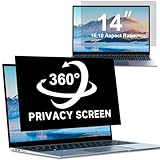
- [Please Confirm Your Screen Size]: width: 11 14/16" (30.2 cm), height: 7 6/16" (18.8 cm), diagonal length: 14" (35.56 cm), do not use the diagonal measurement only; This size laptop privacy screen is suitable for laptop screens with 14-inch 16:10 computer brands such as HP, Dell, Acer, Asus, Samsung, and ThinkPad; please note that this product is NOT COMPATIBLE with SURFACE and MACBOOK series computers.
- [4-Way 360°Privacy Protection]: Compared to the 180-degree computer screen privacy shield that only protects privacy in the horizontal direction, our ZOEGAA computer privacy screen offers 360-degree protection in all four directions (up, down, left, and right), providing you with comprehensive privacy protection.
- [There Are Glossy And Matte Finishes Available For Selection]: The glossy surface of ZOEGAA privacy screen is the shiny side, while the other side is matte. The glossy surface offers better privacy protection, while the matte surface can prevent glare.
- [Block Harmful Light And Say Goodbye To Eye Fatigue]: Our ZOEGAA privacy screen for laptop can block the blue light and ultraviolet rays emitted by the computer screen, and also prevent the screen from reflecting dazzling glare. Make the eyes no longer so tired as they used to be.
- [2 Installation Ways]: Our ZOEGAA privacy screen can be applied to your laptop screen in two ways: 1. Insert installation method. Just follow the installation video to attach the slide mount tabs around the screen border, then insert the 14 inch laptop privacy screen. 2. Double-sided adhesive installation: Our privacy screen for computer will come with double-sided adhesive stickers. You can stick the double-sided adhesive at the four corners of the privacy film, and then attach it to the computer screen. If you think the stickers are not firmly attached, you can apply more double-sided adhesive tapes to ensure a stable attachment.
F Forito 15.6′ Magnetic Privacy Screen

Working in a coffee shop or open‑plan office? The F Forito 15.6″ magnetic privacy screen fits 16:9 laptops—Lenovo, HP, Dell, Acer, Asus, Samsung. It slides on in two seconds: a stronger top magnet and a better bottom adhesive let you peel it off and reuse it. The 360° view‑lock keeps eyes out, while the backside remains visible; the durable glass resists scratches, fingerprints, and smudges. Its anti‑glare and blue‑light filter reduce eye strain, and the crystal‑clear surface keeps colors vivid. The package includes a screen, storage folder, and cleaning kit, and you can request warranty coverage for peace today.
Best For: students, professionals, and travelers who need on‑the‑go privacy and eye protection for 15.6″ 16:9 laptops.
Pros:
- Quick, magnetic installation and removal in just two seconds.
- 360° privacy lock combined with anti‑glare and blue‑light filtering for eye comfort.
- Scratch‑resistant glass and an included cleaning kit for long‑term clarity.
Cons:
- Does not block a view from directly behind the screen.
- May prevent some laptop lids from fully closing due to the magnet.
- Requires careful dimension check before purchase to ensure a proper fit.
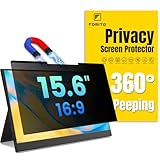
- 【Compatible Model】 Width: 13 9/16" (345 mm), Height: 7 5/8" (194 mm), Diagonal: 15.6" (396.24 mm). F FORITO laptop privacy screen is compatible with 15.6” Lenovo, HP, Dell, Acer, Asus, Samsung with 16:9 aspect ratio laptops and portable monitors. Check your screen width and height before ordering – don’t rely solely on diagonal size
- 【Effortless 2-Second Installation】 Experience hassle-free setup with F FORITO upgraded magnetic design on the top and enhanced adhesive on the bottom. Easy to install/remove, durable for long-term use. Note: Laptop may not close fully when attached, but sleep mode works as normal
- 【360° Privacy Protection】 F FORITO 15.6 privacy screen laptop features an innovative 360° privacy design that narrows the viewing angle so only you can see the screen, effectively blocking side glances to keep your data safe—please note it does not block the view from directly behind you
- 【Eye-Friendly Technology】 Enjoy extended screen time without eye strain F FORITO 15.6 inch laptop screen privacy shield features anti-glare and anti-blue light technology to reduce fatigue, minimize discomfort, and prevent headaches
- 【Crystal-Clear Viewing】 Our crystal clear display technology allows you to enjoy a clear and vibrant screen. Whether you're working on sensitive documents or simply browsing the web, our innovative technology ensures that your privacy is always protected
Magnetic Privacy Screen for MacBook Pro 16

Ever wonder why mobile executives are insisting on the SightPro Magnetic Privacy Screen for their MacBook Pro 16? You’ll appreciate its patented design, which snaps magnetically onto the 16‑inch Liquid Retina XDR display—no tape or adhesive needed. It blocks side‑view visibility while keeping the front clear, and cuts UV and blue‑light exposure to protect your eyes. With models A2485, A2780, A2991, A3186, A3403 it fits 2021‑2024 MacBook Pros, from M1 to M4. The filter stays scratch‑free, is removable for travel, and arrives with a storage folder and cleaning cloth. Its slim 0.5‑inch profile rests on your screen without adding bulk, weighing just 7 oz for effortless carry regardless.
Best For: Mobile executives, remote workers, and privacy-conscious professionals who need quick, damage-free smartphone or laptop screen protection while preserving clarity and eye health.
Pros:
- Magnetic snap‑on design eliminates the need for adhesives or tape, making installation effortless and crash‑safe.
- Multi‑layer film blocks side‑view visibility and reduces blue‑light/UV exposure without compromising front‑on clarity.
- Ultra‑thin, lightweight (7 oz) profile and included storage folder make it ideal for travel and on‑the‑go use.
Cons:
- Only compatible with 16‑inch MacBook Pro models (A2485, A2780, A2991, A3186, A3403) from 2021‑2024.
- Repeated exposure to projected images or glass may cause smear or streaking if not cleaned regularly.
- If magnets are too weak, the filter may detach slightly under vigorous movement or heavy use.
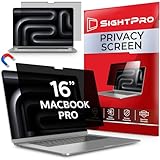
- 【Instant Snap-on Magnetic Attachment】- The Patented Magnetic Privacy Screen – Protected by U.S. Patents 9,829,669 and D844,012. Simply place the privacy screen along the top of your MacBook and let the magnets attach along the top. No need for tricky placement, messy tape, or damaging adhesive. Easily remove and reattach when you need it.
- 【Perfect Fit for 16.2" Liquid Retina XDR Display】- The SightPro Magnetic Privacy Screen is designed to integrate seamlessly with your MacBook Pro 16 Inch (2021, 2022*, 2023, 2024, 2025*, 2026, M1, M2, M3, M4, M5, Pro, Max). (Model: A2485, A2780, A2991, A3186, A3403, A3428, A3429)
- 【Superior Privacy】- Our advanced multi-layered film filter blacks out your screen when viewing from the side, while maintaining a crystal clear screen straight-on. It also protects your eyes from harmful UV and blue light. [Note: It does not block visibility directly behind you, regardless of the distance.]
- 【Perfect for Travel and Open Workspaces】- The MacBook Pro Privacy Screen Filter is the ideal solution for healthcare providers, mobile workers, commuters, students, and business travelers. Now you can stay compliant and safeguard sensitive corporate information while working in airplanes, subways, airports, and public areas.
- 【Package Contents】 - Each package includes a magnetic privacy screen filter, a storage folder, and a cleaning cloth. Buy with confidence – located in the US, Sight Pro specializes in providing best-in-class privacy solutions to individuals, small businesses, corporations, government, and educational institutions. Our privacy screens are Section 889 and TAA compliant.
14-inch Anti‑Glare Blue‑Light Privacy Screen

If you’re a traveler or a freelancer who needs to keep your screen private in spaces, this 14‑inch anti‑glare blue‑light filter delivers 30° blackout that blocks side‑viewing while preserving color fidelity. Built‑in blue‑light shift eases eye fatigue without dulling hue safely. Fit is effortless: pick adhesive for bezel‑less or hang‑tab for framed, removal leaves no residue and always. Lightweight at just 1.1 lb, it weighs in at 12.2 × 13.31 × 0.5 in, making it ideal for travel on the go and easy packing. Crafted from 30 mm PET, it resists scratches and stays flexible. Tecgear backs it with a solid warranty you can count on.
Best For: Travelers, freelancers, and anyone working in shared spaces who needs quick, power‑free screen privacy with blue‑light protection and minimal setup.
Pros:
- 30° privacy blocks side‑viewing without power or circuitry changes.
- Anti‑glare matte coating and built‑in blue‑light filter reduce eye strain while preserving vivid color accuracy.
- Lightweight, adhesive or hang‑tab installation allows easy removal with no residue, ideal for on‑the‑go use.
Cons:
- Designed only for 14‑inch 16:9 monitors, limiting its use on other screen sizes or aspect ratios.
- The 0.5‑in thickness may slightly reduce visible area for some users.
- Requires manual cleaning of dust and smudges to maintain clarity.

- SUPERIOR PRIVACY PROTECTION: The Tecgear laptop privacy screen uses 60-degree blackout technology to keep your content visible only to you. This computer screen privacy shield prevents visual hacking, making it the ideal privacy screen for laptop users in public spaces.
- ANTI GLARE AND EYE CARE: Designed with a matte anti glare screen protector and blue light blocking layer to reduce reflections and eye strain. This laptop anti glare screen protector delivers comfortable viewing for work, study, or travel.
- PRECISION FITMENT GUIDE: Specifically designed for 14 inch monitors with a 16:9 aspect ratio and a visible area of 310 x 174 mm. Ensures a perfect fit for 14 inch laptop privacy screens. Please measure your screen diagonally before purchase.
- EASY DUAL-INSTALLATION OPTIONS: This privacy screen for computers includes clear adhesive strips and slide-on hang tabs for versatile mounting. These laptop screen protectors can be easily removed or reinstalled on any privacy screen computer display without leaving sticky residue.
- DURABLE SCREEN DEFENSE: Built from high-quality PET material, this privacy computer screen cover provides robust scratch resistance and guards against fingerprints. Our computer privacy screen maintains 95% transparency while acting as a reliable anti glare laptop screen cover for long-lasting defense.
17.3 Inch Laptop Privacy Screen Filter Anti-Glare

When you’re on the move—whether on a train, in a coffee shop, or in a bustling office—this 3‑inch privacy and anti‑glare filter keeps your screen safe from prying eyes and reduces eye strain.
Designed for 17.3‑inch laptops, it covers 15.1‑inch width and 8.5‑inch height. Film mounts with adhesive strips or slide‑mount tabs, letting you swap it on or off. Three layers block side glare, UV, light while keeping a front view. Compatible with Lenovo, HP, Dell, Acer, Asus, Samsung—just verify size. The kit includes a microfiber cloth, two strip sets, and two tab sets for a glare‑free privacy boost.
Best For: busy professionals, travel‑heavy students, or anyone who works from cafés, trains, or open office spaces and wants clear, side‑angle privacy and reduced glare on a 17.3‑inch laptop.
Pros:
- Multi‑layer film blocks side‑angle viewing while keeping a crystal‑clear front view, ideal for confidential work.
- Dual attachment modes (adhesive strips or slide‑mount tabs) let users install or remove the filter quickly, whether on the go or at a desk.
- Blocks UV, harmful blue light and glare, protecting eyes and maintaining comfort during long sessions.
Cons:
- Not optimized for touchscreens, so may affect tap accuracy on touch‑enabled laptops.
- Requires confirming screen size; improper fit can lead to gaps or a tear‑like effect.
- Adds a slight thickness and weight to the laptop, which may be noticeable on very thin models.

- 【Filter Dimensions】- Width: 15.1" (383 mm), Height: 8.5" (215 mm), Diagonal: 17.3" (439.42 mm) - SightPro Blackout Privacy Filter is engineered to be compatible with Lenovo, HP, Dell, Acer, Asus, Samsung, and other laptop brands. Please verify your screen's width and height measurements before ordering. It's not recommended to make your selection based solely on your screen's diagonal size. [Not optimized for touchscreens.]
- 【Two Attachment Options】- Installs in minutes. Option 1 uses clear adhesive strips that securely attach to any screen. Option 2 uses slide mount tabs that easily stick to the display frame, allowing you to slide the filter on and off the screen as needed.
- 【Superior Privacy and Reduce Glare】- Our advanced multi-layered film filter blacks out your screen when viewing from the side, while maintaining a crystal clear screen straight-on. It also protects your eyes from harmful glare, UV, and blue light. [Note: It does not block visibility directly behind you, regardless of the distance.]
- 【Perfect for Travel and Open Workspaces】- Our computer screen privacy filter is the ideal solution for healthcare providers, mobile workers, commuters, students, and business travelers. Now you can stay compliant and safeguard sensitive corporate information while working in airplanes, subways, airports and public areas.
- 【Package Contents】- Each package includes one privacy screen shield filter, two sets of clear adhesive strips, two sets of slide mount tabs, and a microfiber cleaning cloth. Buy with confidence – located in the US, Sight Pro specializes in providing best-in-class privacy solutions to individuals, small businesses, corporations, government, and educational institutions. Our privacy screens are Section 889 and TAA compliant.
14‑inch Laptop Privacy Anti‑Glare Blue Light Removable Filter

Need a privacy screen that fits your 14‑inch laptop and blocks glare while keeping your data safe? This reversible 14‑inch shield delivers glare‑free clarity on one side and, when flipped, locks your view to a 30° angle for privacy. It trims to 12.2 × 6.9 in, covering 16:9 screens from ThinkPad, HP, Dell, Lenovo, and more—excluding MacBooks. Installation is effortless: double‑sided tape for any frame or slide‑mount tabs for raised edges, letting you swap sides in seconds. The filter also blocks 95 % blue light and 92 % UV, resists scratches, and comes with a cleaning cloth, adhesive strips, and a warranty and guarantee.
Best For: Professionals, students, and anyone using a 14‑inch laptop who wants glare‑free viewing, privacy, and eye protection in public spaces.
Pros:
- Dual‑side reversible design offers both high‑clarity matte viewing and 30° privacy protection with a simple flip.
- Easy to install with double‑sided tape or slide‑mount tabs, fitting most 16:9 14‑inch laptops.
- Blocks 95 % of blue light and 92 % of UV, scratches‑resistant, and comes with a cleaning cloth and warranty.
Cons:
- Not compatible with MacBook laptops or non‑14‑inch monitors.
- Requires manual removal and flipping when you need to switch between privacy and clear view.
- Slightly heavier (5 oz) than most single‑sided privacy screens, which could affect portability if ever carried.

- 【Not Compatible with MacBooks】 Width: 12 3/16" (12.2 inch/310 mm), Height: 6 7/8" (6.9 inche/175 mm), Diagonal: 14" (355.6 mm) ,Please verify your screen's width and height measurements before ordering.Adapted to 14 inch laptop screen with 16:9 aspect ratio,Compatible with Thinkpad Envy Xps, HP, Dell, Lenovo, Acer, Asus, Envy, Toshiba, Samsung and other Laptop brands
- 【MAGICAL DESIGN】Unlike a regular dell laptop privacy screen film, this is a reversible 14 inch laptop privacy screen filter that offers you more options. When you want to share, choose the matte surface for high clarity without any glare distractions. If you need more privacy, the glossy surface is an excellent choice to keep your private information out of strangers sight
- 【SUPERIOR PRIVACY】Our laptop screen privacy shield features advanced technologies ensure that the contents of the computer screen are invisible to the line of sight beyond 30 degrees.With this privacy screen laptop 14 inch filters you don't have to worry about information leakage in public
- 【EASY TO INSTALL】This 14 inch privacy screen laptop has 2 installation options. Methods 1 Double-sided tape sticking, for all laptops with a screen aspect ratio of 16:9 and a size of 14 inches. Methods 2 Slide mount tab.Suitable for laptop with raised frame, it provide a quick and easy way to remove or reversible your monitor privacy filter
- 【EXCELLENT PROTECTION】This ThinkPad privacy screen cover designed with the most advanced anti-glare technology from Germany AG to ensure our screen protector blocks 95% of blue light and 92% UV light, protecting your eyes and skin from damage
14-inch Privacy Screen, Removable Anti‑glare Blue Light Filter

For anyone who spends a lot of time in cafés or on planes, the 14‑inch filter’s ±30° anti‑peep design guarantees nobody can glance at your screen—while the glossy side preserves display sharpness and the matte side slashes glare. It measures 12.2 × 6.9 in, models from HP, Dell, Asus and more. Installation takes less than minute with adhesive strips and slide‑mount tabs—choose a raised or flush frame to suit your chassis. The filter eliminates 95 % of blue light, blocks 92 % of UV, and cuts glare over 90 %, all while keeping the screen crisp. Optics add resistance, and the kit includes cleaning tools.
Best For: travelers, executives, or students who need privacy and eye protection while working on a 14‑inch laptop in public or bright settings.
Pros:
- Fits 14‑inch laptops from major brands (HP, Dell, Lenovo, Acer, Asus, Samsung, Toshiba, etc.).
- Easy ≤30‑second installation with adhesive strips and slide‑mount tabs, offering both raised and flush frame options.
- Cuts glare >90 %, blocks 95 % of blue light and 92 % of UV while preserving display sharpness.
Cons:
- Restricted to 14‑inch laptops; not compatible with larger or smaller screens.
- Requires regular cleaning to keep the glossy/matte surfaces clear and effective.
- Adds a modest 0.2‑in thickness, which may affect very slim chassis or docking compatibility.
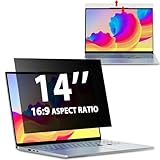
- EASY TO INSTALL:The laptop privacy screen has 2 installation options, you can use 14 inch privacy screen whether your monitor frame is raised or flush with the screen. You can complete the installation within 30 seconds according to the instructions of the easy installation manual. If the screen frame of the monitor is raised, you can choose the installation options ① and ②. If the monitor screen is flush with the frame, only the installation option ② can be used.
- EFFECTIVE ANTI-GLARE:The anti-glare technology from Germany AG can reduce the glare above 90 and soften the light, so that you will not feel the dazzling reflection in the strong light environment. The 14 laptop privacy screen has a unique double-sided structure, the glossy surface has a better anti-peep effect, and the matte surface has a better anti-glare effect. You can choose according to your needs.
- WIDELY APPLICABLE:The privacy screen filter 14 inch is modeled on a real machine, the size is 1:1 matching, and it is compatible with a 14-inch computer screen with an aspect ratio of 16:9. Our computer screen privacy filters are perfect for business travelers, students, healthcare workers, mobile workers, and bank workers. You can protect sensitive information in airplanes, subways, airports and other public places.
- PRIVACY FILTER DIMENSIONS:Width: 12 3/16" (12.2 inch/310 mm), Height: 6 7/8" (6.9 inche/175 mm), Diagonal: 14" (355.6 mm) - 14" Dark Blackout Privacy Filter is engineered to be compatible with HP, Lenovo, Dell, Acer, Asus, Samsung, Envy, Toshiba and other 14in laptop brands. Please verify your screen's width and height measurements before ordering. It's not recommended to make your selection based solely on your screen's diagonal size.
- HIGH-CLASS PRIVACY ABLE:LUSA DESIGN collected suggestions from more than 500 laptop users, and performed 2000 anti-peep angle corrections on the micro-blind optical technology to ensure that any line of sight beyond +-30° facing the screen will be shielded. With a laptop privacy screen 14 inch, the privacy of your computer screen will never be leaked.
15.6″ Laptop Privacy Screen Anti-Glare Blue Light Filter

Every time you hop on a plane, you’ll feel safer with Peslv’s 15.6‑inch privacy filter, which blocks anyone looking beyond 30 ° off‑axis while still transmitting brighter than 90 % of the original image. Designed for 15.6‑inch 16:9 displays, it fits Lenovo, HP, Dell, Acer, Asus, Samsung, Envy, Toshiba, ThinkPad once you verify width and height. The filter weighs 6.4 oz and measures 13.6 in by 7.6 in. It uses a micro‑blind layer engineered 2,000 times for a ±30° privacy field, cutting over 90 % reflectivity with a dual‑sided finish. Installation takes under 30 seconds, safe, reversible, and protects your screen from blue light, UV, and scratches.
Best For: People who use a 15.6″ laptop in public or travel settings and want privacy, glare reduction, and blue‑light protection.
Pros:
- Delivers a ±30° privacy field while still transmitting over 90 % of the original image brightness.
- Dual‑sided finish cuts 92 % blue light and reduces glare by >90 % without sacrificing image clarity.
- Easy 30‑second installation with reversible adhesive that won’t damage the display.
Cons:
- Requires exact width and height measurement before purchase.
- Slightly increased thickness can marginally affect touch‑screen responsiveness.
- Not designed for ultra‑slim or atypical bezel configurations, which may need custom trimming.

- 【PRIVACY FILTER DIMENSIONS】: Width: 13 9/16" (13.6 inch/345 mm), Height: 7 5/8" (7.6 inch/194 mm), Diagonal: 15.6" (396.24 mm) - Peslv 15.6" Dark Blackout Privacy Filter is engineered to be compatible with HP, Lenovo, Dell, Acer, Asus, Samsung, Envy, Toshiba and other 15.6in laptop brands. Please verify your screen's width and height measurements before ordering. It's not recommended to make your selection based solely on your screen's diagonal size.
- 【HIGH-CLASS PRIVACY ABLE】Peslv collected suggestions from more than 500 laptop users, and performed 2000 anti-peep angle corrections on the micro-blind optical technology to ensure that any line of sight beyond +-30° facing the screen will be shielded. With a laptop privacy screen 15.6 inch, the privacy of your computer screen will never be leaked.
- 【EASY TO INSTALL】The Peslv laptop privacy screen has 2 installation options, you can use 15.6 inch privacy screen whether your monitor frame is raised or flush with the screen. You can complete the installation within 30 seconds according to the instructions of the easy installation manual. If the screen frame of the monitor is raised, you can choose the installation options ① and ②. If the monitor screen is flush with the frame, only the installation option ② can be used.
- 【EFFECTIVE ANTI-GLARE】The anti-glare technology from Germany AG can reduce the glare above 90 and soften the light, so that you will not feel the dazzling reflection in the strong light environment. The 15.6 laptop privacy screen has a unique double-sided structure, the glossy surface has a better anti-peep effect, and the matte surface has a better anti-glare effect. You can choose according to your needs.
- 【STRONG ANTI-BLUE LIGHT】Filtering optical materials imported from Japan can reduce 92% of blue light and 98% of UV light, and filter all harmful light emitted from the screen to protect your eyes. The high-transparent and reinforced built-in protective layer not only presents high-definition picture quality, but also protects your screen from scratches. Hurry up and place an order, own laptop screen privacy shield 15.6 inch, protect your screen and your eyes.

16″ Magnetic Anti‑Glare Privacy Screen for Laptops

Craving privacy while traveling? This 16‑inch magnetic anti‑glare screen locks onto your 16:10 laptop—HP, Dell, Lenovo, and others—by magnetically attaching to the frame. A single‑sided magnet lets you slide it on and off in seconds, and the detachable clip stows it in your bag. The matte film cuts 95 % of glare, blocks 95 % of blue light and 92 % of UV, and narrows the viewing angle to 30° on each side, so only the front eyes see the screen. Crafted from Japanese material with German precision, it resists fingerprints and scratches, keeping the view sharp, even in bright, daily cafés.
Best For: travelers, students, and professionals who need privacy and eye protection on the go.
Pros:
- Magnetic suction design allows quick attachment and removal.
- Blocks 95 % of blue light, 92 % of UV, and reduces glare by 95 %.
- Includes a detachable storage clip for easy carry.
Cons:
- Designed only for 16‑inch 16:10 laptops.
- Requires replacement of adhesive magnets over time.
- View angle narrowing (30°) may still allow noticeable side visibility.

- 【COMPATIBLE DEVICE】It is only suitable for laptops whose displayable image area of the screen meets the following parameters. Before placing an order, please measure and confirm the value of the displayable image area of the laptop screen. Width: (13.57 inch/344.68 mm), Height: (8.48 inch/215.39 mm), Diagonal:16" (406.4 mm) . Compatible with HP, Lenovo, Dell, Acer, Asus, Samsung, Envy, Toshiba and other 16in laptop brands. Note that the aspect ratio is 16:10.
- 【EASY TO INSTALL & DETACHABLE】Magnetic suction design process, just close to the screen and press lightly, it can be automatically absorbed to complete the installation. Comes with a screen protector storage clip, which can be taken off and put into the storage clip when not in use, and stored in the computer bag together with the laptop. Anytime, anywhere, put it on and take it off, everything is so easy!
- 【STUNNING PRIVACY PROTECTION】We have corrected the angle of the laptop privacy screen more than 5000 times so that it can filter the sight outside the left and right 30° of the laptop, and you can ensure that your computer data will not be peeped at and your data will not be exposed in public. PLEASE NOTE: The 16" screen protector will prevent the view from the left and right sides, but it will not prevent the view from the front, no matter how far away.
- 【PROTECT SCREEN ALSO EYES】The high-quality materials imported from Japan and the process imported from Germany have greatly improved the performance of the magnetic laptop privacy screen 16 inch. High-quality filter layer that can reduce 95% of blue light and 92% of UV light. Matte surface, anti-glare, effectively intercepts 95% of the reflected light. Anti-scratch layer to avoid scratches from daily use. Protect your screen while protecting your eyesight.
- 【PACKAGE CONTENTS】This package includes (1) Peslv Magnetic laptop privacy screen 16 inch, along with screen cleaning kit (1), Single sided adhesive magnet (4), Laptop screen protector storage clip (1), Large size nanofiber cleaning cloth (1) and detailed instructions for easy installation. Peslv is a factory that integrates production, processing and sales, and we are committed to making you more satisfied. Buy with confidence. [ Magnetic laptop privacy screen 16 inch lifetime warranty]
Magnetic 14″ Laptop Privacy Screen, Removable

When you’re commuting on a crowded train or working from a coffee‑shop counter, the magnetic 14‑inch screen clamps to your laptop in a way that limits the viewing angle to just ±30°, ensuring that any stray eyes see a blank field. It fits 14‑inch 16:9 models like Lenovo, HP, Dell, Acer, Asus, and ThinkPad Envy, covering 12.2‑in wide by 6.9‑in tall for a sharp 14‑inch display. The magnetic strip sits about 9 mm high, letting you snap it on quickly, then slide it off when you’re done. You can replace it with a screw‑in mount for extra stability and shields.
Best For: commuters, remote office workers, and business travelers who need a quick, removable privacy screen for their 14‑inch 16:9 laptops.
Pros:
- Magnetic attachment allows instant install and removal, keeping your setup clean and portable.
- Limits the viewing angle to ±30°, so only the user directly in front can see the screen.
- 49 % blue‑light reduction and anti‑glare coating support eye‑care and long‑term comfort.
Cons:
- Compatible only with 14‑inch 16:9 laptops; not suitable for other screen sizes or aspect ratios.
- Adds slight bulk and weight that some users may find noticeable when carrying the laptop.
- Anti‑glare coating can marginally lower overall brightness and contrast for sensitive displays.

- 【 🅲𝐨𝐦𝐩𝐚𝐭𝐢𝐛𝐥𝐞 𝐌𝐨𝐝𝐞𝐥】 Before placing an order, please measure and confirm the value of the image area that can be displayed on the laptop screen Width: 12 3/16 inches (12.2 inches/310 mm), Height: 6 7/8 inches (6.9 inches/175 mm), Diagonal: 14 inches (355.6 mm). The black magnet portion at the top is approximately 9 mm.
- 【🅳𝐚𝐫𝐤 𝐒𝐜𝐫𝐞𝐞𝐧 𝐭𝐨 𝐎𝐭𝐡𝐞𝐫𝐬】-- Clear view for only you. Multi-layered privacy filter limits viewing angle to ±30°, screen is only visible to those directly in front of the screen, while prying eyes only see NOTHING. Keeps your sensitive and private information hidden from strangers in public.
- 【Magnetic type and additional mounting】 It can be easily removed with a magnet. You can use it safely and reliably according to your lifestyle by removing the filter at home and installing it when you go out. Also provide mounting accessories for inserts on the market to give you other options for mounting.
- 【Both Sides Can Be Used】Glossy/No Gloss - The surface is treated with AG (anti-glare) to inhibit reflections and glare. The other side has a glossy clear coating to ensure clear visibility, so it can be used according to actual usage scenarios.
- 【Blue Light Countermeasure】 Some people are concerned that intense blue light may cause eye fatigue and affect body rhythms, but the surface of this product has an anti-glare function that reduces blue light by 49% and protects your eyesight.
Factors to Consider When Choosing Privacy Screen Filters for Laptop Travel Work
When you’re looking for a privacy screen filter for travel, you first need to make sure it’s the right size for your laptop. Then weigh whether a magnetic mount or adhesive wrap works best for your setup, and check the privacy angle you’ll need to stay discreet in public spaces. Finally, choose a filter that cuts blue‑light and offers solid anti‑glare performance so you can work comfortably on the road.
Compatibility With Laptop Size
Since a privacy filter must match your screen exactly, you start by measuring the display’s width and height in millimeters or inches. This gives you an unambiguous target for the filter’s size. Avoid relying solely on the laptop’s nominal size; a 14‑inch model may actually expose 310 mm × 175 mm on the screen, while a thick bezel can shrink that area. Check the aspect ratio too—16:9 filters won’t fit a 16:10 panel. Many brands list filters by diagonal, so cross‑reference with the exact millimeter measurements. If you hop between models, choose a filter that supplies both width and height or includes a quick‑fit chart, and you’ll eliminate guessing games. Once you have the correct dimensions, you’ll install the filter effortlessly, ensuring privacy no matter where you’re working everywhere.
Magnetic vs Adhesive Attach
While you’ve verified the screen dimensions, the next decision is how the filter will stay in place. Magnetic attachments let you snap the privacy screen on or off in a second, ditching adhesives and residue. But magnets use iron shin pads that spread a uniform holding force, keeping the screen level amid travel and orientation shifts. Stick‑on filters stay fixed until you remove the tape, which can leave sticky residue and risk misalignment if you hurry. Because adhesive degrades over time, you may find the grip weak after repeated removals, so it can slip during a layover. Conversely, magnetic mounts retain consistent hold, so you can pop the filter on for privacy at a café or boardroom and off again everytime without losing alignment.
Privacy Angle Limit
Security level matters the most when picking a privacy angle, because it determines how well your display stays hidden from side‑viewers. Most filters cap the angle between 30° and 60°. A 30° limit blocks content from 30° to 150° around the screen, which keeps casual onlookers out while maintaining a crisp front‑on image. A 60° limit lets you see content up to 60° off‑center, offering even tighter protection for dense office or travel settings, though the wider angle may slightly soften contrast. This angle is independent of brightness or color, but choosing a narrower angle usually yields higher contrast and sharper detail when you look straight ahead. If privacy is paramount, aim for the stricter 30°; for shared workspaces, 60° offers broader coverage within.
Blue‑Light Reduction
Beyond sharp viewing angles, protecting your eyes from blue‑light is equally important when you travel or work. When choosing a filter, look for one that blocks at least 90 % of blue‑light wavelengths (380–495 nm). A rating of ≥95 % UV attenuation will also cut harmful blue photons, giving you dual protection. Target filters that reduce blue photons by more than 80 % around the human eye’s peak of 460 nm; this drop in melanopsin activation lessens fatigue. For low‑light scenarios, aim for a filter that keeps over 85 % visible light transmission while still suppressing blue light. Research shows a 50–70 % reduction in blue‑light can cut eye‑strain complaints by roughly 30 % after eight hours of use, so choose wisely. Investing in such a filter boosts focus and reduces fatigue.
Anti‑Glare Performance
Because glare can distract you, anti‑glare coatings on privacy screens slash reflected light by over 90 %, leaving less than 10 % of ambient light to reach your eyes. With a matte finish you intercept 95–99 % of specular reflections, keeping the surface flat and free of hotspots. The film still delivers over 85 % of the original luminance, so your screen stays bright and crisp. Glass‑based treatments pin glare to a 5–10 ° half‑power angle, so stray reflections stay near the viewer’s eye and don’t bleed into peripheral vision. Pairing this layer with blue‑light filters cuts visible blue light by 20–40 % without hurting glare reduction, giving you a comfortable, clear view on the go. Your daily work or travel sessions benefit from this balanced approach for everyday needs.
Ease Of Removal
When you’re jet‑setting or working across multiple desks, the speed at which a privacy screen detaches matters a lot. Magnetic filters latch with a north‑south alignment, letting you snap them off in under 5 seconds—no adhesive, no tools. Adhesive‑strip screens keep about 3 cm² of tack; you can gently wipe them with wax or a damp cloth, but peeling takes 10–15 seconds. Slide‑mount tabs rely on friction, freeing you in 10–20 seconds and leaving no residue—great for frequent travel. Dual‑side anti‑glare units detach in 15–25 seconds; you can remove one side while keeping the other intact. Snap‑in rubber gaskets on waterproof models average 30 seconds, sometimes needing 5–10 seconds of tug after long use. Choose a model that matches your travel rhythm, ensuring quick detachment when you need to switch devices, right now.
Durability & Scratch Resistance
If you want a filter that stands up to frequent travel, you’ll need to weigh durability and scratch resistance first. The most common filters layer a 0.25–0.5 mm PET or acrylic base and then add a nano‑silica anti‑scratch coat. That layer can soak up abrasions equivalent to a 6 H hardness rating, letting you touch the screen without worrying about tiny scratches. But if you prefer a thicker shield, tempered‑glass screens rise to the plate. Their 0.6 mm body gives five times the impact resistance, so a hand‑to‑hand drop rarely cracks it. Many models use a dual‑surface construction—glossy for privacy, matte for anti‑smudge. The outer hard layer stays fingerprint‑free, cutting the need for abrasive wipes and extending the filter’s life. After 100 wipes, they stay 90 % clear.
Frequently Asked Questions
Can a Privacy Screen Filter Be Used on Any Laptop Size and Resolution?
You can slap a privacy filter on most laptops, but you’ll need one that matches your screen’s size and resolution. Filters come in standard 13‑, 15‑, 17‑inch formats and even custom widths. If your display uses a non‑standard panel or 4K resolution, pick a model designed for that spec, or cut a larger filter to fit. Always check the dimensions before buying. This guarantees proper coverage without compromising screen clarity.
How Long Does a Magnetic Privacy Screen Last Under Regular Travel Use?
Your magnetic privacy screen typically endures around 12 to 18 months of consistent travel use before visible scratches or loss of tint appear. Frequent handling, air‑conditioning, and border impact cause gradual wear. Properly cleaning with microfiber and avoiding metal contact can extend it toward the higher end. Most users find replacement within a year keeps privacy sharp. Replace it yearly to keep sharp privacy in humid climates and screen brightness.
Does the Filter Increase Eye Strain or Reduce Brightness During Night Flights?
Yes, the filter does reduce brightness, which can make your eyes feel strained on night flights. While it protects privacy, the dimmer screen can strain your vision, especially in low light. To ease discomfort, don’t lower your volume, take short breaks, and adjust your laptop’s brightness to compensate. In short, it helps privacy but may raise eye strain and notice. Try dimming further, or pick a filter with softer tint.
Are Magnetic Privacy Screens Compatible With External Displays and Docking Stations?
Yes, you can use magnetic privacy screens with external displays and docking stations. They attach to any screen that has a flat glass surface and a magnetic strip, so a laptop, an external monitor, or a dock‑connected display should work fine. Just be sure the docking station lets your monitor float freely and that magnetic edges don’t block ports. But test your docking to avoid subtle interference in practice today.
Can the Filter Be Cleaned Without Damaging the Laptop Screen?
Think of your screen as a delicate window into your world, and the privacy filter as a protective glass pane. You can clean it safely; just use a microfiber cloth, a little water, or a screen‑safe cleaner, and wipe gently. Avoid harsh sprays and paper towels, which might scratch or leave residue. After cleaning, give the filter a dry wipe, and your laptop stays pristine, and stay protected by design.
Conclusion
With the right privacy screen, you’ll shield your laptop’s secrets like a secret agent hiding in plain sight. You’ll battle glare and blue light, keeping eye strain at bay while traveling or working. Switching between filters feels as smooth as gliding through a wind tunnel. Whether you pick magnetic or removable, you’ll find the perfect fit for your 14‑to‑16‑inch device. Don’t let prying eyes spoil your focus; keep your data safe and your vision clear.
laptop travel, Privacy filters, Work protection