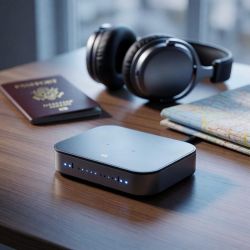
Best Travel Routers for Secure Wi‑Fi

Introducing Maria, our meticulous planner and talented visual storyteller. She has a knack for discovering those hidden gems, chic boutique spots, and charming little cafes that add a touch of elegance to every journey. With her keen eye for photography and her passion for travel, Maria will transport you to the most enchanting corners of the world, inspiring you to explore new places, one picture-perfect destination at a time.
If you want secure Wi‑Fi on the road, start with a travel router that has built‑in VPNs and strong encryption. You’ll get OpenVPN/WireGuard and DNS protections with options like the GL-SFT1200 Opal, GL-MT3000 Beryl AX, and GL-BE3600 Slate. The AXT1800 Slate AX gives you Cloudflare encryption, AdGuard toggle, and NAS sharing for convenient privacy. For ultra-fast hotel hops, the GL-BE3600 Slate and GL-AXT1800 Slate AX deliver Wi‑Fi 7 and multi‑Gig ports. Stay tuned for more.
Key Takeaways
- For secure travel Wi‑Fi, prioritize routers with OpenVPN/WireGuard baked in and VPN server/client capabilities (e.g., Opal, Beryl AX, Slate).
- Shield privacy with DNS over HTTPS/TLS and Cloudflare encryption to prevent tracking on public networks.
- Ensure robust wireless performance with Wi‑Fi 6/7 and at least multi‑gig Ethernet (2.5G WAN/LAN) for fast, secure connections.
- Choose devices running customizable firmware like OpenWrt for flexible VPN rules, ad blocking (AdGuard), and extra security features.
- Favor portable form factors and multi‑mode operation (Router/Access Point/Client/Hotspot) for versatile secure Wi‑Fi on the road.
GL.iNet GL-SFT1200 Opal Portable WiFi Router

For privacy-minded travelers, the GL.iNet GL-SFT1200 Opal is a standout travel router. You’ll get AC1200 dual-band performance, with 300 Mbps on 2.4 GHz and 867 Mbps on 5 GHz, plus two Gigabit LAN ports and a Gigabit WAN port for flexible setups. Your retractable antennas improve coverage, and a vertical position helps signal reach. OpenVPN and WireGuard are pre-installed, compatible with 30+ VPN providers, with Cloudflare encryption and IPv6 support. Setup’s quick via manual or video; a physical toggle controls VPN clients, while portability at 145 g keeps your travel simple. It travels light and stores easily now, anywhere.
Best For: Privacy-minded travelers who want a portable, VPN-enabled travel router with OpenVPN/WireGuard, dual‑band AC1200 performance, and simple setup for secure internet on the go.
Pros:
- VPN-ready with OpenVPN and WireGuard pre-installed, plus IPv6 support and Cloudflare encryption for secure, flexible connections.
- Portable and travel-friendly: lightweight (around 145 g) with retractable antennas and easy setup.
- Dual-band performance up to 300 Mbps on 2.4 GHz and 867 Mbps on 5 GHz, with two Gigabit LAN ports and one Gigabit WAN port for versatile network layouts.
Cons:
- VPN performance can vary by provider and may reduce real-world speeds due to encryption overhead.
- The VPN toggle requires admin panel setup; the physical switch alone isn’t a complete one-click solution.
- Not a standalone cellular hotspot; it needs an upstream internet source (modem or public Wi‑Fi) to function.

- 【AC1200 Dual-band Wireless Router】Simultaneous dual-band with wireless speed up to 300 Mbps (2.4GHz) + 867 Mbps (5GHz). 2.4GHz band can handles some simple tasks like emails or web browsing while bandwidth intensive tasks such as gaming or 4K video streaming can be handled by the 5GHz band.*Speed tests are conducted on a local network. Real-world speeds may differ depending on your network configuration.*
- 【Easy Setup】Please refer to the User Manual and the Unboxing & Setup video guide on Amazon for detailed setup instructions and methods for connecting to the Internet.
- 【Pocket-friendly】Lightweight design(145g) which designed for your next trip or adventure. Alongside its portable, compact design makes it easy to take with you on the go.
- 【Full Gigabit Ports】Gigabit Wireless Internet Router with 2 Gigabit LAN ports and 1 Gigabit WAN ports, ideal for lots of internet plan and allow you to connect your wired devices directly.
- 【Keep your Internet Safe】IPv6 supported. OpenVPN & WireGuard pre-installed, compatible with 30+ VPN service providers. Cloudflare encryption supported to protect the privacy.
TP-Link Ultra-Portable Wi-Fi 6 Travel Router TL-WR1502X

If you travel frequently and want secure Wi‑Fi on the go, the TL-WR1502X stands out with its ultra‑portable Wi‑Fi 6 design and flexible mode support. It’s 4.09 in. × 3.54 in. × 1.10 in., weighing 5.4 oz, and it fits in your bag. Dual‑Band Wi‑Fi 6 gives you 1201 Mbps on 5 GHz and 300 Mbps on 2.4 GHz. It supports Router, Access Point, Range Extender, Hotspot, Client, and 3G/4G Modem Mode. A USB 2.0 port shares files between devices, plus tethering uses your phone. Type‑C power lets you juice it from power banks. Two gigabit ports boost performance.
Best For: Frequent travelers who need secure, flexible Wi‑Fi on the go with Wi‑Fi 6 performance and multi‑mode versatility.
Pros:
- Ultra-compact and lightweight design, easily fitting in a bag for travel.
- Flexible multi‑mode support (Router, Access Point, Range Extender, Hotspot, Client, and 3G/4G Modem Mode) for diverse networking needs.
- Wi‑Fi 6 dual‑band performance (1201 Mbps on 5 GHz and 300 Mbps on 2.4 GHz) with USB tethering and USB 2.0 file sharing for convenience.
Cons:
- USB 2.0 port may limit data transfer speeds for files and tethering compared with USB 3.x devices.
- 3G/4G Modem Mode relies on an external USB modem/dongle rather than a built‑in modem.
- Power‑dependent operation requires a USB‑C power source (power bank or charger); not usable without power.

- 𝐑𝐨𝐚𝐦 𝟔 𝐀𝐗𝟏𝟓𝟎𝟎 𝐃𝐮𝐚𝐥-𝐁𝐚𝐧𝐝 𝐓𝐫𝐚𝐯𝐞𝐥 𝐑𝐨𝐮𝐭𝐞𝐫 - Delivers fast Wi-Fi 6 speeds (1201 Mbps on 5 GHz, 300 Mbps on 2.4 GHz) for uninterrupted video streaming, downloading, and online gaming all at the same time. This is not a Mi-Fi device or mobile hotspot.
- 𝐒𝐞𝐜𝐮𝐫𝐞 𝐖𝐢-𝐅𝐢 𝐎𝐧-𝐓𝐡𝐞-𝐆𝐨 - Connects to public Wi-Fi and creates a private, secure network for all your devices. Supports multiple devices at once, ideal for hotels, Airbnbs, airports, and even home use. VPN connectivity enables secure remote work.
- 𝐂𝐨𝐧𝐧𝐞𝐜𝐭 𝐀𝐧𝐲𝐰𝐡𝐞𝐫𝐞, 𝐀𝐧𝐲 𝐖𝐚𝐲 - Offers (1) Router Mode for Ethernet or USB (phone) tethering connections, (2) Hotspot Mode for secure access to public WiFi , and (3) AP/RE/Client Mode to extend WiFi, add WiFi to wired setups, or connect wired devices wirelessly.
- 𝐏𝐨𝐫𝐭𝐚𝐛𝐥𝐞 𝐚𝐧𝐝 𝐃𝐮𝐫𝐚𝐛𝐥𝐞 𝐃𝐞𝐬𝐢𝐠𝐧 - The Roam 6 AX1500, measuring a compact 4.09 in. × 3.54 in. × 1.10 in., is a pocket-sized travel router perfect for your next trip or adventure.
- 𝐌𝐮𝐥𝐭𝐢𝐩𝐥𝐞 𝐰𝐚𝐲𝐬 𝐭𝐨 𝐩𝐨𝐰𝐞𝐫 𝐲𝐨𝐮𝐫 𝐫𝐨𝐮𝐭𝐞𝐫 - Power the Roam 6 via its USB-C port using the included adapter or any 5V/3A PD power source, like a power bank.

GL.iNet GL-MT3000 Beryl AX Travel Router

This model shines for travelers who need secure, configurable Wi‑Fi on the road, thanks to built‑in OpenVPN and WireGuard plus the ability to run a VPN server and client simultaneously. You’ll get a compact, pocketable GL.iNet MT3000 Beryl AX Wi‑Fi 6 router with dual‑band speeds up to 574Mbps on 2.4GHz and 2402Mbps on 5GHz, plus a 2.5G WAN port, 1G LAN, and USB 3.0 for flexible connectivity.
OpenWrt 21.02 powers customization with over 5,000 plug‑ins, while WPA3, DNS over HTTPS/TLS, and IPv6 boost security. Setup is straightforward via guides and an unboxing video; you gain access to local resources.
Best For: Travelers who need secure, configurable Wi‑Fi on the road with built‑in OpenVPN and WireGuard plus VPN server/client capabilities.
Pros:
- Built‑in OpenVPN and WireGuard support with the ability to run a VPN server and client simultaneously for flexible remote access.
- Wi‑Fi 6 dual‑band performance (574 Mbps 2.4 GHz / 2402 Mbps 5 GHz) plus a 2.5G WAN port, 1G LAN, and USB 3.0 for versatile wired/wireless connectivity.
- OpenWrt 21.02 with 5,000+ plug‑ins, plus WPA3, DNS over HTTPS/TLS, and IPv6 for strong security and extensive customization.
Cons:
- VPN speeds can cap at around 150 Mbps with OpenVPN and 300 Mbps with WireGuard, which may limit high‑speed plans.
- Only one wired LAN port (1G) can constrain wired device expansion; relies on wireless for additional devices.
- OpenWrt and plugin ecosystem can be intimidating for casual users and may require more hands‑on setup and maintenance.

- 【DUAL BAND AX TRAVEL ROUTER】Products with US, UK, EU Plug; Dual band network with wireless speed 574Mbps (2.4G)+2402Mbps (5G); 2.5G Multi-gigabit WAN port and a 1G gigabit LAN port; USB 3.0 port; Wi-Fi 6 offers more than double the total Wi-Fi speed with the MT3000 VPN Router.
- 【VPN CLIENT & SERVER】OpenVPN and WireGuard are pre-installed, compatible with 30+ VPN service providers (active subscription required). Simply log in to your existing VPN account with our portable wifi device, and Beryl AX automatically encrypts all network traffic within the connected network. Max. VPN speed of 150 Mbps (OpenVPN); 300 Mbps (WireGuard). *Speed tests are conducted on a local network. Real-world speeds may differ depending on your network configuration.*
- 【OpenWrt 21.02 FIRMWARE】The Beryl AX is a portable wifi box and mini router that runs on OpenWrt 21.02 firmware. It supports more than 5,000 ready-made plug-ins for customization. Simply browse, install, and manage packages with our no-code interface within Beryl AX's Admin Panel.
- 【PROTECT YOUR NETWORK SECURITY】Our pocket wifi, unlike other vulnerable portable wifi hotspot for travel purposes supports WPA3 protocol–Preventive measures against password brute-force attacks; DNS over HTTPS & DNS over TLS–Protecting domain name system traffic and preventing data eavesdropping from malicious parties; IPv6–Built-in authentication for privacy protection, eliminating the need for network address translation.
- 【VPN CASCADING AT EASE】Surpassing the mediocre performance of most VPN routers for home usage, the Beryl AX is capable of hosting a VPN server and VPN client at the same time within the same device, enabling users to remote access local network resources like Wi-Fi printers or local web servers, and accessing the public internet as a VPN client simultaneously.
GL.iNet GL-BE3600 Slate Travel Router

Perfect for travelers who demand secure, fast Wi‑Fi on the go, the GL.iNet GL-BE3600 Slate is a Wi‑Fi 7, 2.5G router you can carry anywhere. It delivers up to 688Mbps on 2.4G and 2882Mbps on 5G, with 2.5G Ethernet ports (WAN and LAN) and a USB 3.0 port easily. Running OpenWrt 23.05 with 512MB storage, it fits on a 3.5 x 1.3 x 5.1 inch frame, weighing 10.6 ounces. The touchscreen lets you scan QR codes, monitor speeds, toggle OpenVPN at 100 Mbps and WireGuard at 540 Mbps, switch providers, and protect traffic with WPA3 and DNS over HTTPS/TLS.
Best For: Travelers who demand secure, fast Wi-Fi on the go, with portable Wi-Fi 7 performance, 2.5G wired ports, and easy VPN/toggle controls.
Pros:
- Ultra-fast dual-band performance with up to 688 Mbps on 2.4 GHz and 2,882 Mbps on 5 GHz (Wi‑Fi 7).
- Dual 2.5G Ethernet ports (WAN/LAN) plus a USB 3.0 port for fast wired connections and USB devices, backed by OpenWrt 23.05 with 512 MB storage.
- Strong security and VPN options, including WPA3, DNS over HTTPS/TLS, IPv6, and support for OpenVPN/WireGuard with server and client capabilities, plus touchscreen toggles for quick VPN and features.
Cons:
- VPN speeds are capped (OpenVPN up to 100 Mbps, WireGuard up to 540 Mbps), which may limit high-bandwidth VPN use.
- Requires external power (no built-in battery) for operation.
- Real-world speeds can be lower than advertised due to distance, interference, and device load.

- 【DUAL BAND WIFI 7 TRAVEL ROUTER】Products with US, UK, EU, AU Plug; Dual band network with wireless speed 688Mbps (2.4G)+2882Mbps (5G); Dual 2.5G Ethernet Ports (1x WAN and 1x LAN Port); USB 3.0 port.
- 【NETWORK CONTROL WITH TOUCHSCREEN SIMPLICITY】Slate 7’s touchscreen interface lets you scan QR codes for quick Wi-Fi, monitor speed in real time, toggle VPN on/off, and switch providers directly on the display. Color-coded indicators provide instant network status updates for Ethernet, Tethering, Repeater, and Cellular modes, offering a seamless, user-friendly experience.
- 【OpenWrt 23.05 FIRMWARE】The Slate 7 (GL-BE3600) is a high-performance Wi-Fi 7 travel router, built with OpenWrt 23.05 (Kernel 5.4.213) for maximum customization and advanced networking capabilities. With 512MB storage, total customization with open-source freedom and flexible installation of OpenWrt plugins.
- 【VPN CLIENT & SERVER】OpenVPN and WireGuard are pre-installed, compatible with 30+ VPN service providers (active subscription required). Simply log in to your existing VPN account with our portable wifi device, and Slate 7 automatically encrypts all network traffic within the connected network. Max. VPN speed of 100 Mbps (OpenVPN); 540 Mbps (WireGuard). *Speed tests are conducted on a local network. Real-world speeds may differ depending on your network configuration.*
- 【PERFECT PORTABLE WIFI ROUTER FOR TRAVEL】The Slate 7 is an ideal portable internet device perfect for international travel. With its mini size and travel-friendly features, the pocket Wi-Fi router is the perfect companion for travelers in need of a secure internet connectivity on the go in which includes hotels or cruise ships.
GL.iNet GL-AXT1800 Slate AX Travel Router

Travelers who need secure, high‑speed Wi‑Fi on the road will love the GL.iNet GL-AXT1800 Slate AX Travel Router. You get Wi‑Fi 6 with 1800 Mbps combined (600 on 2.4GHz, 1200 on 5GHz) and room for up to 120 devices. MU‑MIMO and OFDMA boost performance, while Cloudflare encryption shields your traffic. OpenVPN and WireGuard come installed, supporting 30+ providers, with OpenVPN up to 500 Mbps and WireGuard up to 550 Mbps. For control, a VPN/AdGuard toggle keeps things simple. It doubles as a NAS via SAMBA or WebDav, and supports USB storage. OpenWrt 21.02 helps tailor settings and minimize interference.
Best For: Travelers who need secure, high-speed Wi-Fi on the road, including business travelers, RVs, cruises, and frequent flyers.
Pros:
- Fast Wi‑Fi 6 performance up to 1800 Mbps (600 on 2.4 GHz, 1200 on 5 GHz) with MU‑MIMO and OFDMA.
- Pre-installed OpenVPN and WireGuard with strong VPN options and high potential speeds.
- NAS and file sharing via SAMBA/WebDav, plus USB storage support and public network conversion for secure surfing.
Cons:
- OpenWrt customization can be intimidating for casual users.
- VPN performance varies by provider and plan; max speeds depend on external factors.
- NAS features require an external USB storage device to share files.

- 【AXT1800 WiFi 6 Wireless Router】Slate AX offers powerful Wi-Fi 6 network connection with a dual-band combined Wi-Fi speed of 1800 Mbps (600 Mbps for 2.4GHz and 1200 Mbps for 5GHz). Enhance Wi-Fi performance with MU-MIMO, OFDMA, BSS color and able to connect to up to 120 devices simultaneously.
- 【Fast and Secure Browsing】IPv6 supported; OpenVPN & WireGuard pre-installed, compatible with 30+ VPN service providers, OpenVPN speed up to 500 Mbps; WireGuard speed up to 550 Mbps. Cloudflare encryption supported to protect the privacy.
- 【Easy File Sharing】Our NAS feature supports SAMBA and WebDav protocol. By plugging an external USB hard disc into the router, you can create a private network to store and share your documents.
- 【Runs on OpenWrt 21.02】Slate AX runs on the latest OpenWrt 21.02 operating system (Kernel version 4.4.60), with mass device connection capabilities, and significantly reduced signal interference. You can customize the router and install applications based on your preferences.
- 【Repeater for Public, Hotel WiFi】Convert a public network(wired/wireless) to a private network(wired/wireless) for secure surfing. Work with Captive Portal. (Note: Most of the Free Public Wi-Fi hotspot set a time limit for users, which will disconnect your devices once the time is over. To deal with this situation, please reconnect your router to the wifi.)
GL.iNet Mango Mini VPN Travel WiFi Router

Designed for on-the-go security, the GL.iNet Mango mini VPN travel router turns any public network into private Wi‑Fi, making it ideal for travelers who want private surfing on hotel or cafe networks.
Compact and portable, it weighs 39g and measures 2.3 by 2.3 by 1 inch, released July 9, 2017, with a 2‑year warranty. It converts public networks into private Wi‑Fi, supports OpenVPN out of the box, and works with 30+ providers. You can power it from a laptop USB or a USB power bank. Setup’s quick via Ethernet or Wi‑Fi, with an app and Admin Panel online today.
Best For: Travelers who frequently use public Wi-Fi and want private, VPN-protected connectivity on the go.
Pros:
- Ultra-portable and lightweight (39g; 2.3 x 2.3 x 1 inches) for easy travel.
- Pre-installed OpenWrt with OpenVPN and compatibility with 30+ VPN providers.
- Quick setup via Ethernet or Wi‑Fi with a user-friendly web Admin Panel and mobile app.
Cons:
- Limited hardware resources (128MB RAM, 16MB flash) which can constrain VPN performance and future features.
- No built-in battery; requires external power (USB, power bank, or adapter), which can be less convenient on the move.
- Older hardware (2017 release) with modest specs and potential lack of newer VPN protocols or higher throughput.
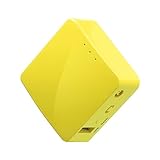
- 【WIRELESS MOBILE MINI TRAVEL ROUTER】 Convert a public network (wired or wireless) to a private Wi-Fi for secure surfing. Tethering. Powered by any laptop USB, power banks or 5V/2A DC adapters (sold separately). 39g (1.41 Oz) only, portable and pocket friendly. 2.4GHz ONLY
- 【OPEN SOURCE & PROGRAMMABLE】 OpenWrt pre-installed, USB disk extendable.
- 【LARGER STORAGE & EXTENDABILITY】 128MB RAM, 16MB Flash ROM, dual Ethernet ports, UART and GPIOs available for hardware DIY.
- 【OPENVPN CLIENT】 OpenVPN client pre-installed, compatible with 30+ VPN service providers.
- 【PACKAGE CONTENTS】 GL-MT300N-V2 (Mango) mini router (2-year Warranty), USB cable, Ethernet cable, User Manual. Please update to the latest firmware.
TP-Link AX3000 Dual-Band Travel Router TL-WR3002X

If you need secure, high‑speed access on the go, the TP-Link TL‑WR3002X delivers Wi‑Fi 6 AX3000 performance, a 2.5 Gbps WAN/LAN port, and USB‑C power in a compact travel router. It fits 4.1 by 3.5 by 1.1 inches and weighs 5.3 ounces, letting you carry robust coverage and up to 80 connected devices. You get multi‑gig ports, including a 2.5 Gbps WAN/LAN and a 1 Gbps LAN, plus Router, Hotspot, and AP/RE modes for flexible networking. Security’s built in with OpenVPN, WireGuard, a captive portal, and 2FA, plus DoS, SPI, and filtering protections. Updates install automatically for your protection.
Best For: On-the-go professionals and travelers who need secure, high-speed Wi-Fi 6 access with VPN protection and flexible router modes in a compact travel package.
Pros:
- Portable travel-friendly size that fits easily in a bag or pocket.
- Wi‑Fi 6 AX3000 performance with a 2.5 Gbps WAN/LAN port and multiple modes (Router, Hotspot, AP/RE).
- Strong security options including OpenVPN, WireGuard, captive portal, 2FA, DoS protection, and automatic firmware updates.
Cons:
- Travel form factor may mean shorter Wi‑Fi range compared with full-size home routers.
- Management mainly via the Tether app, which may not appeal to all users.
- Realizing 2.5 Gbps speeds requires a compatible ISP and cabling; otherwise speeds may be lower.

- 𝐑𝐨𝐚𝐦 𝟔 𝐀𝐗𝟑𝟎𝟎𝟎 𝐃𝐮𝐚𝐥-𝐁𝐚𝐧𝐝 𝐓𝐫𝐚𝐯𝐞𝐥 𝐑𝐨𝐮𝐭𝐞𝐫 - TP-Link’s fastest Wi-Fi 6 travel router, with wireless speeds of up to 2402 Mbps on 5 GHz and 574 Mbps on 2.4 GHz. Actual Wi-Fi speeds vary based on source bandwidth, environment, and distance to devices.◇§
- 𝐒𝐭𝐚𝐲 𝐂𝐨𝐧𝐧𝐞𝐜𝐭𝐞𝐝 𝐀𝐧𝐲𝐰𝐡𝐞𝐫𝐞 - Our travel router offers (1) Router Mode for Ethernet or USB (phone) tethering connections, (2) Hotspot Mode for accessing public Wi-Fi securely, and (3) AP/RE Mode for expanding Wi-Fi coverage or adding Wi-Fi to wired networks
- 𝐌𝐮𝐥𝐭𝐢-𝐆𝐢𝐠𝐚𝐛𝐢𝐭 𝐂𝐨𝐧𝐧𝐞𝐜𝐭𝐢𝐯𝐢𝐭𝐲 - 1x 2.5 Gbps WAN/LAN and 1x 1 Gbps LAN ports along with Wi-Fi 6 speed enables fast wired and wireless data transmissions
- 𝐎𝐮𝐫 𝐂𝐲𝐛𝐞𝐫𝐬𝐞𝐜𝐮𝐫𝐢𝐭𝐲 𝐂𝐨𝐦𝐦𝐢𝐭𝐦𝐞𝐧𝐭 - TP-Link is a signatory of the U.S. Cybersecurity and Infrastructure Security Agency’s (CISA) Secure-by-Design pledge. This device is designed, built, and maintained, with advanced security as a core requirement
- 𝟐𝟒/𝟕 𝐒𝐞𝐜𝐮𝐫𝐞 𝐒𝐮𝐫𝐟𝐢𝐧𝐠 𝐰𝐢𝐭𝐡 𝐕𝐏𝐍 𝐄𝐧𝐜𝐫𝐲𝐩𝐭𝐢𝐨𝐧 - Protect your network with OpenVPN and WireGuard support for both VPN client and server. Enjoy private, secure browsing on public Wi-Fi, with PPTP and L2TP protocols also supported
TP-Link BE3600 Wi-Fi 7 Travel Router TL-WR3602BE

For remote workers and frequent travelers who need secure, on-the-go Wi‑Fi, the TL-WR3602BE stands out with VPN‑ready security and flexible modes.
With dual-band reach of 2882 Mbps on 5 GHz and 688 Mbps on 2.4 GHz, you enjoy 2.5 Gbps WAN, 1 Gbps LAN, USB 3.0, USB-C, but it doesn’t support 6 GHz. You can use Router or AP/RE/Client modes, plus USB tethering and 3G/4G/5G USB modems. You get OpenVPN and WireGuard, with PPTP/L2TP fallbacks, and HomeShield for additional protection. You can connect up to 90 devices, enjoy Multi-Link Operation for throughput and latency, and stay compact and travel-ready.
Best For: Remote workers and frequent travelers who need secure, portable Wi‑Fi on the go.
Pros:
- VPN-ready security with OpenVPN and WireGuard, plus HomeShield for protection
- Flexible modes including Router, AP/RE/Client, and Hotspot, plus USB tethering and 3G/4G/5G modem support
- High-speed connectivity with 2.5 Gbps WAN, 1 Gbps LAN, USB-C power, and support for up to 90 devices
Cons:
- No 6 GHz (Wi‑Fi 7 6 GHz) support
- Requires external power (not battery-powered) for operation
- VPN setup can be complex for non-technical users

- 𝐏𝐫𝐢𝐯𝐚𝐭𝐞 𝐍𝐞𝐭𝐰𝐨𝐫𝐤 𝐀𝐧𝐲𝐰𝐡𝐞𝐫𝐞 - Roam 7 BE3600 connects to public Wi-Fi and creates a private, secure network for all your devices. Supports up to 90 devices at once, ideal for hotels, Airbnbs, airports, and home use. VPN connectivity supports secure remote work.
- 𝐑𝐨𝐚𝐦 𝟕 𝐁𝐄𝟑𝟔𝟎𝟎 𝐃𝐮𝐚𝐥-𝐁𝐚𝐧𝐝 𝐓𝐫𝐚𝐯𝐞𝐥 𝐑𝐨𝐮𝐭𝐞𝐫 – Delivers up to 2882 Mbps on the 5 GHz band and 688 Mbps on the 2.4 GHz band, supporting smooth streaming, downloads, and gaming for up to 90 devices. ◇ 𝐓𝐡𝐢𝐬 𝐦𝐨𝐝𝐞𝐥 𝐝𝐨𝐞𝐬 𝐧𝐨𝐭 𝐬𝐮𝐩𝐩𝐨𝐫𝐭 𝟔 𝐆𝐇𝐳 𝐁𝐚𝐧𝐝.
- 𝐂𝐨𝐧𝐧𝐞𝐜𝐭 𝐀𝐧𝐲𝐰𝐡𝐞𝐫𝐞, 𝐀𝐧𝐲 𝐖𝐚𝐲 - Offers (1) Router Mode for Ethernet or USB (phone) tethering connections, (2) Hotspot Mode for secure access to public WiFi , and (3) AP/RE/Client Mode to extend WiFi, add WiFi to wired setups, or connect wired devices wirelessly.
- 𝐌𝐮𝐥𝐭𝐢-𝐆𝐢𝐠𝐚𝐛𝐢𝐭 𝐂𝐨𝐧𝐧𝐞𝐜𝐭𝐢𝐯𝐢𝐭𝐲 - 1x 2.5 Gbps WAN and 1x 1 Gbps LAN ports, along with WiFi 7 speeds, enable fast wired and wireless data transmissions.
- 𝐎𝐮𝐫 𝐂𝐲𝐛𝐞𝐫𝐬𝐞𝐜𝐮𝐫𝐢𝐭𝐲 𝐂𝐨𝐦𝐦𝐢𝐭𝐦𝐞𝐧𝐭 - TP-Link is a signatory of the U.S. Cybersecurity and Infrastructure Security Agency’s (CISA) Secure-by-Design pledge. This device is designed, built, and maintained, with advanced security as a core requirement.
TP-Link AC750 Travel Router with USB Port

A compact, multi‑mode TP-Link AC750 Travel Router is ideal for travelers who need secure, flexible Wi‑Fi on the go. You’ll get dual‑band AC750 WiFi with up to 733Mbps, ideal for HD streaming. Its compact, 2.64 x 2.91 x 0.87 inch frame weighs 8 ounces, so it fits easily in your bag. You can switch modes with one lever, switching between Router, Hotspot, Bridge, Range Extender, AP, or Client as needed. Power is flexible via micro USB, letting you run it from adapters, portable chargers, or laptops, and the USB 2.0 port shares files and powers devices up to 5V/2A.
Best For: Travelers who need secure, versatile Wi‑Fi on the go with multi‑mode flexibility.
Pros:
- Ultra-compact, travel-friendly design (2.64 x 2.91 x 0.87 inches) weighing 8 oz.
- Dual-band AC750 Wi‑Fi up to 733 Mbps for HD streaming and flexible connectivity.
- Flexible power and USB capabilities: micro USB power and a USB 2.0 port for file sharing and charging devices up to 5V/2A.
Cons:
- No built-in battery; must be powered via micro USB (adapter, power bank, or laptop).
- Performance varies by distance and obstacles; speeds may be lower in real-world use.
- Smaller form factor means shorter range than larger routers; best for travel or small spaces.

- Travel Sized Design: Conveniently small and light to pack and take on the road, creating Wi Fi network via Ethernet
- Dual Band AC750 Wi Fi: Strong, fast connection for HD streaming on all your devices. Performance varies by conditions, distance to devices, & obstacles such as walls.
- One Switch for Multiple Modes: Perfect for Wi Fi at Home, your hotel room or on the road
- Flexible Power: Micro USB port to an adapter, portable charger or laptop
- Industry leading 2 year warranty and unlimited 24/7 technical support. Keep your WiFi performing at its best by keeping the firmware updated through the Tether App.
GL.iNet GL-A1300 Pocket VPN Travel Router

The GL-A1300’s pocketable Slate Plus chassis, dual‑band Wi‑Fi (2.4 GHz up to 400 Mbps and 5 GHz up to 867 Mbps), and built‑in OpenWrt with OpenVPN and WireGuard make it ideal for travelers who need private, customizable security on public networks.
You get OpenWrt 21.02, reduced signal interference, and full customization—install apps, tailor VPN routing, and leverage OpenVPN or WireGuard on 30+ providers. Expect solid VPN speeds (OpenVPN ~28 Mbps; WireGuard ~170 Mbps) with a built‑in kill switch. Quick toggling via a physical switch, AdGuard Home, encrypted DNS, and guest/isolation features. USB storage via SAMBA/WebDAV expands private network storage.
Best For: Travelers who need private, customizable security on public networks with portable OpenWrt, OpenVPN/WireGuard, and VPN routing.
Pros:
- OpenWrt 21.02 preinstalled with OpenVPN and WireGuard, allowing full customization and app installation.
- Compact, pocketable design (118 x 84 x 33 mm; 429 g) with dual-band Wi‑Fi and USB storage via SAMBA/WebDAV.
- Privacy and security features include AdGuard Home, encrypted DNS, guest isolation, and a built-in VPN kill switch, plus support for 30+ VPN providers.
Cons:
- Requires external power (no built-in battery), limiting true off-grid use.
- Advanced features (VPN routing policies, AdGuard Home, OpenWrt customization) can be challenging for non-technical users.
- VPN performance varies by protocol and network; OpenVPN ~28 Mbps is modest, while WireGuard can reach higher speeds, depending on provider and server.

- 【DUAL BAND AC WIRELESS ROUTER】 Dual band network with wireless speed 400Mbps(2.4G)+867Mbps(5G), Tethering Compatible. A highly stable and powerful IPQ4018 @717MHz CPU. PACKAGE CONTENTS: GL-A1300 (Slate Plus) router with 1-year limited warranty, power adapter (US Plug), Ethernet cable and user manual.
- 【OPEN SOURCE & PROGRAMMABLE】 Slate Plus runs on the latest OpenWrt 21.02 operating system and significantly reduced signal interference. You can customize the router and install applications based on your preferences.
- 【VPN CLIENT & SERVER】 OpenVPN and WireGuard pre-installed, compatible with 30+ VPN service providers. Max. VPN speed of 28 Mbps (OpenVPN); 170 Mbps (WireGuard)
- 【NETWORK STORAGE】Our network storage feature supports SAMBA and WebDav protocols. By plugging an external USB hard drive into the router, you can create a private network storage to store and share your documents.
- 【CAN BE WIDELY USED】 No matter you are at hotel, café, airport, restaurant, RV or other places, you could connect the router to the public WiFi hotspot and secure your connected devices. It is small and light, 118 x 84 x 33 mm (L*W*H) / 429g, which is very convenient to carry around while working or travelling.
GL.iNet GL-AR300M16-Ext Portable Travel Router

Compact and VPN-ready, the GL.iNet GL-AR300M16-Ext is ideal for travelers who need private, secure Wi‑Fi on public or hotel networks. Powered by USB, it converts wired or wireless hotel networks into a private hotspot you control globally. It’s OpenWrt, with pre-installed OpenVPN and WireGuard, and works with over 30 VPN providers. The pocket router packs 128MB RAM, 16MB NOR flash, Ethernet ports, USB 2.0, USB disk. At 2.28 x 2.28 x 0.98 inches and about 39g, you can carry it anywhere. Tether via USB modems or power from a laptop, bank, or 5V/2A adapter. Includes cables, manual; 2-year warranty.
Best For: Travelers who need private, secure Wi-Fi on public or hotel networks using OpenWrt-based VPN routing in a compact pocket router.
Pros:
- OpenWrt-based with pre-installed OpenVPN and WireGuard and compatibility with 30+ VPN providers.
- Ultra-compact, USB-powered design with dual Ethernet ports, USB 2.0, external antennas, and USB disk extendability.
- Flexible connectivity: can convert public/hotel networks to private Wi-Fi, supports tethering and 3G/4G USB modems, and is programmable via OpenWrt.
Cons:
- Limited hardware resources (128MB RAM, 16MB NOR flash) may constrain VPN throughput and add-ons.
- Small form factor with no built-in display; setup/maintenance relies on OpenWrt UI or command line.
- Firmware upgrade paths require following specific steps (e.g., upgrading from 3.x to 4.3.7 before newer versions).
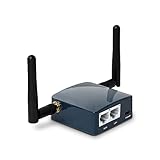
- 【MINI TRAVEL ROUTER】 Convert a public/hotel network(wired/wireless) to a private Wi-Fi for secure surfing. Tethering, 3G/4G USB Modem Compatible. Powered by any laptop USB, power banks or 5V/2A DC adapters (sold separately). 39g (1.41 Oz) only and pocket friendly.
- 【OPEN SOURCE & PROGRAMMABLE】 OpenWrt pre-installed, USB disk extendable.
- 【VPN CLIENT&Server】 OpenVPN and Wireguard VPN client&server pre-installed, compatible with 30+ VPN service providers.
- 【LARGER STORAGE & EXTENSIBILITY】 128MB RAM, 16MB NOR Flash, dual Ethernet ports, UART and GPIOs available for hardware DIY.
- 【PACKAGE CONTENTS】 GL-AR300M16-Ext mini router (2-year Warranty), USB Cable, Ethernet Cable, User Manual.
Cudy AC1200 Pocket-Sized Travel Router TR1200

For travelers who need secure, private Wi‑Fi on the road, the Cudy TR1200 pocket router stands out with its compact form and versatile multi‑mode design. You get 867 Mbps on 5GHz and 300 Mbps on 2.4GHz, dual‑band setup today. Two 10/100 Ethernet ports and one USB provide you reliable wired access always. At 4.21 by 1.1 by 4.21 inches and 3.59 ounces, you’ll travel with it. Modes include Router, AP, Extender, and WISP. WISP adds Captive Portal, and VPNs cover PPTP, L2TP, OpenVPN, WireGuard, IPsec, Zerotier. You can access 20+ DDNS providers for cameras anywhere. Great for travel, everyday.
Best For: Travelers who need secure, private Wi‑Fi on the road, with multi‑mode versatility, compact size, and VPN support for hotel and public networks.
Pros:
- Pocket-sized and lightweight (4.21 x 1.1 x 4.21 in; 3.59 oz) for easy packing.
- Versatile modes (Router, AP, Extender, WISP) with VPN, Zerotier, and DDNS support for secure, flexible networking.
- Dual‑band AC1200 speeds (867 Mbps 5GHz + 300 Mbps 2.4GHz) with two 10/100 Ethernet ports and a USB port for wired access and device sharing.
Cons:
- Power adapter not included; you must supply your own power source.
- Ethernet ports are 10/100 Mbps (no gigabit), which can bottleneck wired connections.
- No built‑in battery; relies on external power for operation.

- A Pocket-sized AC1200 Wi-Fi Router for Home and Travel. the TR1200 offers up to 867 Mbps + 300 Mbps WiFi speeds, two 10/100Mbps ethernet ports, one USB Port, and multiple VPN support, making it perfect for everyday and travel use.
- AC1200 Wi-Fi Speed. 2.4GHz provides extremely long range, 5GHz reaches 867Mbps, ideal for gaming and 4K streaming. Simple tasks like web browsing can be handled by 2.4GHz band, while bandwidth intensive tasks like online gaming or HD video streaming can be processed by the 5GHz band at the same time.
- Multiple VPN Suppport. With built-in PPTP/ L2TP / OpenVPN / WireGuard /IPsec/ Zerotier VPN, this travel router can easily establish a connection to the VPN server to transport all your online data and traffic, securing it with its encryption at the same time. Compatible with 20 more DDNS providers, convenient to manage your remote cameras.
- Easy to share hotspot. Combined with multiple operation mode, including WiFi router mode, Wireless Access point mode, WiFi Extender Mode, WISP mode, which is easy to convert public network (wired/wireless) to private Wi-Fi for secure surfing.
- WISP mode works with Captive Portal. Most of the Free Public Wi-Fi hotspot use captive portal, TR1200's WISP mode can work with it. And some public WiFi usually set a time limit for users, which will disconnect your devices once the time is over. To deal with this situation, please reconnect your router to the wifi.
TP-Link N300 Nano Portable Travel Router TL-WR802N

Pocket-sized and USB-powered, the TL-WR802N is tailor-made for travelers who want secure, flexible Wi‑Fi on the go. At 2.2 x 2.2 x 0.7 inches and 1.06 ounces, it’s ultracompact, and you can power it with a 5V/1A supply or USB power via micro USB.
It gives WAN/LAN 10/100, a reset button, operates 0–40°C, and handles 2.4–2.4835 GHz up to 300 Mbps with 802.11n/g/b and an onboard antenna. You can run Router, AP, Client, Repeater, WISP modes, pre‑encrypts initial SSID/password to extend existing Wi‑Fi coverage. Chrome Cast compatible; it includes 2‑year warranty and 24/7 support. Power options: wall or USB.
Best For: Travelers who need a compact, USB-powered, multi-mode Wi‑Fi device to securely extend or share existing networks on the go.
Pros:
- Ultra-compact pocket size (2.2 x 2.2 x 0.7 inches; 1.06 oz)
- Multi-mode functionality: Router, AP, Client, Repeater, and WISP
- USB-powered with 5V/1A supply (or via micro USB) for flexible power options
Cons:
- Limited to 2.4 GHz (no 5 GHz support)
- Single WAN/LAN port restricts wired device connections
- No built-in battery; requires external power source or USB power

- Pocket sized Wireless N router Travels effortlessly
- Quickly create a secure Wi Fi hotspot to Share with family and friends; External Power Supply 5V/1A
- 300 Mbps Wi Fi speed on 2.4G hertz band for lag Free video streaming and online gaming
- Compatible with Chrome cast
- Micro USB port for Powering via an external adapter or USB port
Deeper Connect Mini VPN Router with Dual Antennas

If you value privacy on the road, the Deeper Connect Mini VPN Router with Dual Antennas offers a lifetime decentralized VPN that runs without subscriptions. With up to 1 Gbps throughput, you get a 4-core ARM64 CPU and 2GB RAM, handling multiple devices on the go. Its dual antennas and a 13 × 6.7 × 2 cm frame (172 g) slip into bags or pockets for travel or home use. Privacy features include a lifetime free decentralized VPN (DPN) and private browsing without centralized servers, with no subscription fees, plus ad blocking, threat protection, and enterprise-level security, plug-and-play setup.
Best For: Privacy-minded travelers and small households seeking a plug‑and‑play, subscription‑free decentralized VPN router with built‑in ad blocking and threat protection.
Pros:
- Lifetime, subscription-free decentralized VPN (DPN) that secures private browsing across multiple devices.
- Plug‑and‑play setup with portable hardware (up to 1 Gbps throughput, 4‑core ARM64 CPU, 2GB RAM) and dual antennas.
- Built‑in cybersecurity features including ad blocking, threat protection, and enterprise‑level security for the whole network.
Cons:
- Decentralized VPN can have variable speeds and fewer nodes than centralized VPN services.
- Real-world performance depends on your ISP, network conditions, and device load; not guaranteed at 1 Gbps.
- Some users may have limited access to traditional support channels or need occasional firmware updates.

- Entry-Level Privacy Gateway: Designed for users who want simple online privacy protection at an affordable level—ideal for basic home networking and daily internet use.
- Secure Browsing for Everyday Needs: Perfect for email, social media, online shopping, and standard streaming—protecting your connection while keeping setup and operation easy.
- Lightweight Protection Against Common Online Threats: Helps reduce exposure to unwanted ads, trackers, and risky websites, improving online safety for your household.
- Simple Setup, No Technical Skills Required: Plug it in, follow the quick steps, and start using—an excellent choice for beginners who don’t want complicated network configurations.
- Decentralized VPN (DPN) Included – No Monthly Payments: Get built-in decentralized VPN access with lifetime free usage, helping you stay private without paying recurring subscription fees
ASUS RT-BE58 Go Dual-Band WiFi 7 Travel Router

Designed for travelers who need secure, fast Wi‑Fi on the road, the ASUS RT‑BE58 Go dual‑band Wi‑Fi 7, MLO, 4K-QAM travel router pushes 3600 Mbps across bands, with 4G/5G tethering and a 2.5G Ethernet port for dependable backhaul. You’re getting low-latency VPN routing, truly ideal for work, streaming, and video calls, plus AiMesh readiness for whole-home coverage. Use WISP mode for hotel or ship Wi‑Fi, create a hotspot on public networks, and convert a phone into a hotspot; USB‑C PD 18W powers it. Management is via ASUS Router app, with guest networks and IoT subnets, and a 3-year warranty.
Best For: Travelers who need secure, fast Wi‑Fi on the road, such as remote workers, RVers, and cruise ship travelers.
Pros:
- 3600 Mbps Wi‑Fi 7 dual‑band performance with MLO and 4K‑QAM supports fast, reliable travel networking.
- Flexible connectivity options including 4G/5G tethering, 2.5G Ethernet backhaul, WISP mode, private hotspots on public Wi‑Fi, and AiMesh readiness.
- Centralized management via the ASUS Router app with guest networks, IoT subnets, and a 3‑year warranty for peace of mind.
Cons:
- Requires constant power (no internal battery) and must be plugged in.
- USB‑C PD 18W may limit charging speed for some devices when used as a power source.
- The feature‑rich interface can be daunting for casual users and may require a learning curve.

- Next-Gen WiFi 7 Router Speeds: Experience blazing-fast dual-band WiFi 7 speeds of up to 3600 Mbps with Multi-Link Operation (MLO) and 4K-QAM. This VPN router ensures a low-latency connection and exceptional Wi-Fi for office working, streaming, and video calls, so you never miss a beat.
- Stay Secure on Any Public Network: This ASUS router protects your sensitive data with comprehensive VPN features and commercial-grade security. This is the ideal travel router for hotel WiFi or for a cruise ship, as it lets you easily create a private hotspot over public WiFi (WISP mode), ensuring your privacy with an easy toggle switch.
- Powerful Mobile Hotspot: Transform your smartphone or mobile dongle into a powerful, shareable network. This hotspot travel router leverages 4G LTE and 5G mobile tethering.
- USB-C Powered Router: Pack lighter and power up anywhere on your journey. With universal USB-C Power Delivery 18W, you can use the same charger for your router as you do for your laptop or phone, eliminating the need for bulky, extra adapters.
- Future-Ready Scalable Mesh Network: As your needs grow, so can your network. This WiFi7 router features enhanced AiMesh technology, enabling you to create a more reliable and extendable Aimesh network for seamless, whole-home coverage with rich security and networking features.
Factors to Consider When Choosing Travel Routers for Secure Wi-Fi
To pick a travel router for secure Wi‑Fi, you’ll weigh VPN support and speed, prioritize strong security features, and consider how portable it is. Check firmware options, especially OpenWrt support, so you’ll tailor the device and keep it responsive in any setting. And you’ll want management and setup to be simple, so you can get online quickly without sacrificing control.
VPN Support And Speed
VPN support on travel routers typically includes OpenVPN and WireGuard, with many devices pre-installed and compatible with 30+ providers. You’ll notice performance varies by hardware, so throughput ranges from about 28 Mbps OpenVPN / 170 Mbps WireGuard on entry-level models to roughly 500 Mbps OpenVPN / 550 Mbps WireGuard on higher-end units. Some routers can host both VPN client and server, letting you access a private network while you’re connected to public Wi‑Fi. WireGuard usually outperforms OpenVPN on the same hardware, thanks to greater protocol efficiency, while quick VPN toggles let you enable or disable private routing to optimize speed when you don’t need it.
On busy networks or streaming, you’ll notice value in higher-end hardware, where WireGuard makes a bigger difference than OpenVPN.
Security Features Priority
Choosing travel routers for secure Wi‑Fi means prioritizing features that keep your data private on public networks. Look for devices with pre-installed VPN clients and servers (OpenVPN and WireGuard) and the ability to route all traffic through VPN when needed. A VPN kill switch and routing policies enforce VPN usage for selected sites or traffic, while leaving other traffic unencrypted if you want, so you’re protected without locking you out. Guarantee DNS privacy support, like DNS over HTTPS or DNS over TLS, to prevent DNS leakage on public networks. Choose routers that offer WPA3 and guest network isolation to keep guests segregated from your private devices. Add a built-in firewall, DoS protection, ad-blocking or content filtering, and captive portal handling for safer public Wi‑Fi.
Hardware Portability Considerations
On the road, portability matters as much as features, so pick models that stay pocket-friendly while still delivering the basics for secure Wi‑Fi. You’ll find travel routers pocket-sized, typically under five inches in their largest dimension and weighing around 6–11 ounces for easy carry. You’ll find a compact, flat rectangular form factor designed to fit in pockets or small bags without protruding parts.
Power is usually provided via USB (USB-C or micro-USB) or a wall adapter, enabling you to operate from portable power banks on the go. Your configurations are deliberately minimal (1–2 Ethernet ports plus a USB port) to keep the device light and compact. Some models include interfaces such as a touchscreen or VPN toggles to simplify your control without extra equipment.
Firmware And OpenWrt Options
OpenWrt-based firmware gives you an open, package-managed platform to tailor your travel router with VPN clients and servers, ad-blocking, and NAS-like file sharing.
It can run both a VPN server and a VPN client at the same time, so you can secure remote access while routing traffic through a VPN.
Newer firmware versions (OpenWrt 21.02/23.05 and newer) add DNS over HTTPS/TLS, IPv6 support, and additional security improvements.
Many travel-router builds offer quick toggles to enable or disable VPN, AdGuard Home, or other features.
OpenWrt’s ecosystem adds thousands of packages and plug-ins for captive portals, NAS, DNS filtering, and service isolation, helping you keep a secure Wi‑Fi on the go.
It lets you tailor performance, privacy, and access.
That flexibility helps you adapt to networks.
Management And Setup Simplicity
Getting setup right should be quick and straightforward, with travel routers that offer a mobile app or a simple web dashboard designed to finish in minutes. You want a quick start, so pick models that include a dedicated physical VPN toggle to secure your connection on public networks without digging through menus. Favor one‑tap features like captive portal support or QR code sharing, so devices connect with minimal input. Look for pre‑installed VPN clients or servers and an intuitive provider selection flow for immediate secure connectivity. Clear, beginner-friendly status indicators—it’s easy to see VPN status, connection quality, and security alerts at a glance.
A dashboard speeds decisions for you, showing VPN status, quality, and security alerts. Also enjoy automatic updates and simple retry options.
Guest Network Isolation
Guest-network isolation creates a separate guest network (guest SSID) that cannot access devices on the private network, protecting your main devices. This isolation relies on features like separate DHCP scopes, VLANs, and firewall rules to prevent traffic between guest and private networks.
Some travel routers offer a dedicated guest Wi‑Fi mode that enforces isolation when using public Wi‑Fi, reducing risk on shared networks. Enabling guest isolation helps keep printers, NAS, and other hosts on the private network inaccessible to guest devices, reducing exposure to threats. Verify that the isolation remains enforced even when other modes (VPN, tethering) are active, to maintain consistent security across connection types. Choose a router that clearly documents isolation guarantees and tests it under VPN, tethering, and guest-mode scenarios today.
Frequently Asked Questions
Can Travel Routers Replace a Home Router for Secure Wi-Fi?
Yes, you can replace a home router with a travel router for secure Wi‑Fi, provided you pick a capable model and configure it. You’ll connect it to your modem, secure with WPA3, and enable VPN or guest networks. However, you might miss advanced features, QoS, or reliable wired throughput, and some ISPs require a fixed MAC or specific settings. If those fit, it works; otherwise, keep your router as backup.
Do All Models Support Guest Networks and Client Isolation?
Not all models support both guest networks and client isolation. If you need them, check the firmware features before buying. Some travel routers offer a separate guest network and AP isolation to keep devices segregated, while others only provide basic wireless access. You’ll want to verify firmware updates, browser-based controls, and whether you can enable these protections without complex setups. If unsure, consult the product page or support before buying.
Which Models Offer the Best VPN and Firewall Options?
More than 80% of travelers use VPNs on public Wi‑Fi, highlighting protection you need. For VPN and firewall options, you’ll find the strongest support in GL.iNet travel routers—the GL-AR750S (Slate), GL-MT300N-V2 (Mango), and GL-Beryl—offering OpenVPN, WireGuard, VPN server/client modes, and highly configurable firewall rules. These models let you run VPN clients for remote networks and host VPN servers for friends, while the firewall blocks unsolicited access and ad trackers effectively.
What Is Typical Battery Life for Portable Travel Routers?
Typically you’ll get about 6 to 12 hours of battery life on a single charge, depending on model and usage. If you enable VPNs, firewall features, or high-speed streaming, expect closer to 6–8 hours. Running off USB power banks or portable packs can extend that, and many models wake quickly from sleep but drain faster when actively routing multiple devices. For best longevity, limit heavy features and lower transmit power.
Do Travel Routers Support SIM Cards for Cellular Backup?
Yes, like a lifeline, many travel routers support SIM cards for cellular backup. You can switch to mobile data when Wi‑Fi fades, like a safety net catching you midair. Some models accept built‑in SIM slots; others need a USB modem. You’ll configure the APN and prioritization in the admin panel, and enjoy auto failover if the primary link drops. Keep spare data, and your connection stays resilient on the road.
Conclusion
You’ll find that the best travel routers turn your urge for secure Wi‑Fi into a reliable habit. As you roam—from hotel lobbies to coffee shops—the right device, VPN-friendly and firmware updatable, keeps your data private and your peace intact. Coincidence threads through your journey: you pack a compact router, and suddenly the safest hotspot you encounter is the one you carry. Choose features you’ll use, and let secure connectivity travel with you, wherever you go today.
DNS protection, Travel routers, VPN support